TumbleRig · release 1.15.0 · 2026-10-02 · changes since v1.14.0

TumbleRig 1.15

Every TumbleRig node now has its own docs page, one click from the tool you are in. Tuning a mask or a shape no longer rebuilds the rig, so edits on a finished character come back about three times faster, and the noodle example gets open shoulders that stay on the torso as the arms move.

80nodes with a docs page
3times faster mask edits
2new node versions
6changes shown with pictures
Get TumbleRig 1.15 on TumbleTrove WindowsLinuxmacOSFree on TumbleTrove, the marketplace for Houdini packages. Install it with TumbleTrove Desktop, or with hpm:
hpm add tumblehead/tumblerig@1.15.0
then hpm install. Older node versions stay installed, so saved scenes keep working.
New and updated nodes in 1.15
The big ones

Highlights

Four changes worth knowing first. Each one links to the place further down where it is shown in depth.

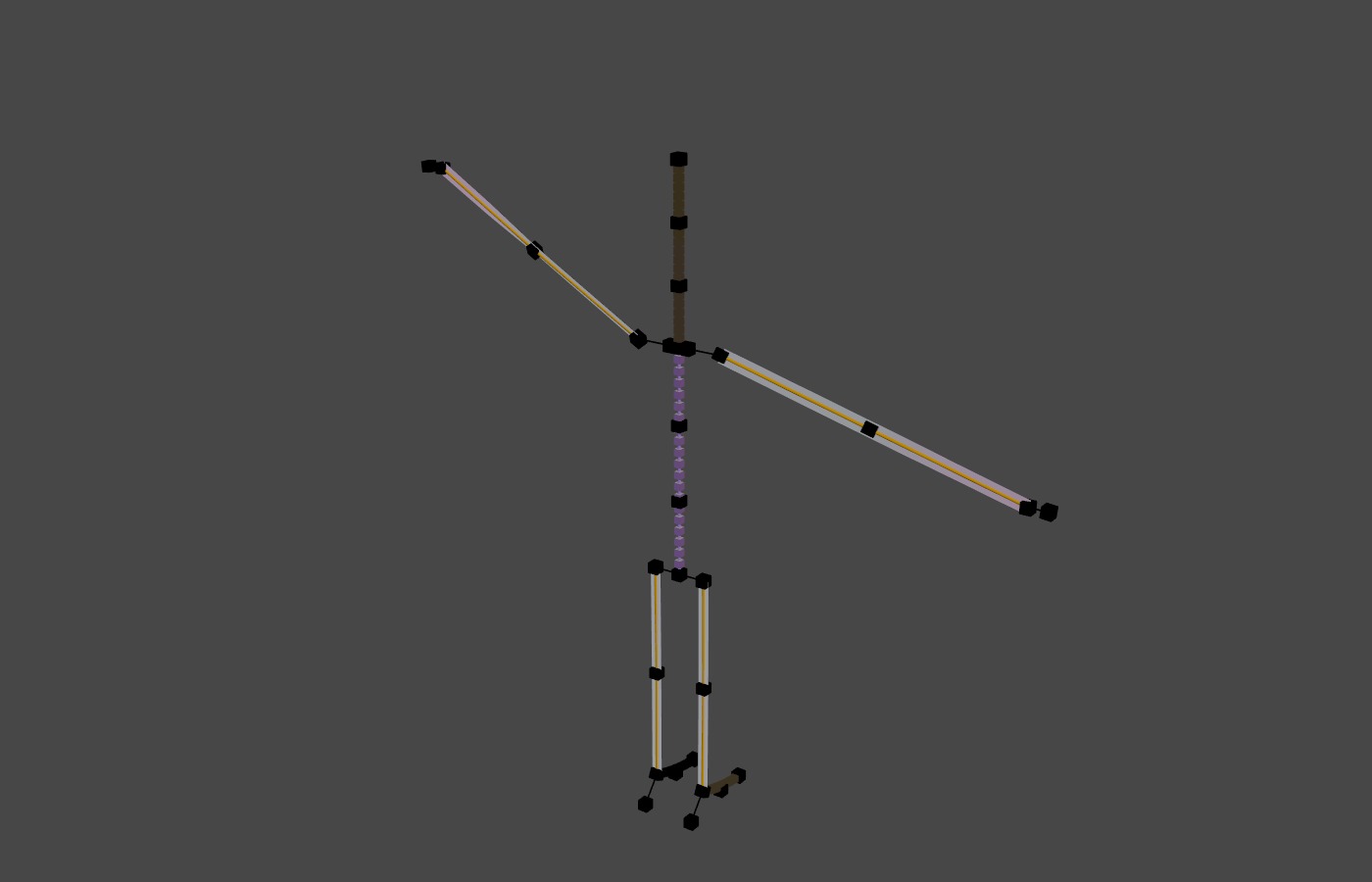
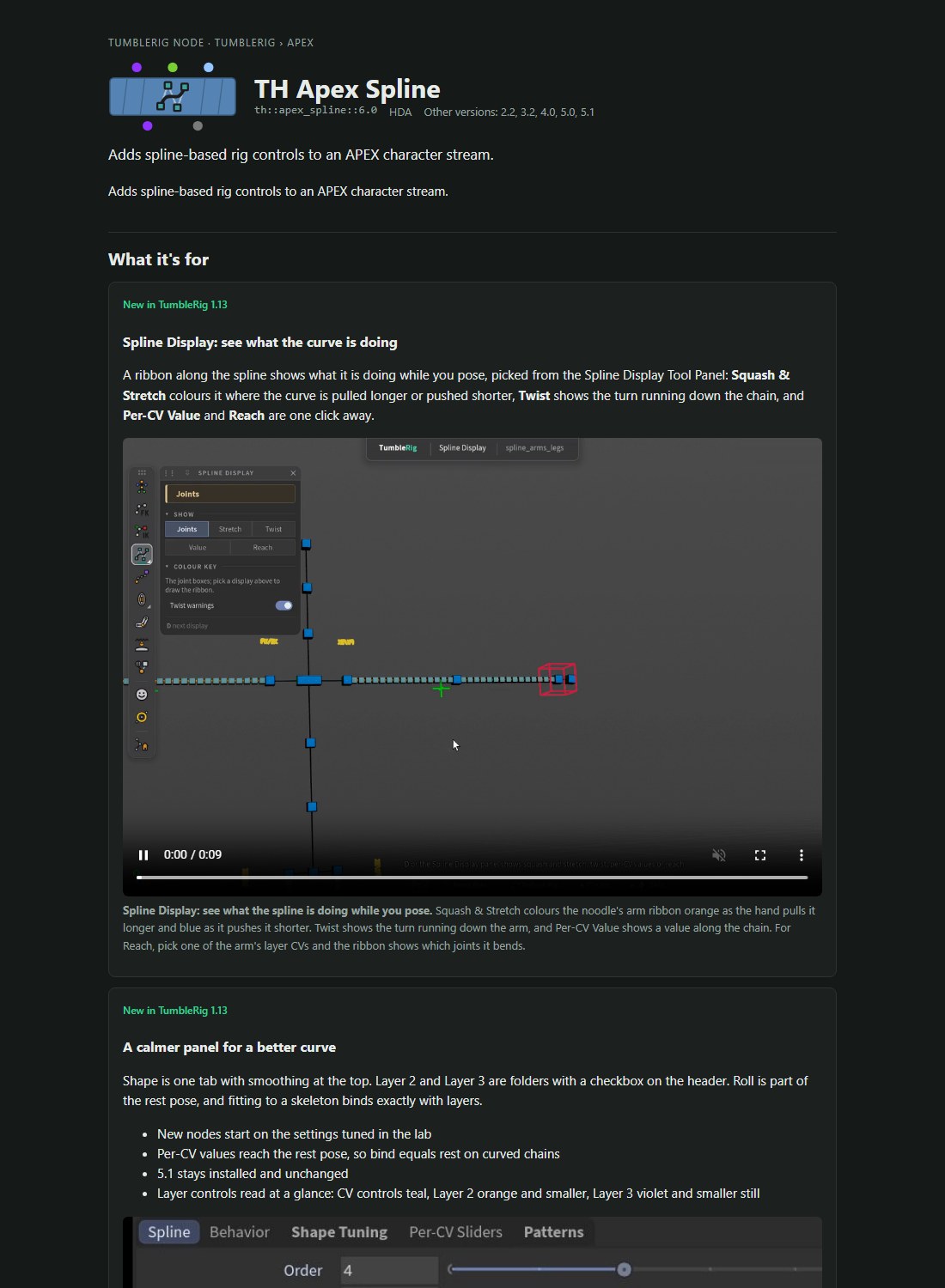
apex_spline 6.0's docs page. What the node is for, told with the pictures and clips from the release pages.
New

Docs for every node, one click away

Every TumbleRig node now has a docs page: what it does, its inputs and outputs, and every parameter with its help. Click the book in any tool's header and the page for that node opens in a floating window beside the viewport. The same pages sit behind the Docs links on TumbleRig's page on TumbleTrove.

In depth in Docs
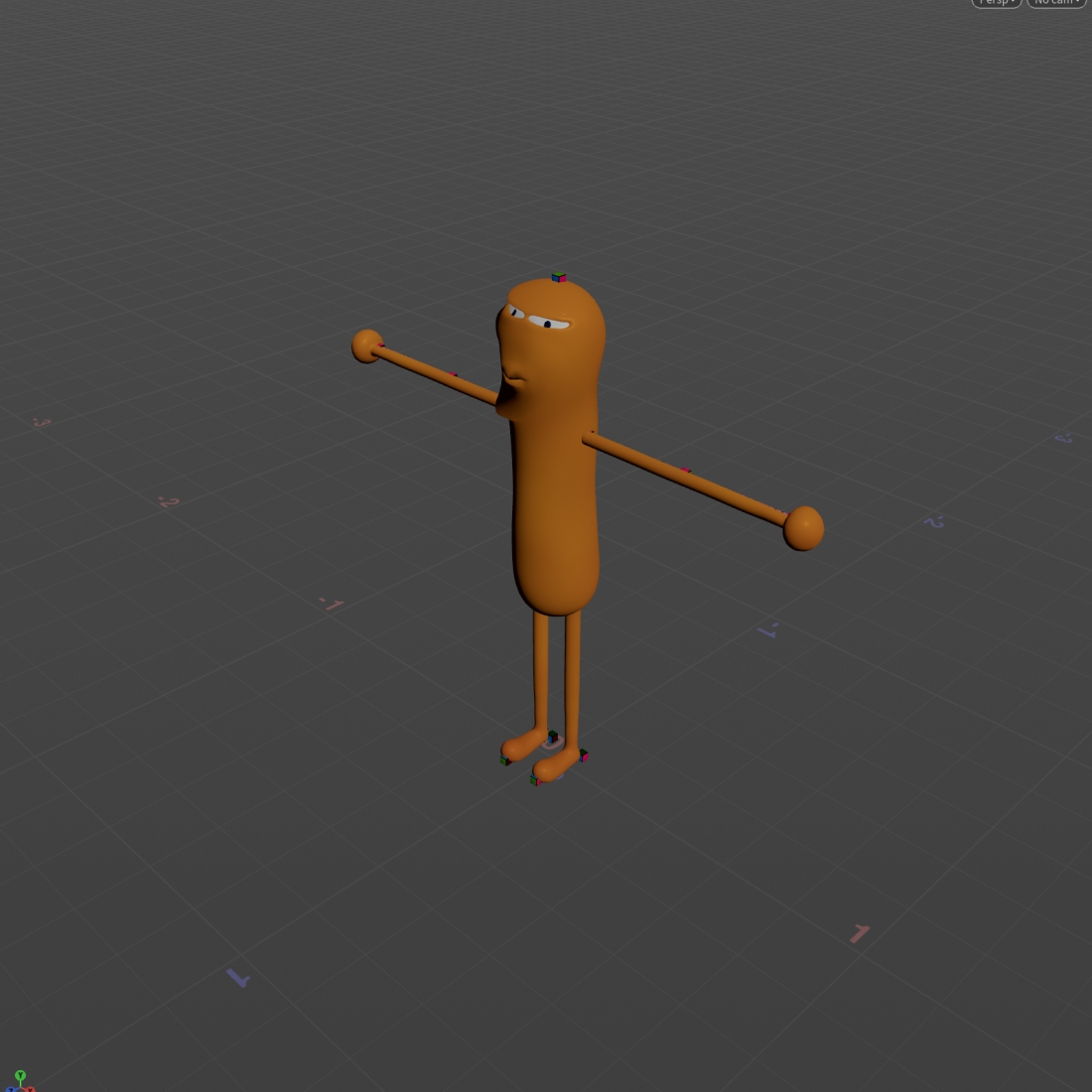
The noodle's Delta Mush mask. Tuning it now re-runs the skin, not the rig.
Updatedth::apex_deltamush::1.0

Tune a mask without rebuilding the rig

Painting or blurring a Delta Mush mask on a finished character only changes the skin, but TumbleRig rebuilt the whole rig every time. Each rig step now keeps its result and only runs again when something it reads has changed: a mask edit on the noodle comes back in 1.1 s instead of 3 s, with the same rig and the same Animate controls. Saving a scene keeps those rig builds too, so a scene you reopen is ready sooner.

In depth in Faster edits
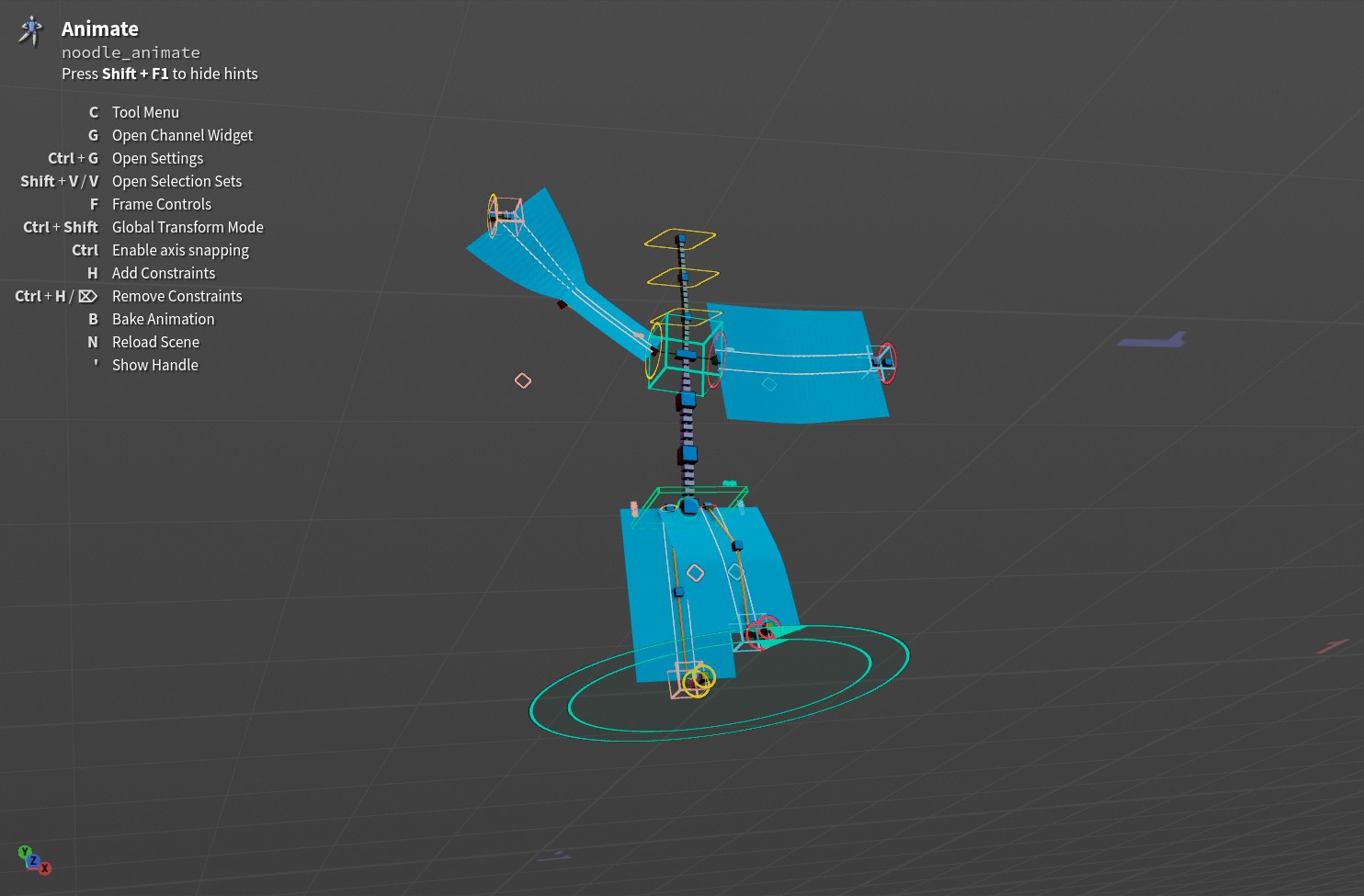
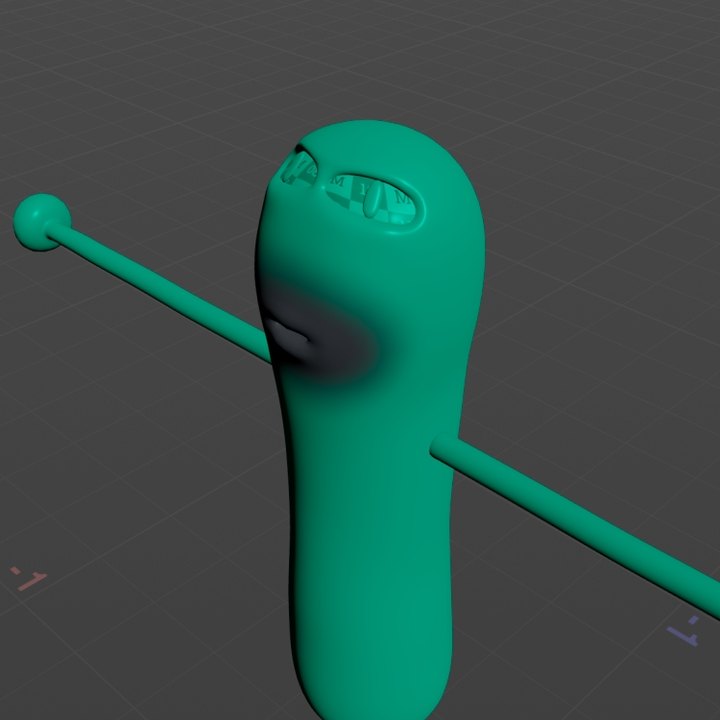
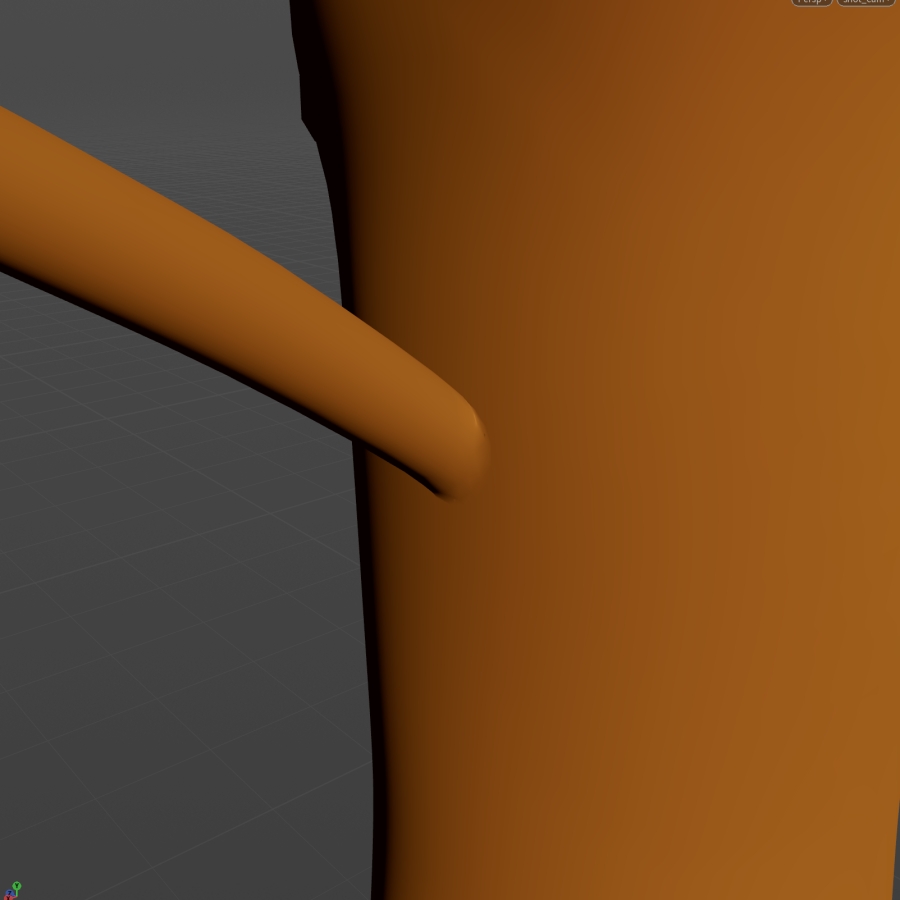
Noodle 1.3, arms up. The open arm end stays on the torso, held by the shoulder shrinkwrap.
Newth::apex_rigExample_noodle::1.3

Open shoulders that stay on the torso

The noodle example 1.3 has the artist's open-shoulder mesh. A shoulder Shrinkwrap holds each open arm end on the torso as the arms move, and Normals and Attribute Transfer after it shade the join as one surface. The sculpted face shapes came along and stay editable.

In depth in Deformation
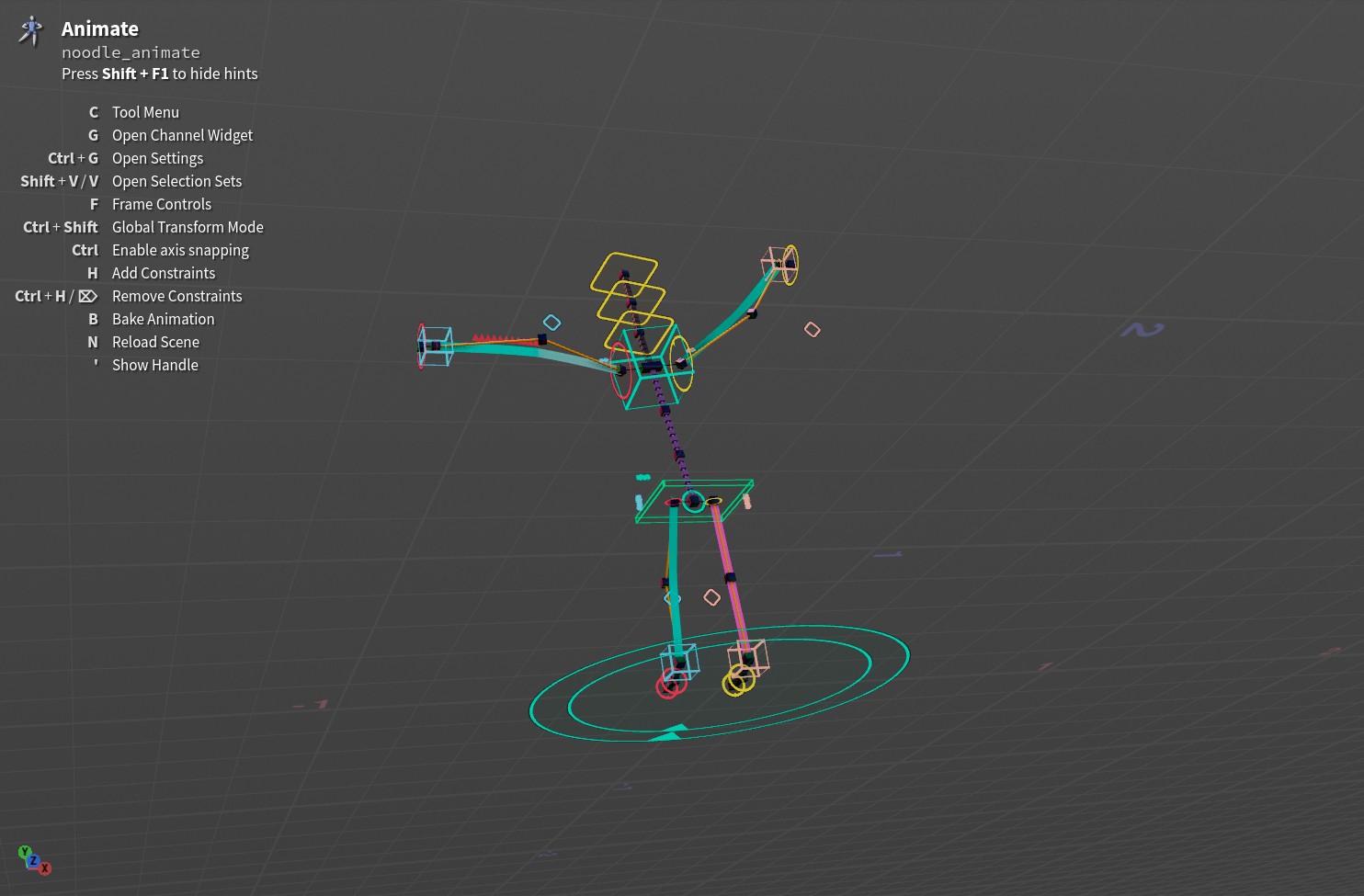
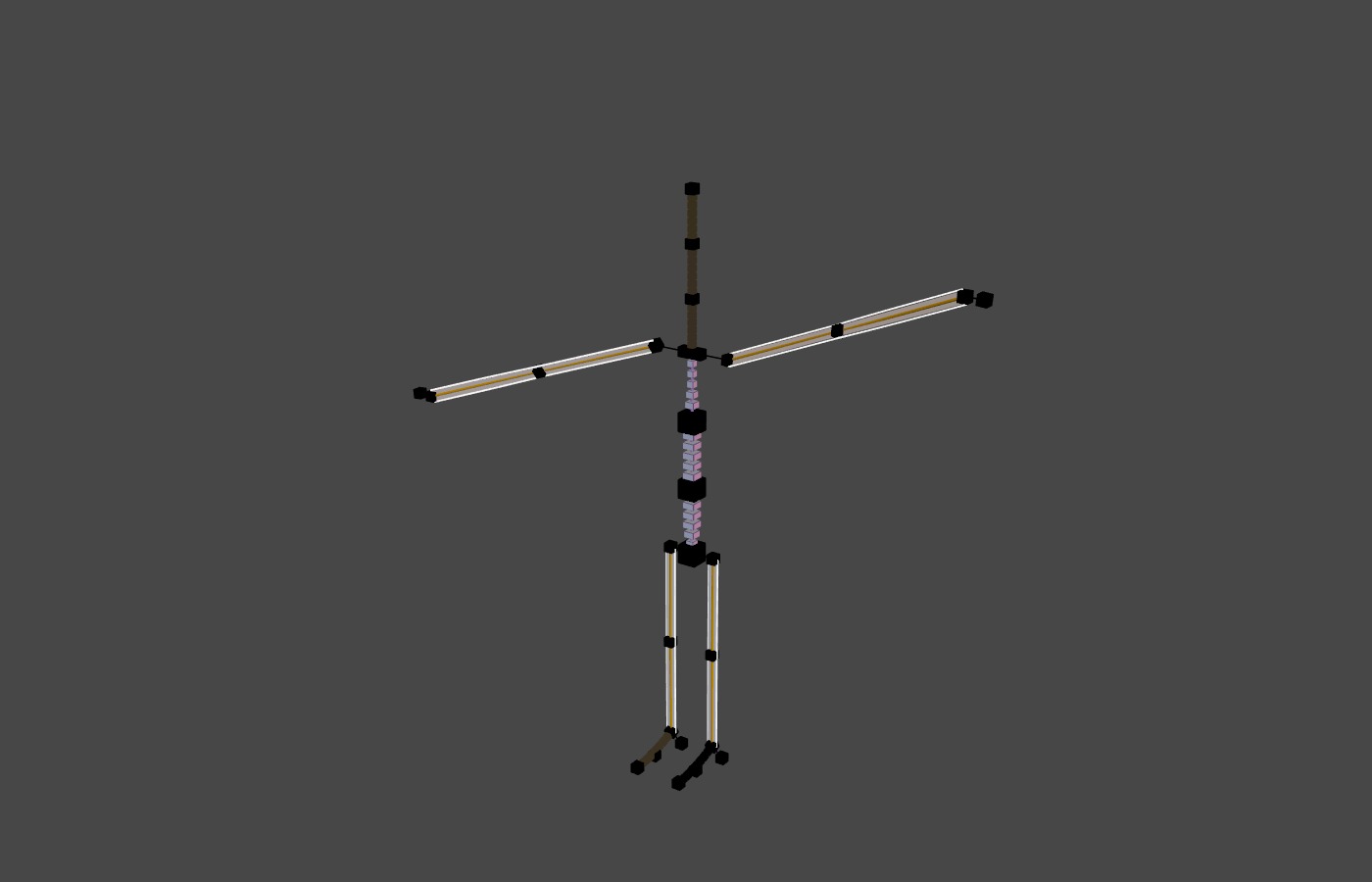
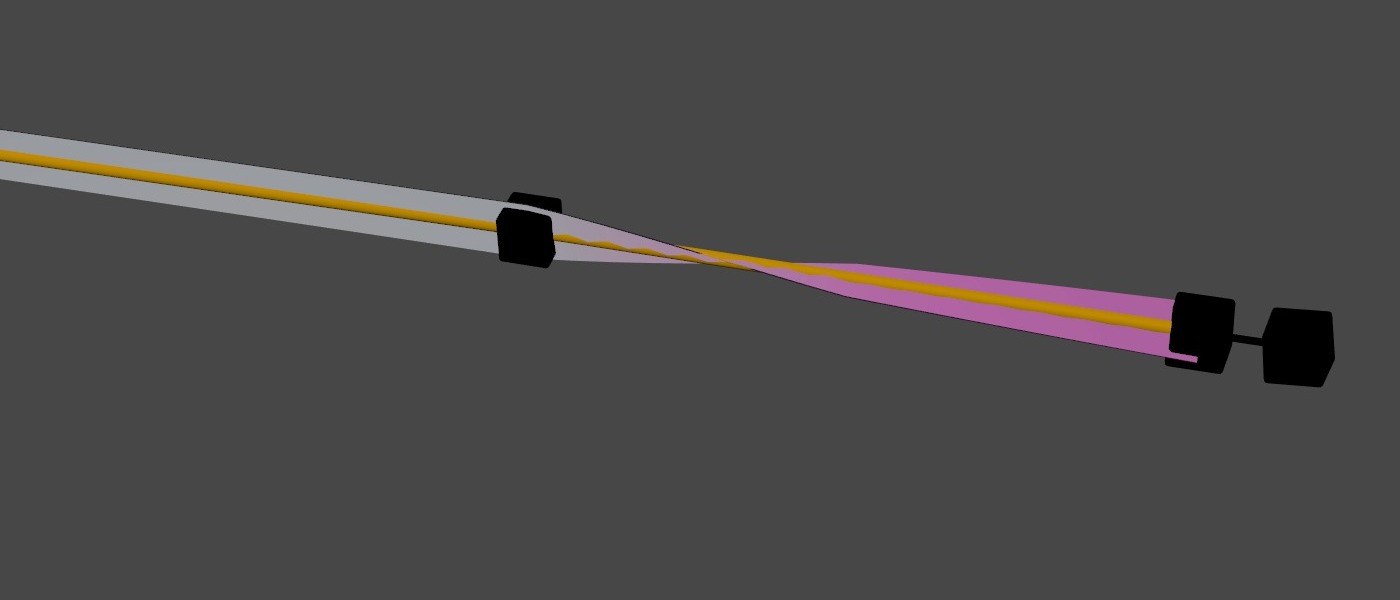
A turned wrist. The ribbon turns along the forearm and goes magenta.
Updatedth::apex_spline::6.0

A spline display that shows only your pose

Turning or scaling the whole rig with Main no longer shows on the Spline Display as twist or stretch, and the ribbon keeps its size on a scaled character. What you pose still reads at a glance: a turned wrist turns the ribbon and colours it magenta, and twist warnings only mark real jumps.

In depth in Splines
In depth
Docs

A docs page for every node

What each node does, how to use it, and every parameter, in Houdini and on TumbleTrove.

Tool

The book in the tool header

Every TumbleRig viewport tool has a book icon in its header, beside the settings gear. It opens the docs for the node you are working on in a floating window you can keep open next to the viewport: what the node is for, its inputs and outputs, and every parameter with the help you get on hover.
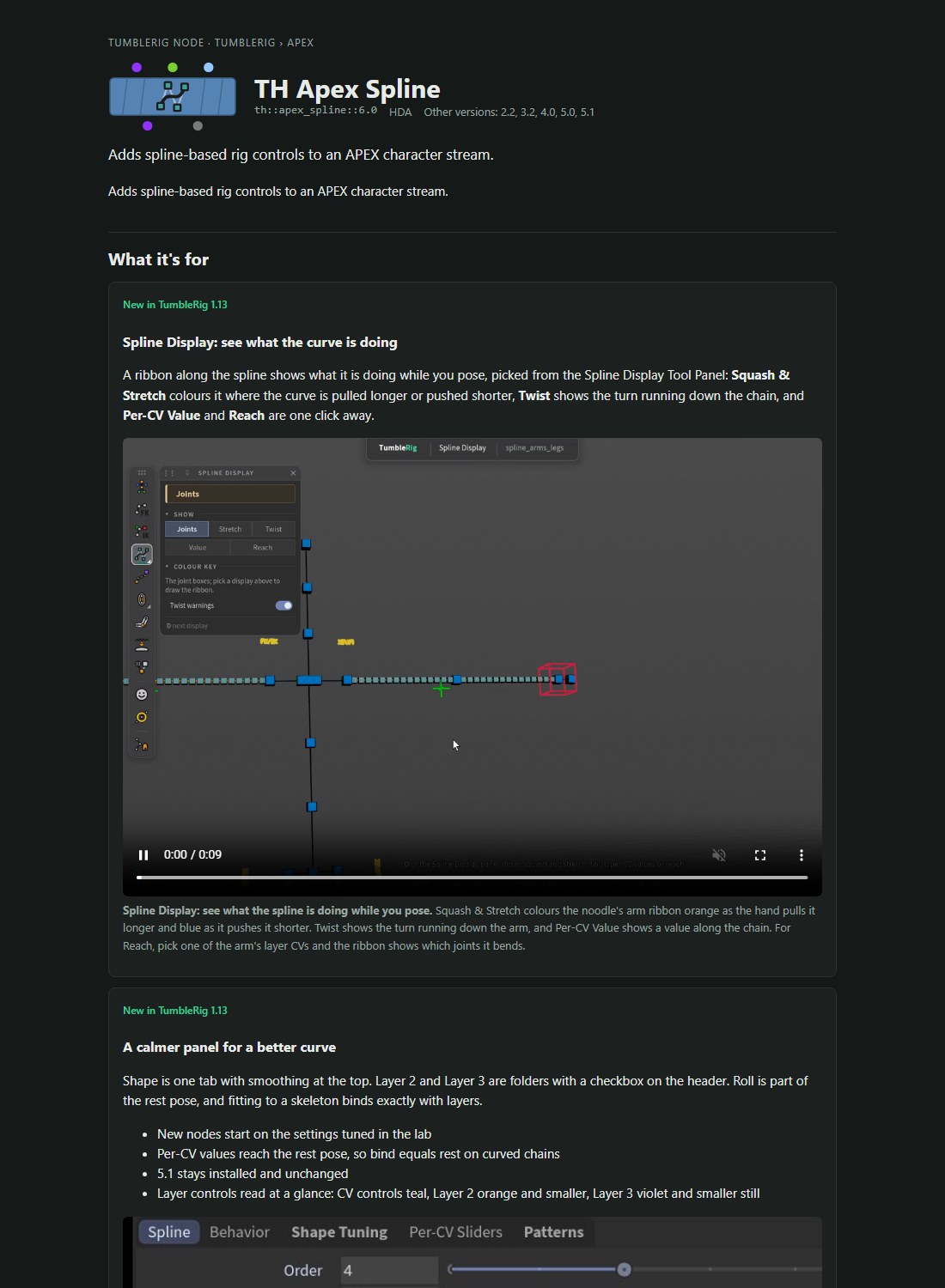
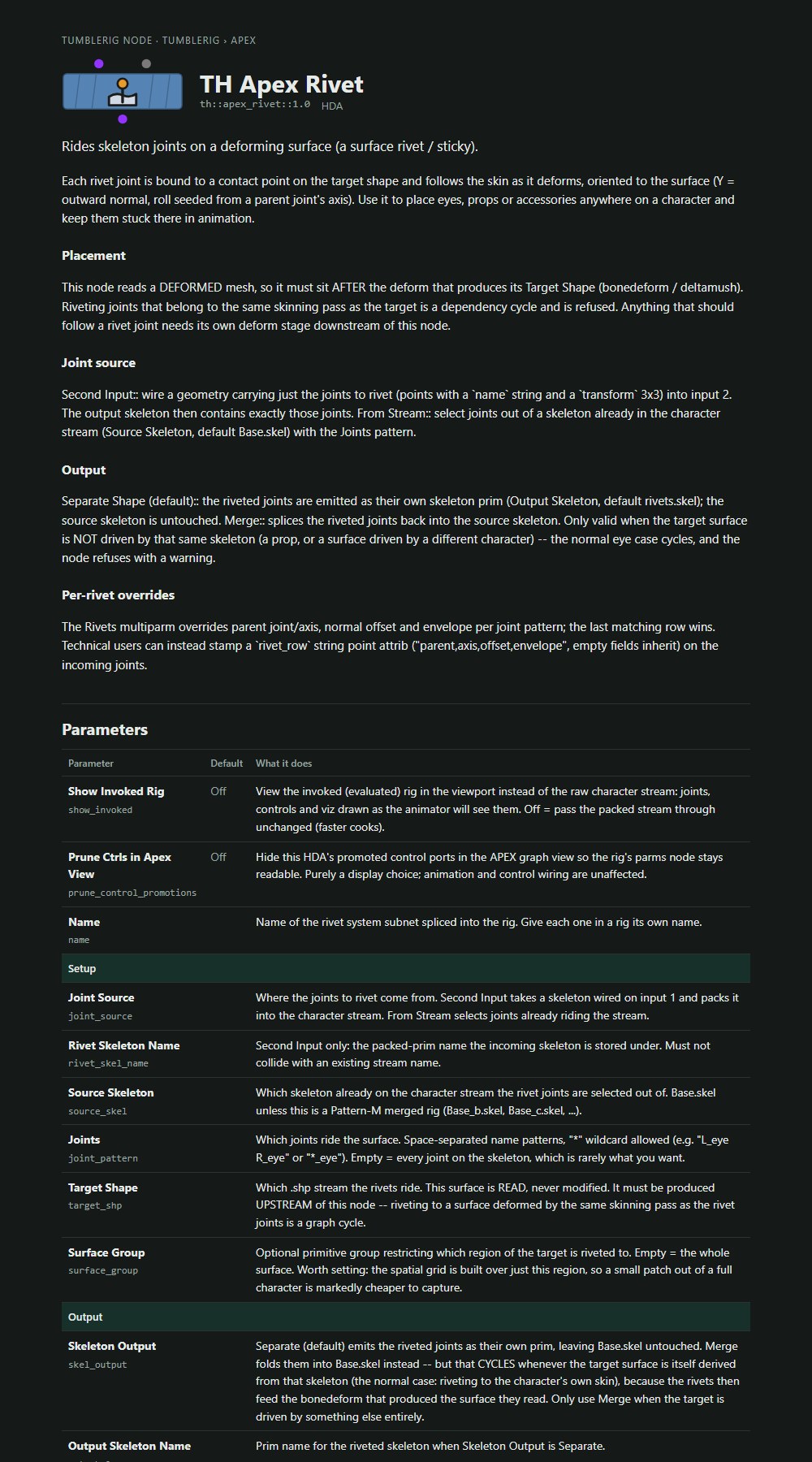
A docs page. apex_spline 6.0's page: what the node is for, with the pictures and clips from the release pages. The book in the tool header opens the same page in a floating window.
Speed

Edits that don't rebuild the rig

Measured on the noodle example on Windows. Same rig, same Animate controls, less waiting.

apex_deltamush 1.0apex_bonedeform 2.2
Updatedth::apex_deltamush::1.0

Mask and shape edits skip the rig

The problem: a Delta Mush mask, a capture blur or a sculpted shape only changes the skin, but every rig step ran again on each edit. Now every rig step keeps its result and only runs again when something it reads has changed, and the skin steps that only read the mesh stay put when you edit the rig. On the noodle: a mask edit 3 s → 1.1 s, a Delta Mush edit about 19% faster, and the first edit after opening a scene no longer re-runs every skeleton step. It is on by default; set TUMBLERIG_NO_RIG_CACHE=1 to turn it off.

  • Reopening a saved scene reuses its rig builds: saving writes them to a cache folder in your Houdini preferences (2 GB at most), and the noodle's chain cooks in 4.2 s instead of 7.0 s after opening (6.3 s instead of 8.2 s in the GUI, load included). TUMBLERIG_RIG_CACHE_DISK=0 turns it off; TUMBLERIG_RIG_CACHE_DIR and TUMBLERIG_RIG_CACHE_MB move or size it
  • Spline 6.1 picks its joints from the rest skeleton, so a rig edit above your splines no longer evaluates the rig once per Spline block: a Joints edit on the noodle 3.0 s → 2.4 s
  • Show Invoked is 35 to 110 ms faster per edit: Delta Mush, Normals and Attribute Transfer keep their GPU setup when the rig rebuilds
  • Dragging a control in the Animate state is faster on rigs with spline blocks: each spline's rest is solved once instead of on every update (6 to 8 ms less per update on the noodle, same result). TUMBLERIG_NO_SPLINE_REST_CACHE=1 turns it off
  • Shrinkwrap and Attribute Transfer bind much faster on NVIDIA GPUs (Windows and Linux): Shrinkwrap's per-pose capture search 3.2 → 0.09 ms and Attribute Transfer's animated re-binding 3.7 → 0.5 ms on the noodle, with identical results, so dragging controls on rigs that use them is smoother. TUMBLERIG_SW_CAPTURE_SERIAL=1 runs the old search
  • Sliders blocks rename their channels inside the rig: Python time per Joints edit about 580 → 180 ms
  • Spline IK 1.2, Eye Rig 1.1, Rivet 1.0 and Joint Cages 1.0 load a precompiled rig instead of compiling it on every cook
The noodle example on Delta Mush. The mask, the capture and the shapes can change without the rig building again.
Fixedth::apex_bonedeform::2.2

Plugging in a wire no longer freezes Houdini

Wiring into Bone Deform, Delta Mush, Joint Capture or Shrinkwrap made the node count its matches, which cooked the whole chain above it, displayed or not: up to 6 s on the noodle. The wire now goes in at once. Until the viewport has cooked the chain, the count labels say counts once the input has cooked, then fill in.

Splines

Splines that read and scale right

apex_spline 6.1 is new; 6.0 changed in place.

apex_spline 6.1apex_spline 6.0
Newth::apex_spline::6.1

Spline 6.1 reads its joints from the rest skeleton

apex_spline 6.1 picks its joints and their rest positions on the rest skeleton, so an edit above your splines no longer evaluates the whole rig once per Spline block (a Joints edit on the noodle 3.0 s → 2.4 s, the same rig). A new Read Joints From menu switches back: Evaluated Rig gives 6.0's result. Spline IK 1.2, Eye Rig 1.1 and the noodle 1.3 use 6.1 inside.

Updatedth::apex_spline::6.0

The Spline Display shows only your pose

Scaling or turning the whole rig with Main no longer paints the limbs as stretched or twisted, and the ribbon keeps its size relative to the character. Twist warnings only mark real jumps, not a smooth wrist turn.

Before: the whole rig turned 180 degrees read as twist.Now: a whole-rig turn reads grey.
Before Before: the whole rig turned 180 degrees read as twist.Now Now: a whole-rig turn reads grey.
Fixedth::apex_spline::6.0

Limbs shrink with Main

With Main scaled down, spline-driven arms and legs kept their full size while the rest of the character shrank. They now scale with it. At Main 1 nothing changes.

Before: at Main 0.5 the limbs stayed full size and the display drew huge stretch sheets.Now: the limbs shrink with the character.
Before Before: at Main 0.5 the limbs stayed full size and the display drew huge stretch sheets.Now Now: the limbs shrink with the character.
Updatedth::apex_spline::6.0

Layer controls sit in the middle of their span

Where a curve follows its CVs loosely, Layer 2 and Layer 3 controls bunched toward the inner CV: 4.4 cm off the middle on the noodle's upper arm. They now sit at the middle of their span's length, where you expect them. Existing rigs change: keys on layer controls act at the new spot.

Capture and deformation

Open shoulders and a steadier shrinkwrap

The noodle example 1.3, and fixes every rig with a shrinkwrap or a masked Delta Mush gets.

apex_rigExample_noodle 1.3apex_shrinkwrap 1.1apex_deltamush 1.0
Newth::apex_rigExample_noodle::1.3

Noodle 1.3: open shoulders on a shrinkwrap

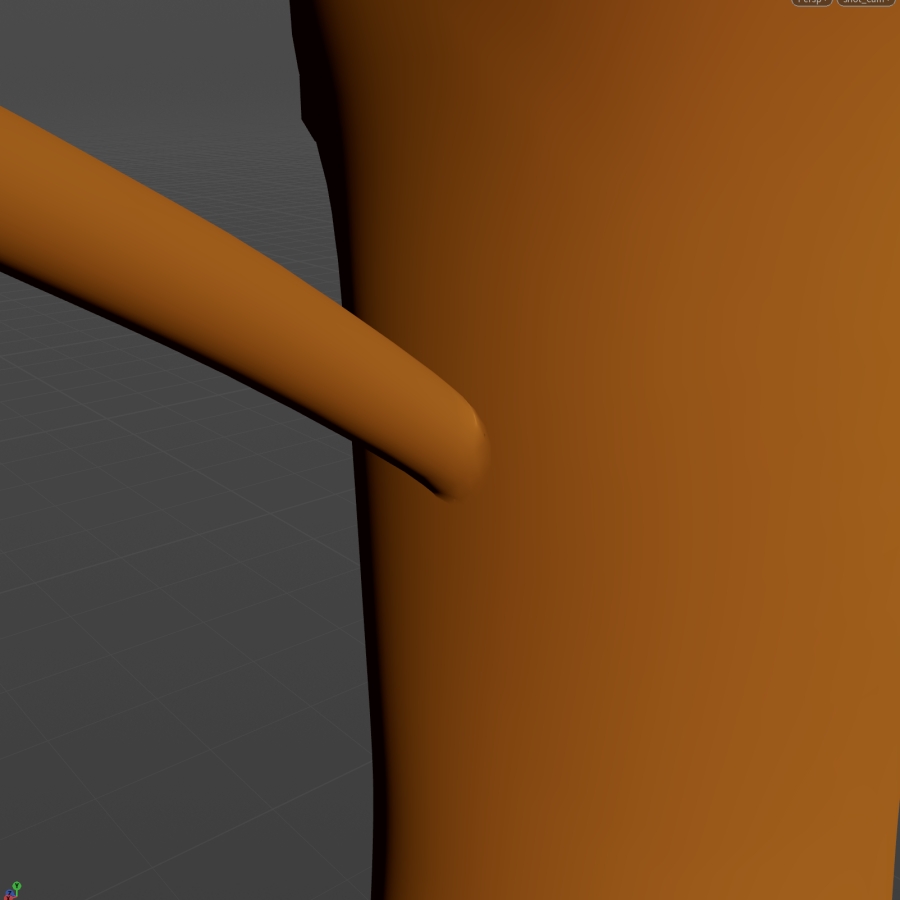
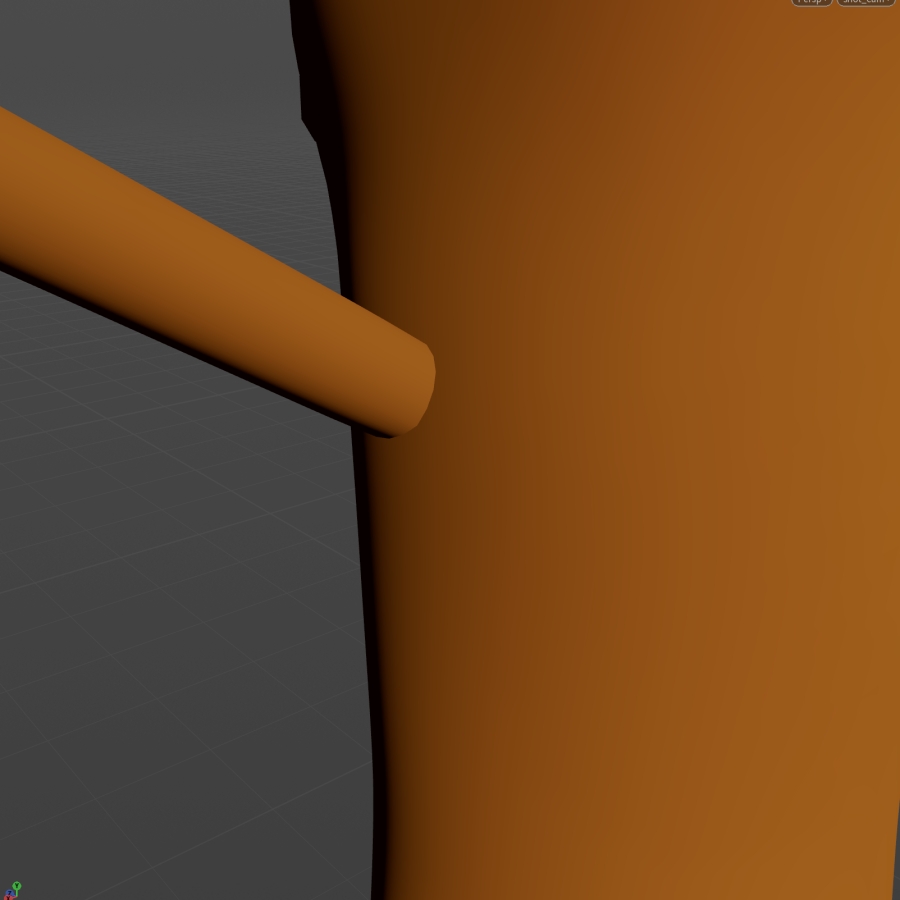
The problem: closed arms pushed into the torso show a crease and a seam of lighting where they meet. Noodle 1.3 uses the artist's open-shoulder mesh: a shoulder Shrinkwrap keeps each open arm end on the torso as the arms move (within 0.35 mm; up to 5.4 cm without it), and Normals and Attribute Transfer after it shade the join as one surface. The face shapes came along and can still be sculpted. A fresh 1.3 opens on its neutral face; the Chad shape is still on its slider to dial in.

Shrinkwrap on: the open end stays on the torso.Shrinkwrap bypassed: the open end just follows the arm.BeforeNow
Before Shrinkwrap bypassed: the open end just follows the arm.Now Shrinkwrap on: the open end stays on the torso.
Fixedth::apex_shrinkwrap::1.1

The shrinkwrap seam starts untwisted

The ring where a shrinkwrap meets the body started at an arbitrary roll, so the seam looked twisted before anything moved: 62 degrees on the noodle's shoulders. It now starts untwisted and its roll follows the Parent Controller from its rest pose (2 degrees). Setups made before lose that starting twist.

Fixedth::apex_deltamush::1.0

A GPU node after a masked Delta Mush reads the mask

A GPU deformer after a masked Delta Mush read the unmasked result, which smoothed away up to 2.7 cm of the noodle's sculpted face shapes. It now reads the masked one.

Tools and settings

Demo clips from your own takes

A new page in TumbleTrove Settings.

Tool

Shoot Director (preview)

Record yourself using a tool in Houdini, and Shoot Director turns the take into a clean, looping clip with the cursor drawn on: the same kind of clip as on this page. The Shot Editor shows the take as a timeline of actions, where you retime a drag, stretch a hold, mute a step or set the poster and crop before it renders. Open it from the new Shoot Director page in TumbleTrove Settings, which also sets the folder your takes go to.

Fixed

Fixes you will notice

apex_ctrls 2.0apex_rigExample_noodle 1.3cuda_joint_capture 1.0
Updatedth::apex_ctrls::2.0

Controls draw as plain wires again

The Polished control style is gone: its see-through filled rings covered the mesh while animating. Scenes saved with it reopen with the plain wire controls. Colour themes and role shapes stay in Quick Actions.

Fixed

Update no longer crashes Houdini

Clicking Update in the tool header's out-of-date warning could crash Houdini, apex_spline most often. It now swaps the node once the tool has closed.

Fixedth::apex_rigExample_noodle::1.3

The noodle examples show the posed character

Noodle examples 1.0 to 1.3 show the posed character in the viewport, not the raw rig graph.

Fixed

Sliders name their channels right

The joint-tag fallback in Sliders came back empty, and stripping _to from a name left a trailing underscore. Both are fixed.

Fixed

The rig cache notices a capture that moves

A capture that moved to other joints with the same weights could reuse an old rig build. The cache now checks which joints the capture uses, not only its weights.

Fixedth::cuda_joint_capture::1.0out since 1.14.1

Joint Capture up to 20 times faster

Joint Capture binds dense characters 7 to 20 times faster the first time (415k points: 17.6 s → 1.3 s), with the same weights, and a mesh that changes every frame refreshes in about 9 ms instead of 60.

Fixedout since 1.14.1

Rewiring cooks once

Rewiring a TumbleRig node no longer rebuilds or cooks it twice, and a node that isn't displayed doesn't cook at all while you wire it. IK Spline no longer reports a false "rest_transform missing" error.

For existing scenes

Upgrading

New versions install next to the old ones, and a saved scene keeps the version it was built with until you swap the node. Some nodes changed in place, see their rows.

NodeWasNowWhat to know
apex_spline6.06.1Takes its CV rest positions from the rest joints. Set Read Joints From to Evaluated Rig for 6.0's result. 6.0 stays installed for saved scenes.
apex_rigExample_noodle1.21.3The artist's open-shoulder mesh with a shoulder shrinkwrap, normals and attribute transfer. Opens on the neutral face (Chad 0, it was 1 in 1.2). 1.2 stays installed for saved scenes. 1.3, Spline IK 1.2 and Eye Rig 1.1 use apex_spline 6.1 inside (changed in place, same result).
apex_spline6.06.0Changed in place: layer controls move to the middle of their span's length, so keys on them act at the new spot; with Main scaled, limbs now shrink with the character (no change at Main 1).
apex_shrinkwrap1.11.1Changed in place: the seam ring starts untwisted and rolls with the Parent Controller from its rest pose, so existing seams lose their starting twist.
apex_ctrls2.02.0Changed in place: the Polished style is removed. Scenes saved with it draw plain wire controls.
apex_rigExample_noodle1.01.2Changed in place: the viewport shows the posed character instead of the raw rig graph. The rig is the same.
From the commit history

Every change

46 changes since v1.14.0

New in 1.15.0 (41)

  • apex_rigExample_noodle 1.3: chad blendshape off by default
  • Shrinkwrap capture and Attribute Transfer re-bind: one block per target
  • Shoot Director: fixes from the end-to-end test
  • Spline 7.0: solve the live rest once, not on every evaluation
  • Shoot Director 0.2: the Shot Editor, a timeline of actions
  • Shoot Director: works without an ffmpeg install, Edit shot button, neutral note
  • Shoot Director (preview): TumbleRig.shoot_director + a launcher page in TumbleRig Settings
  • Rig Edit Cache disk: key on the asset library's file name, not its folder
  • Delta Mush, Normals, Attribute Transfer keep their GPU setup across rig rebuilds
  • Rig Edit Cache: boneCapture keys on its regions, not only its weights
  • Rig Edit Cache: scene save writes the results to disk, scene open reads them
  • apex_spline 6.1: picks its joints on the rest skeleton, no rig evaluation per edit
  • Sliders and constraint wiring: string strips that kept a character or came back empty
  • Rig Edit Cache: time-reading expressions count as time dependent by their text
  • Sliders: rename the channel ports in the graph, drop the Python step
  • Rig Edit Cache: compare the frame beside the key, not in it
  • Rig Edit Cache: keep the key-skip pattern across nested cache cooks
  • Cache the Python steps and skin stages that re-ran unchanged
  • Rig Edit Cache: 'Key on the Asset's Parameters' option
  • Precompile the last five live main scripts (Spline IK 1.2 and four more)
  • Rig Defaults reuses its rig edit on shape edits (keyskip *.shp)
  • Rig Edit Cache: 4-8x cheaper key checks, Leave Out of Key parm
  • Wire drops never cook: count labels read only cooked input
  • apex_ctrls 2.0: remove the Polished control style
  • apex_spline: layer controls at the LENGTH middle of their span, not the parameter middle
  • apex_rigExample_noodle 1.3: shoulder seam rolls with the arm (Parent Controller *_shoulder)
  • shrinkwrap: the seam ring starts untwisted; its roll follows the Parent Controller from its rest pose
  • apex_rigExample_noodle 1.0-1.2: show the invoked rig, never the raw APEX graph
  • apex_rigExample_noodle 1.3: show the invoked rig, never the raw APEX graph
  • Node docs: the catalogue's one line is the lede when a node has no Help summary
  • Tool header: a book icon opens the node's docs in a floating window
  • Node docs: a generated page for every node, built into each release
  • Rig edits are reused while nothing they read changed (th::rig_edit_cache in 45 assets)
  • th::rig_edit_cache: kill switch, never goes time dependent, and the sweep that puts it in the assets
  • Prototype: th::rig_edit_cache reuses a rig edit while nothing it reads changed
  • apex_rigExample_noodle 1.3: the frog's normals + attribute transfer after the shoulder shrinkwrap
  • apex_rigExample_noodle 1.3: shoulder shrinkwrap smooths 7 iterations
  • Node examples: approved example recipes list under Examples by node section
  • apex_rigExample_noodle 1.3: the artist's open-shoulder mesh and a shoulder shrinkwrap
  • mask_blend: new P data id after blending, so the next CUDA node reads the blend
  • Update to newest: swap with cooking off, after the tool has really closed

Shipped in 1.14.1 (5)

  • Joint Capture: per-frame content check runs in parallel (7x cheaper)
  • Rewires never cook inside the wiring event (76 assets)
  • Rewiring a TumbleRig node no longer rebuilds it a second time
  • IK Spline: no more false 'rest_transform missing' errors; a real Fit Offset failure says what is missing
  • Joint Capture: first cooks 7-20x faster, weights unchanged