TumbleRig 1.18

Beta Everything new in 1.18 is in beta: it works in our tests, but it hasn't had long use in production yet. Tell us in the community what you run into.

New and updated nodes in 1.18

Highlights

In depth

A camera rig for Scene Animate

Placement, track, crane, a level head, aim and focus, a rail and keyable lens, animated next to your characters.

New node
NewBeta

Camera Rig

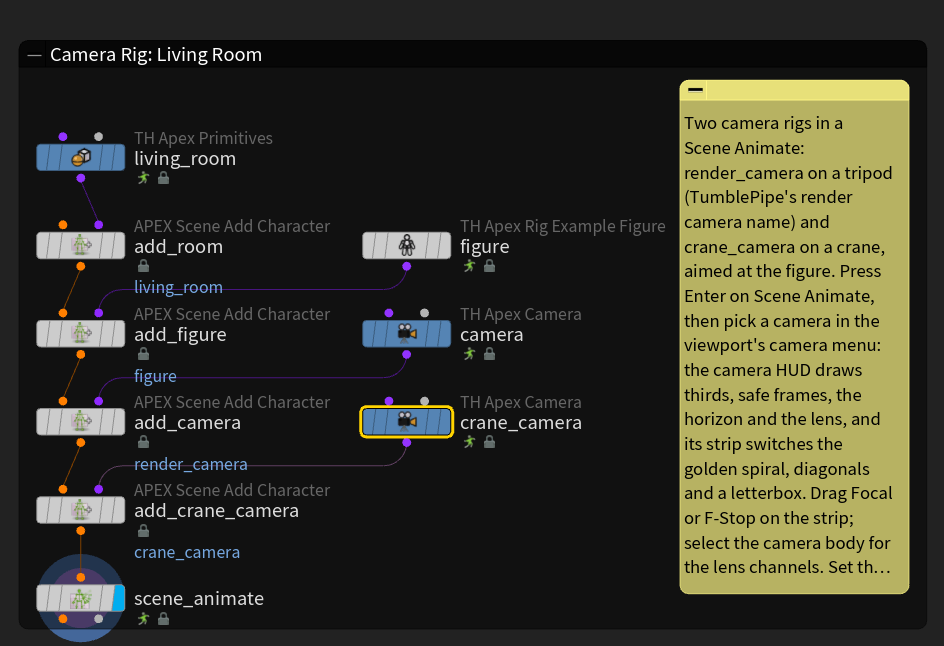
Animating a camera by keying its transform fights you: the horizon tilts, the aim drifts and a crane move is three channels at once. The Camera Rig splits it the way a crew would: a track on the ground, a crane arm, a level pan, tilt and roll head, and the lens. Aim and focus targets keep the subject framed and sharp, and a rail (a curve on its second input) carries the track, following the subject if you like. Focal length, f-stop and a dolly zoom channel key like any control. It is named render_camera for TumblePipe.
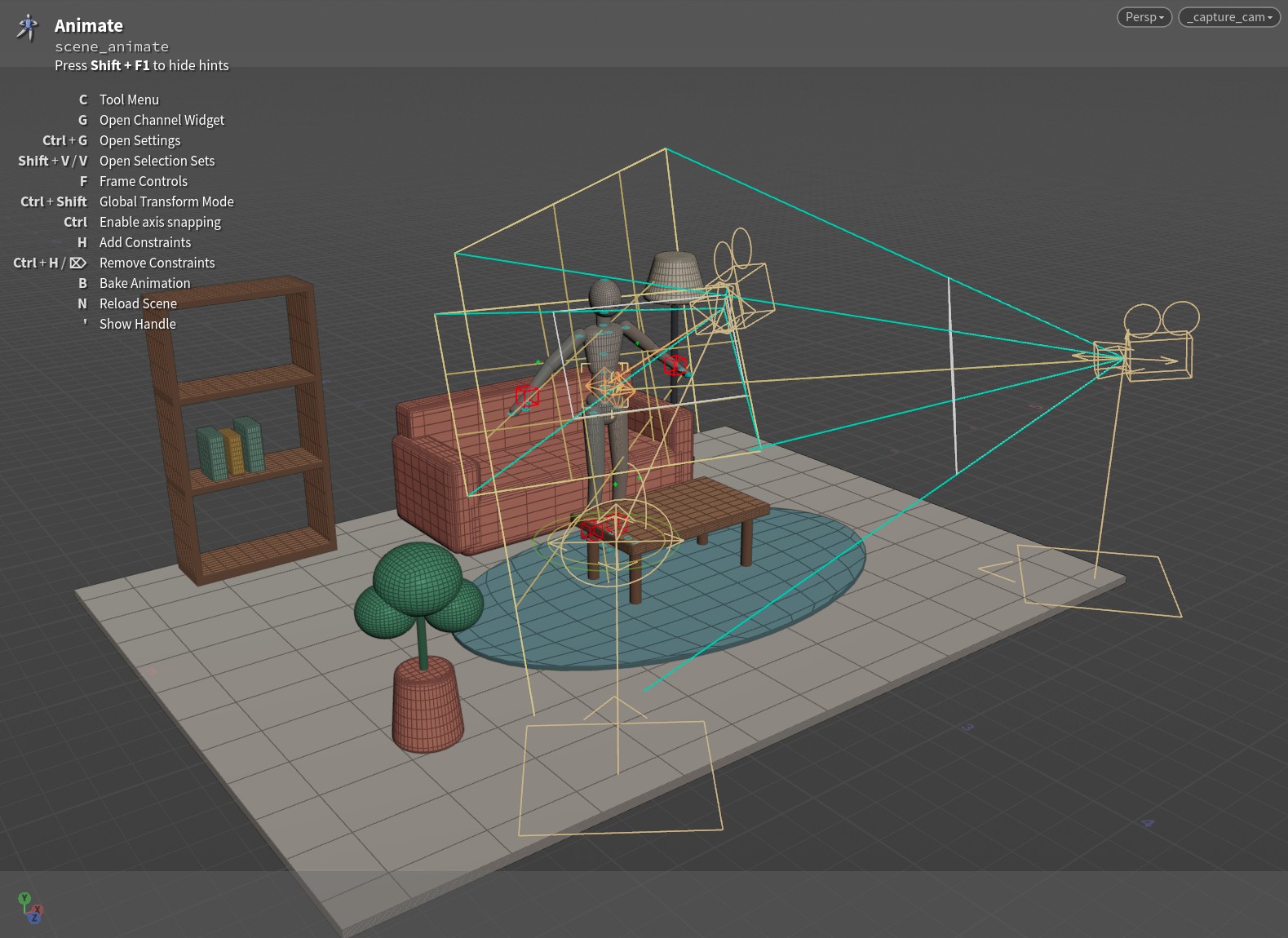
Track, crane and head, each with its own control.
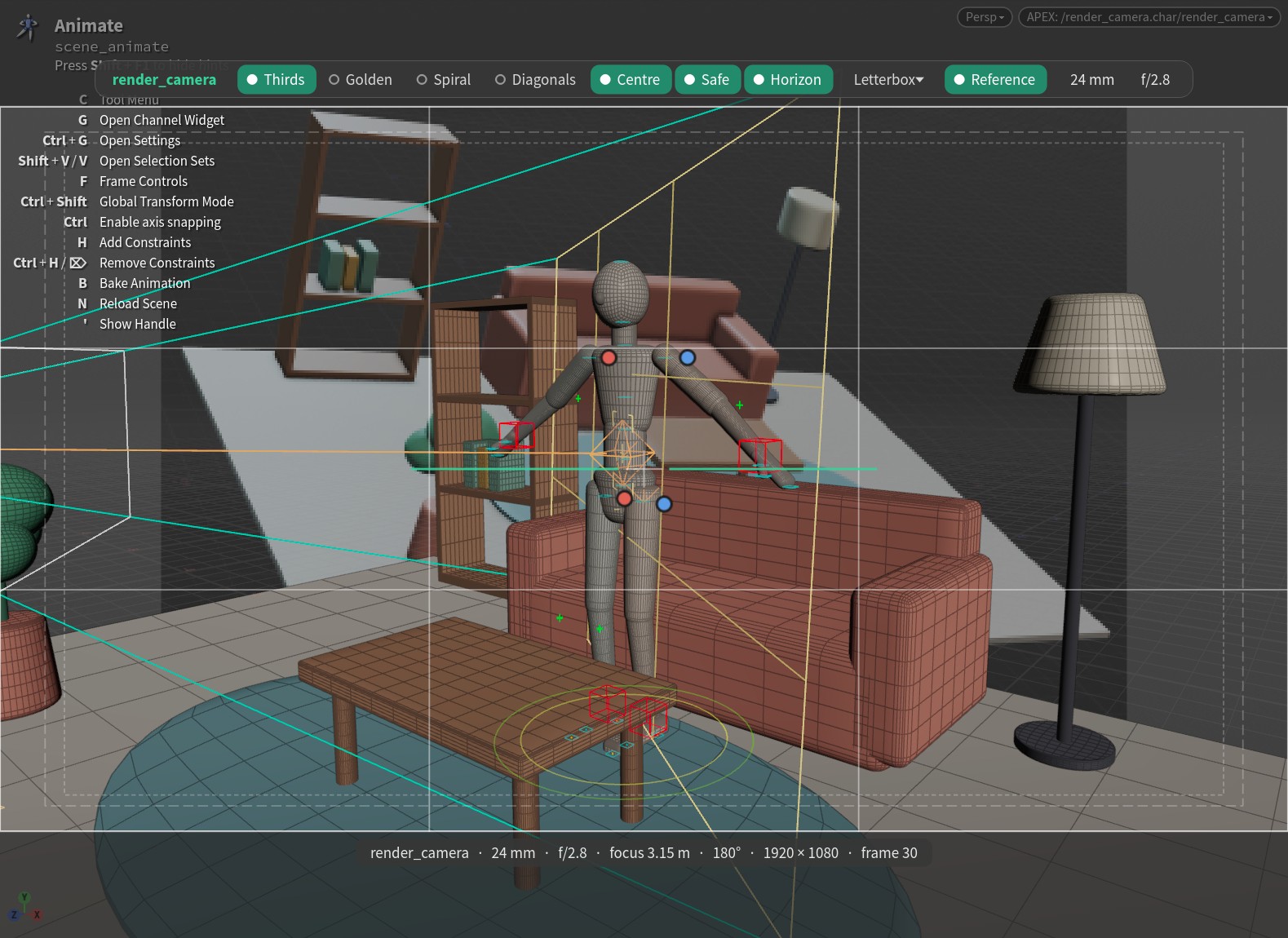
The camera rig next to a character in Scene Animate.
Node setup The camera rig next to a character in Scene Animate.
NewBeta

Camera HUD

Look through the camera and the HUD draws the film gate, thirds, golden ratio and spiral, safe frames, a letterbox, a level horizon and the lens. A reference image, sequence or movie plays behind the scene. The other cameras' guides hide while you look through one.

Video Composition guides and a reference behind the lens.
A reference playing behind the scene.
NewBeta

Six classic shots

Six example shots to drag in from the Asset Browser: a chase on a rail, a crane reveal, over the shoulder, a dolly zoom, an orbit and a rack focus, each on the figure and keyed.

Video The dolly zoom: the subject stays, the world stretches.
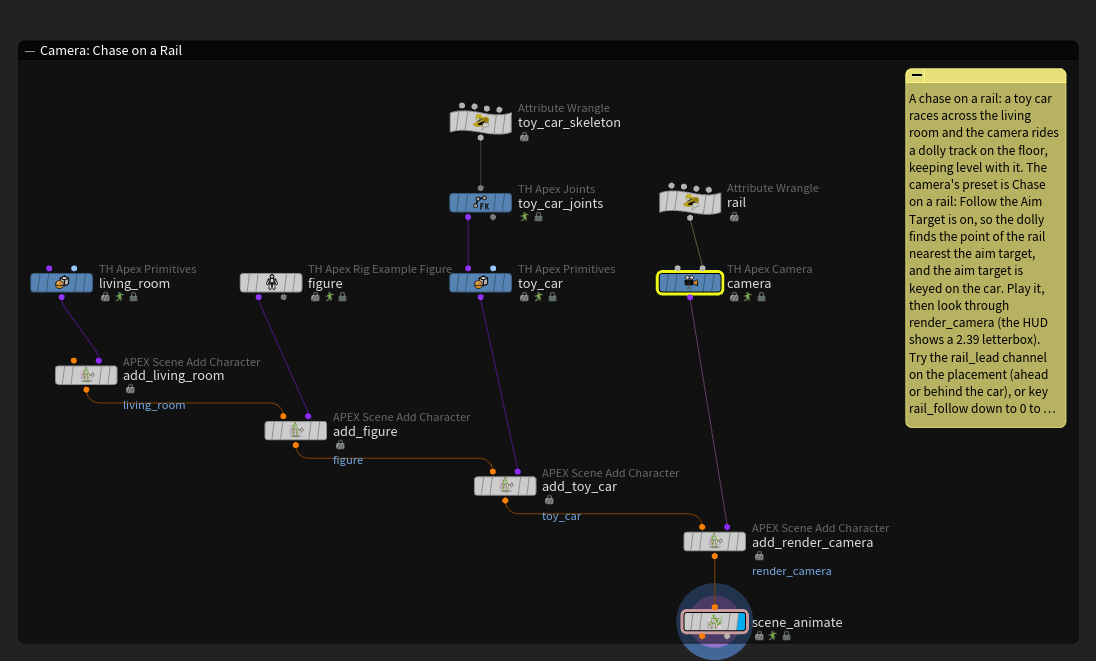
The chase on a rail.
Node setup The chase on a rail.

Joints, axes and pickers

Orient a skeleton, snap joints into place, check it, and pick a character's parts.

Skeleton and selection
NewBeta

Orient Joints

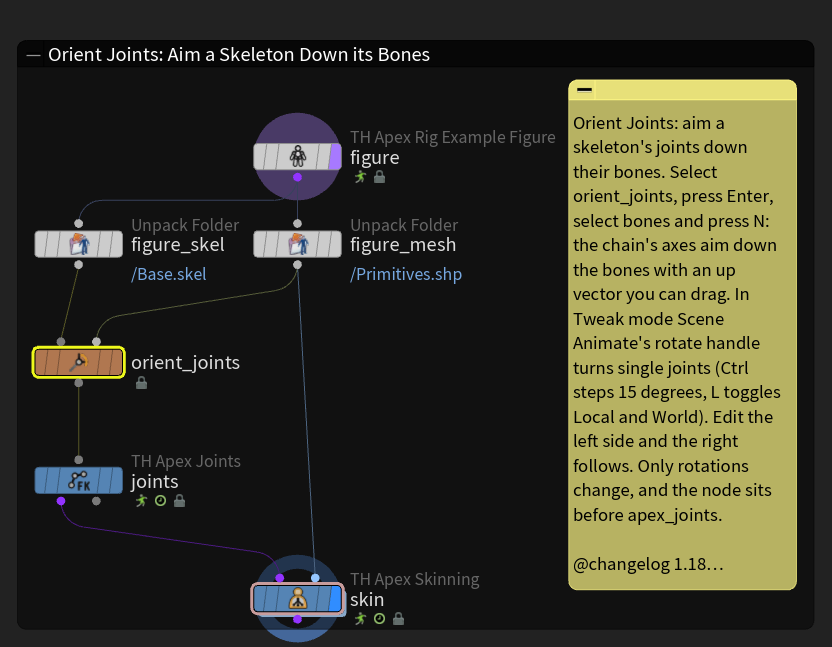
A joint's axes decide how a limb bends and how its controls turn. Orient Joints sits before apex_joints: select bones and press N to make chains that aim down their bones, with an up vector you drag, take from the chain's bend, the parent or a joint. In Tweak mode Scene Animate's rotate handle turns single joints (Ctrl for 15 degree steps, L for Local or World, O to square up). Edit the left side and the right follows. Only rotations change.

Video Chains, then a tweak on one joint.
Orient Joints before apex_joints.
Node setup Orient Joints before apex_joints.
NewBeta

Selection Sets and Character Picker

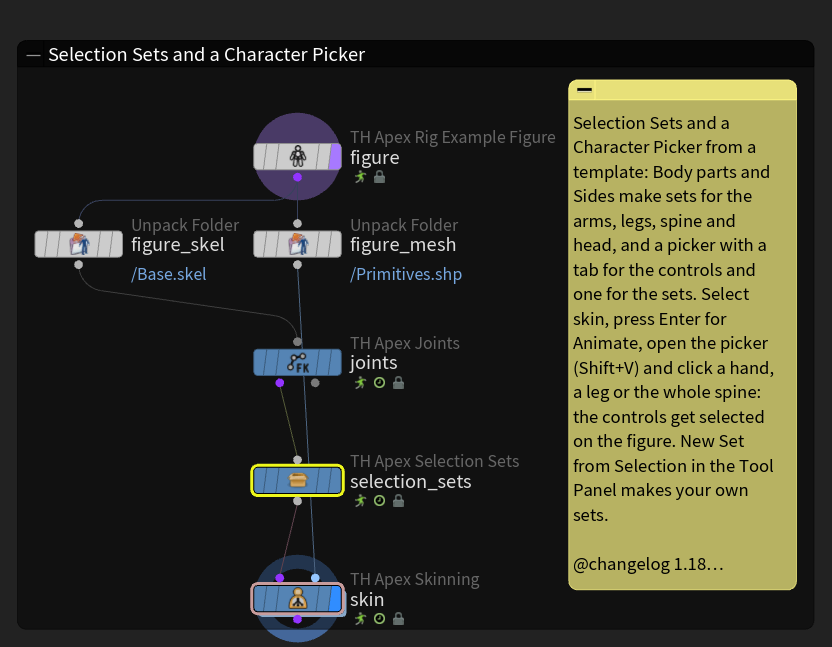
Pick a template (a biped, Fit Skeleton) and the node makes selection sets and a Character Picker for the rig. The Tool Panel adds your own sets: New Set from Selection, add, remove and select. Fit Skeleton Markers uses it for its own sets and picker.

Video Click a part on the picker, the controls are selected.
Selection Sets on the figure.
Node setup Selection Sets on the figure.
UpdatedBeta

Also new

More in this release, each in beta.

IK, constraints and lattices

Calmer spines, controls that size themselves, and better defaults.

Rigging
NewBeta

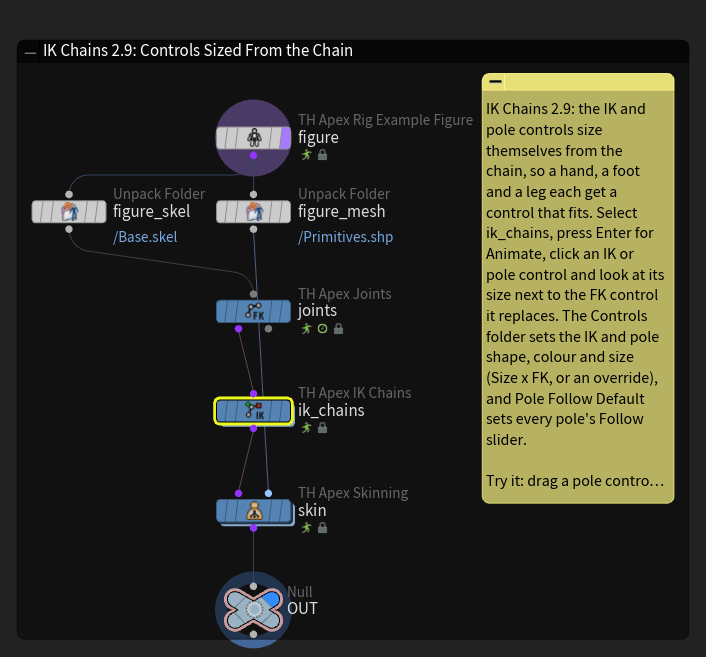
IK Chains 2.8 and 2.9

IK goal and pole controls size themselves from the chain's end FK control, and keep the controls' own look. A Controls folder sets the IK and pole shape, colour and size, and Pole Follow Default sets every pole's Follow slider. Spline joints a rig node makes are no longer baked into the skeleton.

Video IK and pole controls sized from the chain.
IK Chains 2.9 on the figure's limbs.
Node setup IK Chains 2.9 on the figure's limbs.
NewBeta

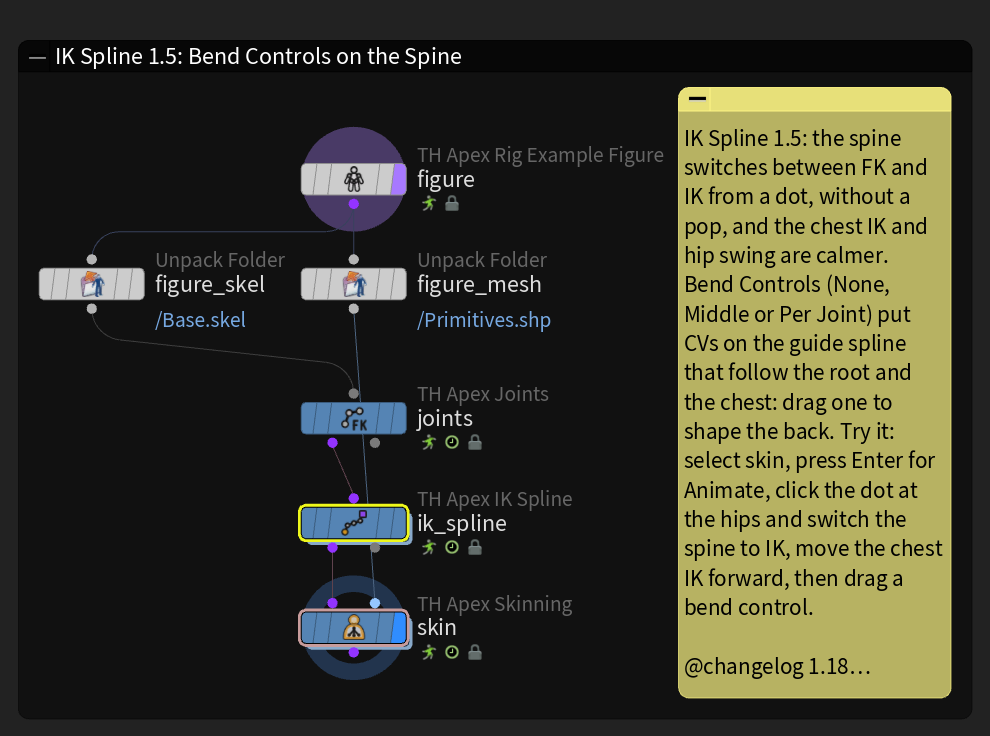
IK Spline 1.4 and 1.5

The spine gets the limb menu: a dot that switches FK and IK and matches the pose. Chest IK and hip swing are calmer, the spline joints follow the mid control, and a Skeleton Group parm picks the joints like on apex_spline. Bend Controls (None, Middle or Per Joint) add CVs to the guide spline that follow the root and chest.

Video The spine switches to IK without a pop.
IK Spline 1.5 on the figure's spine.
Node setup IK Spline 1.5 on the figure's spine.
UpdatedBeta

Also new

More in this release, each in beta.

Boards laid out by hand

A designer for joystick boards, and a search for what a slider drives.

Face boards
NewBeta

Panel Layout Designer

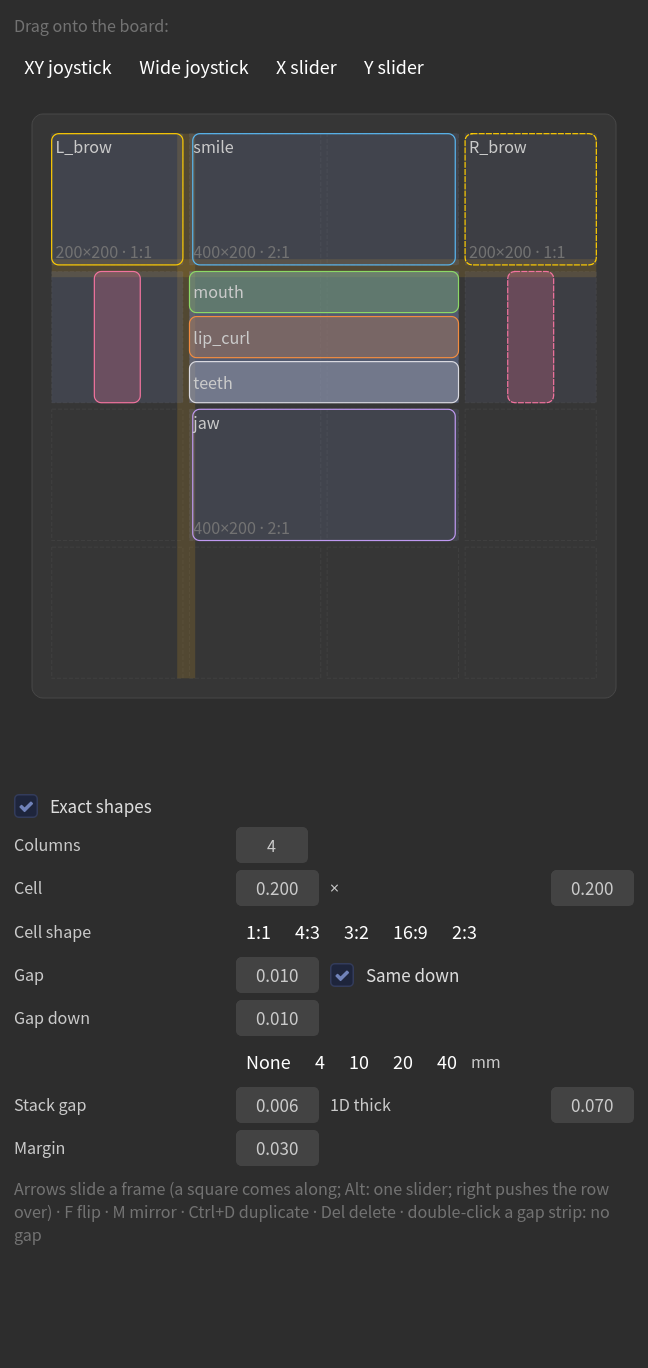
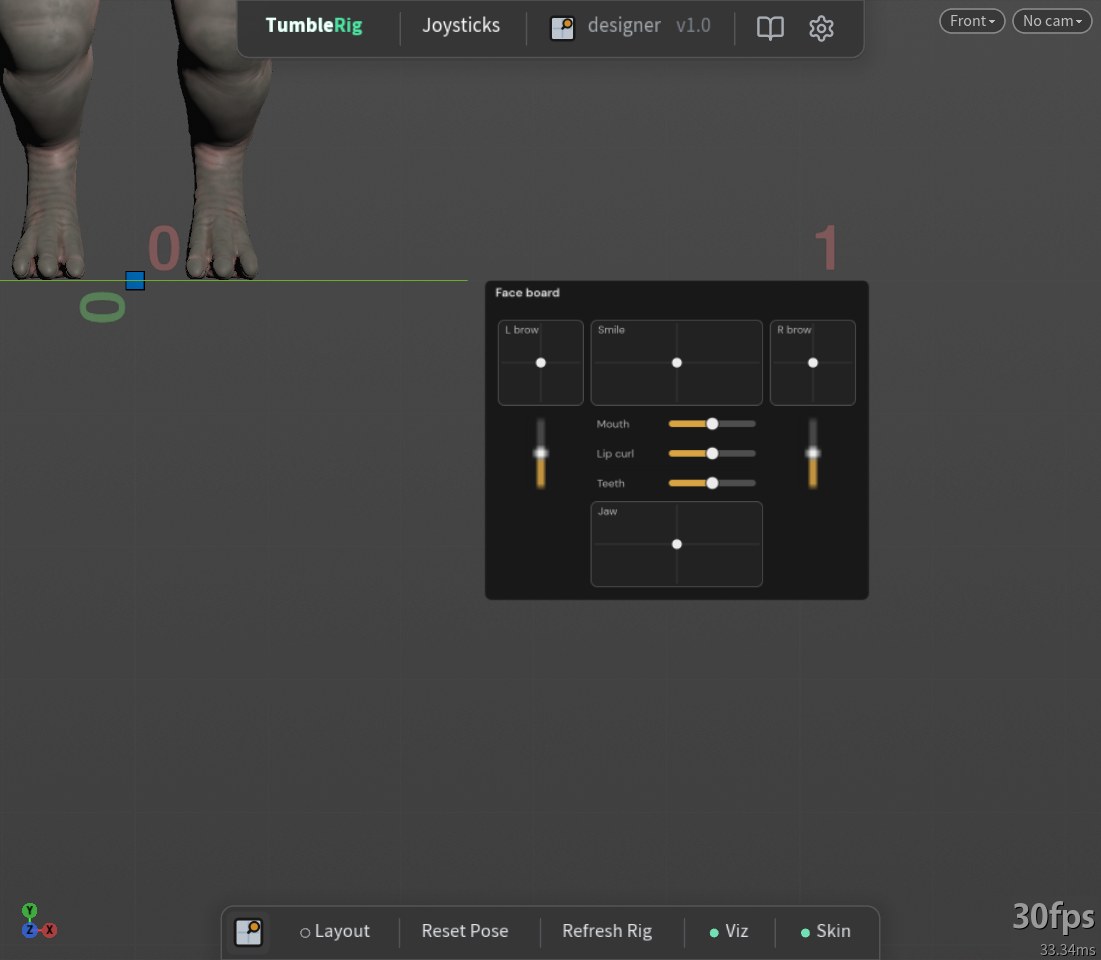
Open Designer (in the Joysticks strip) lays the board out by drag and drop: add to the square, swap, make room, drag joysticks and sliders in, drag the gaps, mirror, flip and duplicate. Joysticks keep their exact shape whatever the gaps, sliders share a cell as a square, and the 2D menu can follow the board's layout.

The Designer.
The Designer.
The 2D menu follows the board.
UpdatedBeta

Also new

More in this release, each in beta.

Fixed

Fixes
Fixed

Fixed since 1.17

Including the fixes that went out in 1.17.1, 1.17.2 and 1.18.1.

Upgrading

New versions install next to the old ones; saved scenes keep theirs until you swap.

Every change: 69 commits since v1.17.0

New in 1.18.0 (1)

  • What's New 1.18: Collisions 1.1, Joint Capture 1.1, Constraints 2.2

Shipped in 1.18.1 (9)

  • Thumbnails: Constraints 2.2, Joint Capture 1.1
  • cns subgraph: recompile from the LF sources (manifest hashed a CRLF worktree copy)
  • apex_camera: fix the crash on selecting a camera control. Free axes were locked to +-1e6, and Animate draws a selected control's rotation limits as rings every 5 degrees (apex.xformlimits: copyxform with ~400k copies of a ~400k-division circle -> SEGV). Free channels now get no lock at all; a partly locked rotation uses +-720 (placement yaw, crane swing), the crane arm +-100 m. Battery 75/75 (checks every control's lock range)
  • apex_selectionSets: the Character Picker canvas takes its layout size (was 0x0, empty picker)
  • apex_constraints 2.2: Match Sides checkbox (on by default) pairs left/right in wildcard driver/driven rows
  • cuda_joint_capture 1.1: Mirror and Keep Sides near the top, Isolate Islands with an island count, Smooth by capture_blur
  • Node thumbnail: Collisions 1.1
  • Collisions examples on 1.1: a foot rolls onto a step (Collider Geometry, Rotate Parent / Move), eyes that dodge a poke (collider on the fingertip, Move Around Parent); the 1.17 recipes moved to 1.1
  • Collisions 1.1: colliders and the Collisions tool

Shipped in 1.18.0 (17)

  • Camera recipes: Chase on a Rail, Crane Reveal, Over the Shoulder, Dolly Zoom, Orbit, Rack Focus (EX_camera v0005), Living Room republished
  • What's New 1.18: the camera rig, Orient Joints, Selection Sets and the 1.17.1-1.17.2 updates
  • Collisions 1.0: fix the template leftovers (review 2026-10-27)
  • Thumbnails: Wrap 1.8
  • th::collisions::1.1 callback: colliders (plane, sphere, box, capsule; world or following a joint; per-collider body filter), Move Around Parent / Rotate Parent responses, viz geometry for the tool
  • apex_wrap 1.8: Part of Driver Shape - wrap @name=eyes onto @name=head of the same shape (user, 1.17)
  • cuda_joint_capture: show the capture step and its percentage in Houdini's status bar, and stop on Esc
  • apex_ik_spline 1.5: Bend Controls (None / Middle / Per Joint) as CVs of the guide spline, following root and chest like the lattice layer controls
  • apex_lattice 1.3/1.4: Bounding Object input green again, as in 1.2 (both colour layers) (user, 1.17)
  • orient_joints 1.0: keep each joint's handedness (Fit Skeleton's left side has mirrored frames, X scale -1): the left flipped to plain frames while the right already matched, so an edit looked one-sided and tweaks didn't mirror; solve on the plain rotation, flip X back on output (oj_flip; the tool draws the real X); battery 42/42
  • apex_ik_spline 1.5: Skeleton Group right under Name, where apex_spline has it
  • ctrl2d: a 2D board's hidden 3D handles are no longer drawn when its menu opens
  • apex_joysticks 1.0: with Exact Shapes a joystick's name sits inside its frame
  • Panel Layout Designer for apex_joysticks: pop-out window, strip canvas, Open Designer button (panel layout step 3)
  • joysticks_designer_ops: the Panel Layout Designer's edits (squares, swap keeping sizes, make room, unlink mirror, flip, add, duplicate)
  • apex_joysticks 1.0: 2D Layout Same as the Board (panel layout step 2)
  • apex_joysticks 1.0: Exact Shapes, Gap Down and slider squares (panel layout step 1)

Shipped in 1.17.2 (27)

  • apex_lattice 1.4 (Interpolation defaults to Bezier), apex_constraints 2.1 (Maintain Offset on by default, new node panel rows)
  • apex_ik_spline 1.5: Skeleton Group parm (Spline Joints folder) like apex_spline; the viz tint reads it
  • apex_selectionSets: Tool Panel (templates, custom sets, New Set from Selection, add/remove/select)
  • apex_ik_chains 2.9: Pole Follow Default parm (Controls folder) sets the default of every pole Follow slider
  • fit_skeleton_markers: selection sets and picker through apex_selectionSets
  • apex_selectionSets: Fit Skeleton template, hips with the legs
  • apex_ik_spline 1.5: the spline joints follow the layer-2 mid control (deform spline Smooth 0 / Post Smooth 0)
  • apex_selectionSets 1.0: selection sets + Character Picker from templates
  • orient_joints 1.0: Ctrl+click on the joint the rotate gadget sits on clears its tweak (the gadget's centre took the click)
  • selection_sets: selection sets + Character Picker layouts from templates (headless, verified on the eye rig)
  • orient_joints 1.0: keys L (Local/World) and O (Square Up): Houdini's viewer keeps X, S, K and Delete; Delete dropped; an up diamond pointing into the screen hides (it covered its pill in Front view); unchanged chain settings make no undo step (real-input GUI check)
  • orient_joints 1.0: a skeleton without a transform attribute (bare polyline) gets world axes, scale 1 (was all-zero frames); Tool Panel decision recorded; battery 35/35
  • thumbnails: orient_joints 1.0 and apex_camera 1.0 (release preflight)
  • orient_joints 1.0: Auto Bend only for forward/back/sideways bends (feet keep the vector), root chains named after their first bone, panel slider captions + full-width Up From (GUI walk)
  • apex_constraints 2.0: optional per-row Name (constraint node <driven>_<name>)
  • Skeleton: snapping (Houdini's own via snappingRay, plus X=0 mid-line), Snap button in the HUD row and a Snap section in the panel (user, 1.17)
  • apex_camera: its own icon (camera body, orange lens, tripod)
  • Camera Rig example recipe (EX_camera/camera_rig): living room, figure, tripod render_camera and a crane camera; publisher knows the camera section
  • orient_joints 1.0: Orient Joints tool (Chains / Tweak viewer state, Tool Panel, chain popup), icon, catalogue entry, io-map, operators
  • apex_camera: HUD hides the other cameras' guides while you look through one; Tool Panel lens rows labelled
  • hda-io-map: apex_camera entry (inputs, outputs, viewer_state: panel built)
  • apex_camera: overlay settings in user data (a parm edit recooked the node and Scene Animate dropped unkeyed pose edits), camera glyph hidden, DOF guide off by default, Camera section in the catalogue; battery 37/37
  • orient_joints 1.0: new node, joint frames from chains of bones + per-joint tweaks (VEX solve, mirror); headless battery 33/33
  • apex_camera: camera tool (Look Through, Aim, Tool Panel: lens, composition, reference); HUD: golden-rectangle spiral, reference via op: background, reload-safe timer, tighter strip
  • apex_camera: camera HUD (composition overlays, lens info, strip, reference behind the lens), control shapes as embedded packed geometry, aim_blend channel name; battery 33/33
  • apex_camera 1.0: render_camera by default (TumblePipe), reference plane (image / sequence / movie via a File COP), Composition parms for the camera HUD, live frame input; battery 31/31
  • apex_camera 1.0: camera rig for Scene Animate (placement, track, crane, level pan/tilt/roll head, aim, focus, lens channels, guides); headless battery 24/24

Shipped in 1.17.1 (15)

  • Thumbnails: IK Chains 2.8, IK Spline 1.4
  • IK subgraph: recompile from the LF source (manifest hashed a CRLF worktree copy)
  • apex_sliders 2.0: fuzzy node + port search button on Wire To Node / Wire To Port
  • cuda_bonedeform: results come back in one pinned copy pass; cheaper capture signature
  • Rig tool HUD drawn as merged layers on main; the Tool Panel keeps its Group count
  • apex_ik_chains 2.8: joints a rig node generates (spline joints) are not baked into the geometry skeleton
  • Animate menu filter installs in the first Animate scene, not at startup (Python application event filter segfaulted Houdini 22.0.457 on macOS at launch)
  • apex_ik_chains 2.8: IK goal and pole size follow the chain's end FK control (x1.2 / x0.8 by default), optional exact-size override
  • fkik_switch: fit the mid spline control when a spine goes to IK
  • apex_ik_chains 2.8: FK/IK/pole control shapes keep the controls' own look; Controls folder (IK + pole shape, colour, size); Tool Panel Scale + Hide FK in IK
  • skeleton_doctor 3.0: Visualize draws the TumbleRig joint glyphs / gnomons in the viewport (viewer-only output) instead of the inert Rig Vis
  • apex_ik_spline 1.4: the spine gets the 2.7 limb menu with FK/IK matching, calmer chest IK / hip swing looks
  • skeleton_doctor 3.0: Reset to Identity gets a viewport joint picker (writes @name= refs, same as Leaf Group)
  • fit_skeleton_markers: Top view no longer fades the 2D controls (LOD span from the best-facing axis, not projected height)
  • fit_skeleton_markers: hand frame from finger knuckles, thumb base no longer turns the hand