TumbleRig 1.20

New and updated nodes in 1.20

Highlights

In depth

Peak, Smooth, a live mask and Push

Shape the skin from a shape that rides the rig, and watch it update while you animate.

Capture and deformation
New

Apex Distance Mask: a mask that follows the rig

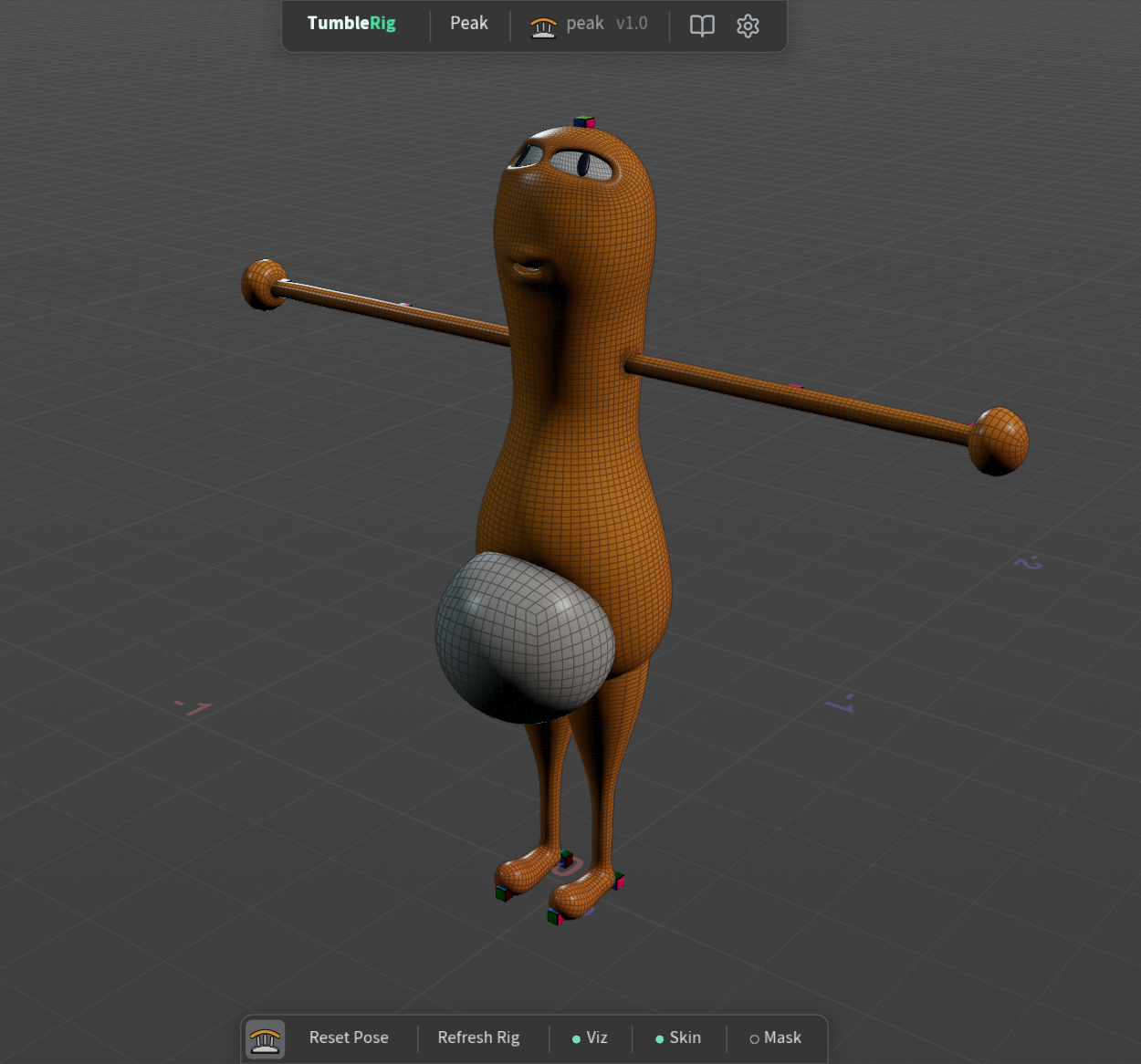
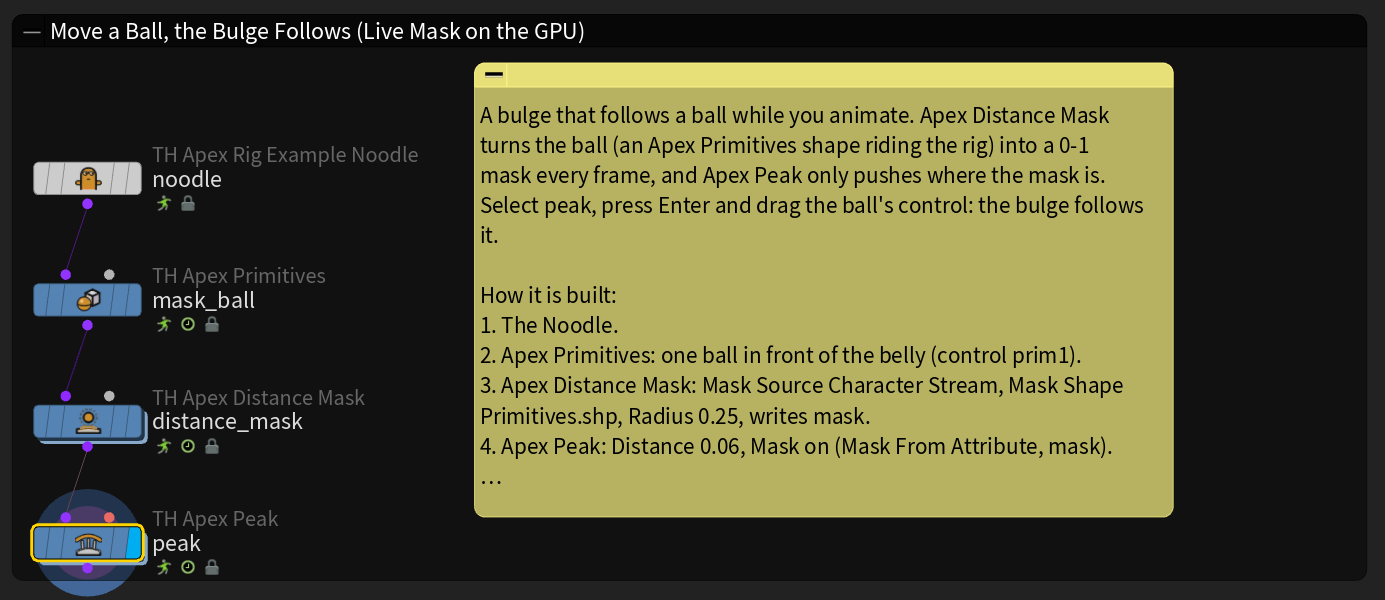
A mask painted once stays where you painted it, even when the character moves. Apex Distance Mask builds the mask from a shape instead (a ball on a control, an eye shape on the head), so it is live: move the control and the mask moves with it. It runs on the GPU, on CUDA and OpenCL (macOS uses OpenCL), and gives the same result as SideFX's Distance from Geometry.
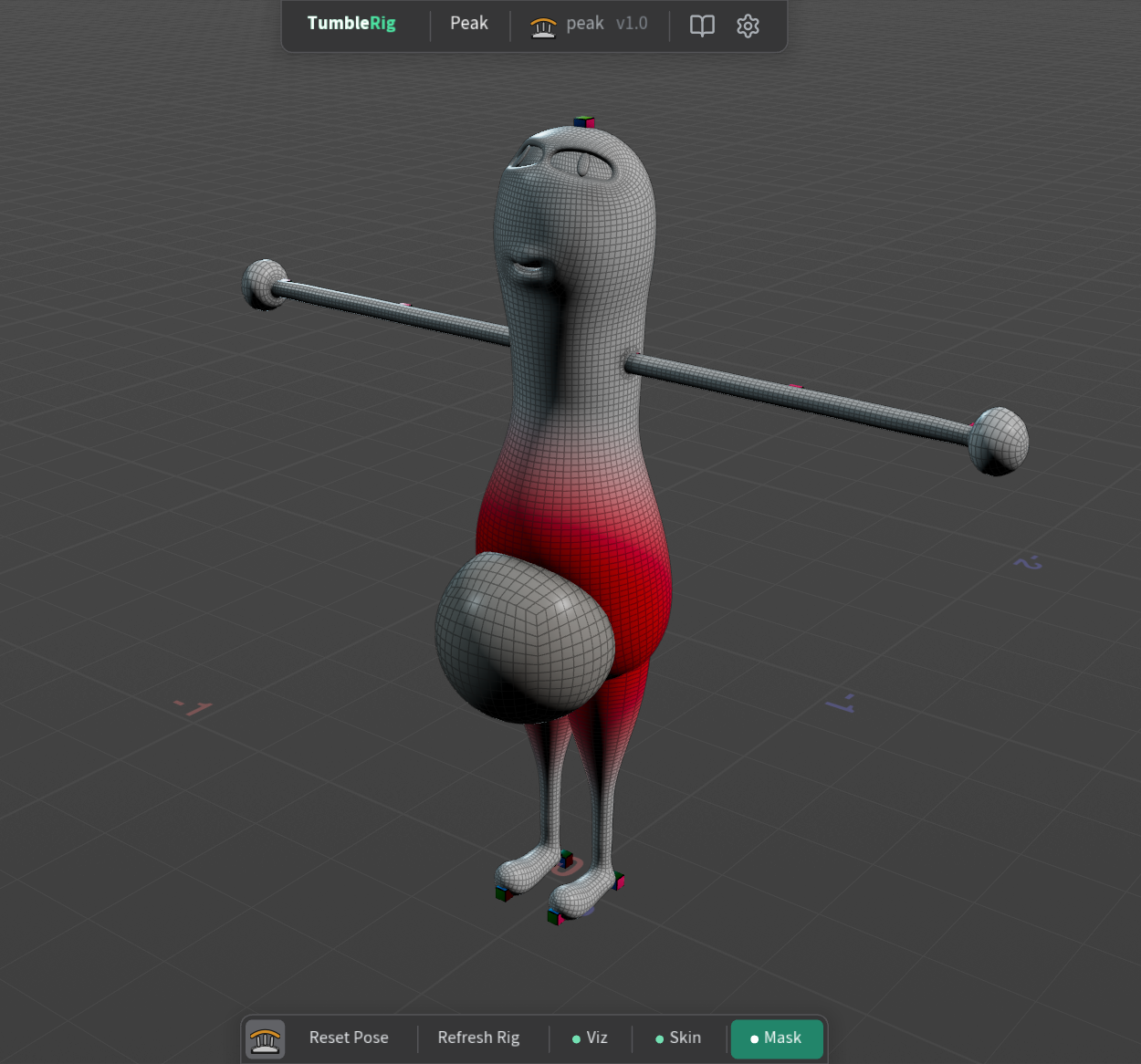
The mask, shown. The ball at the belly; the body around it untouched.
Node setup. Noodle, an Apex Primitives ball, Apex Distance Mask, Apex Peak.
Node setup Node setup. Noodle, an Apex Primitives ball, Apex Distance Mask, Apex Peak.
New

Apex Peak: swell or sink the skin

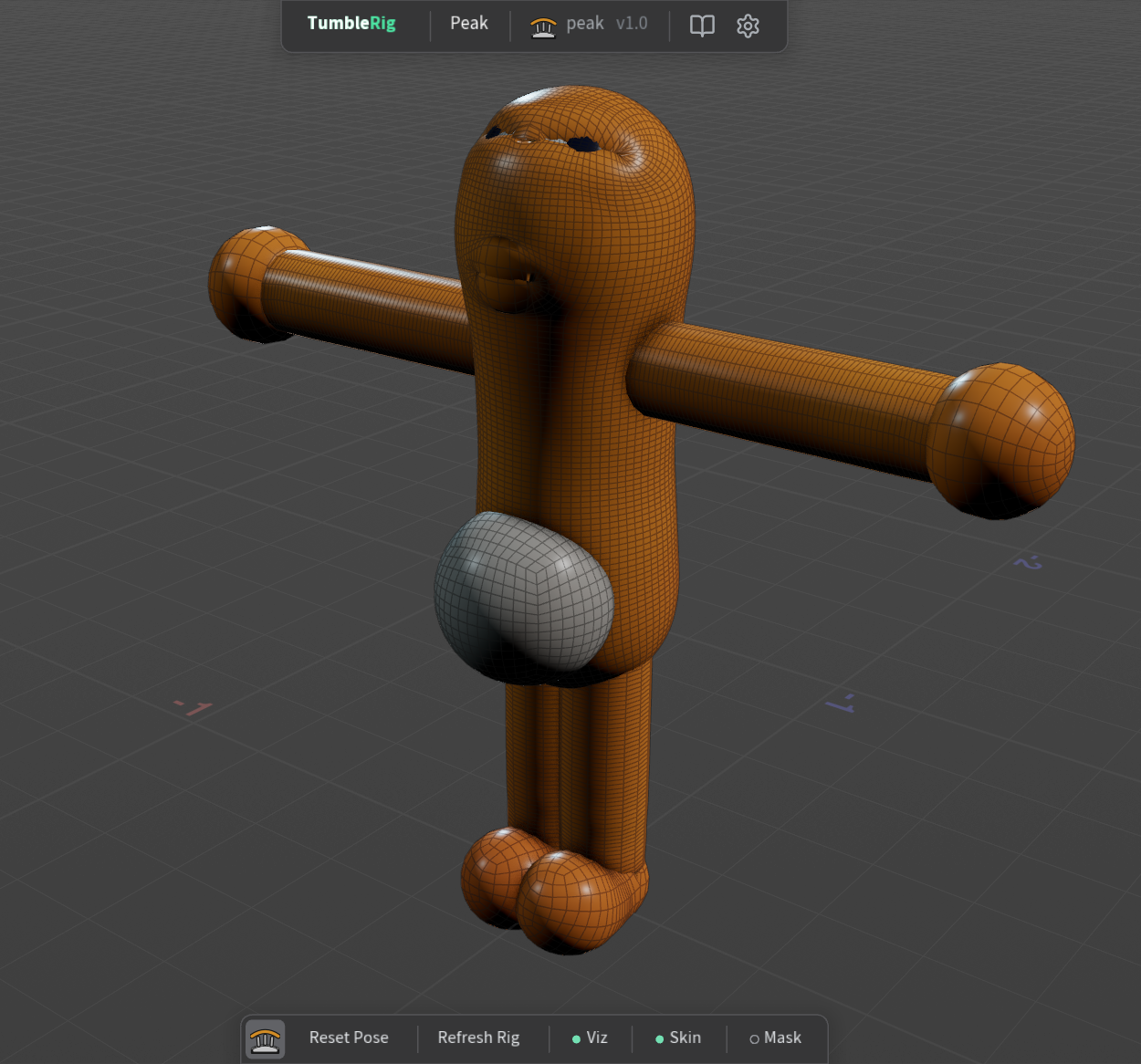
Peak moves points along their normals, to puff a head or sink an eye back into it. Apex Peak runs it on the GPU, so it works inside the APEX chain and keeps up while you animate. Give it a mask, or the live mask above, and only that part swells.

Masked. Only the belly under the ball swells.No mask. Peak swells the whole body.No maskMasked
No mask No mask. Peak swells the whole body.Masked Masked. Only the belly under the ball swells.
New

Apex Smooth: round off a bulge

A bulge from Peak or Push can leave a hard edge. Apex Smooth blurs the skin on the GPU (SideFX's Attribute Blur, same result), under a mask if you give it one, so the edge rounds off only where you need it.

Video Sharp to round. Apex Peak leaves hard shoulders on the belly; Blurring Iterations from 0 to 30 and Apex Smooth rounds them off, only under its mask.
New

Apex Push: skin pushed out of shapes

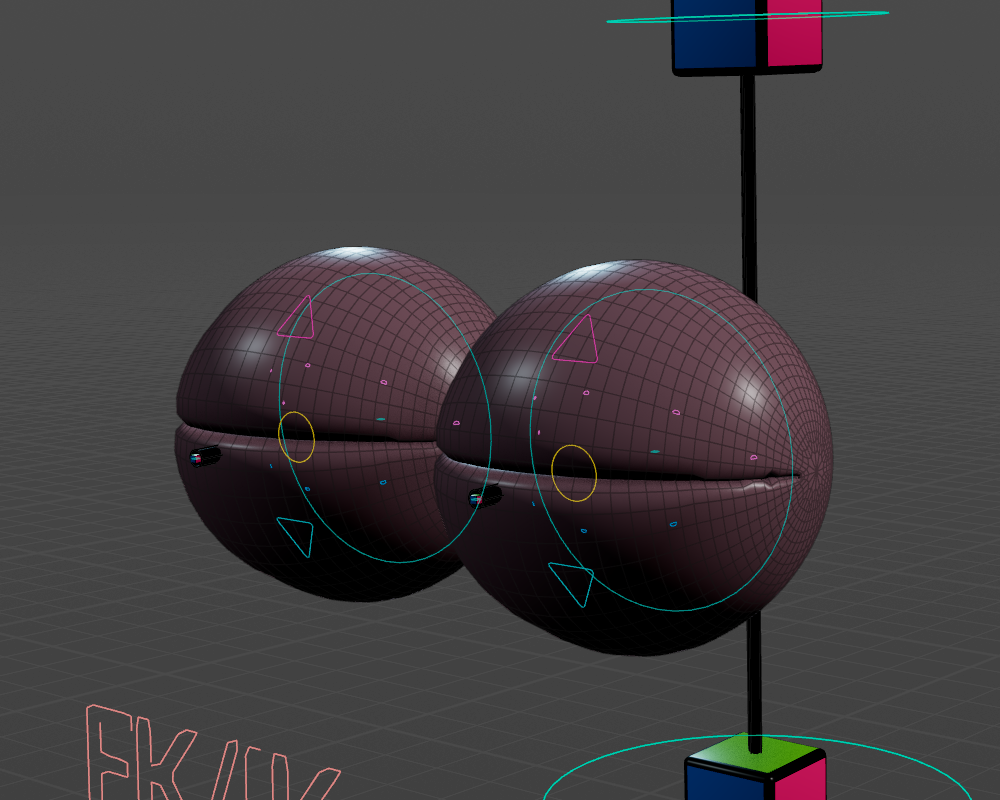
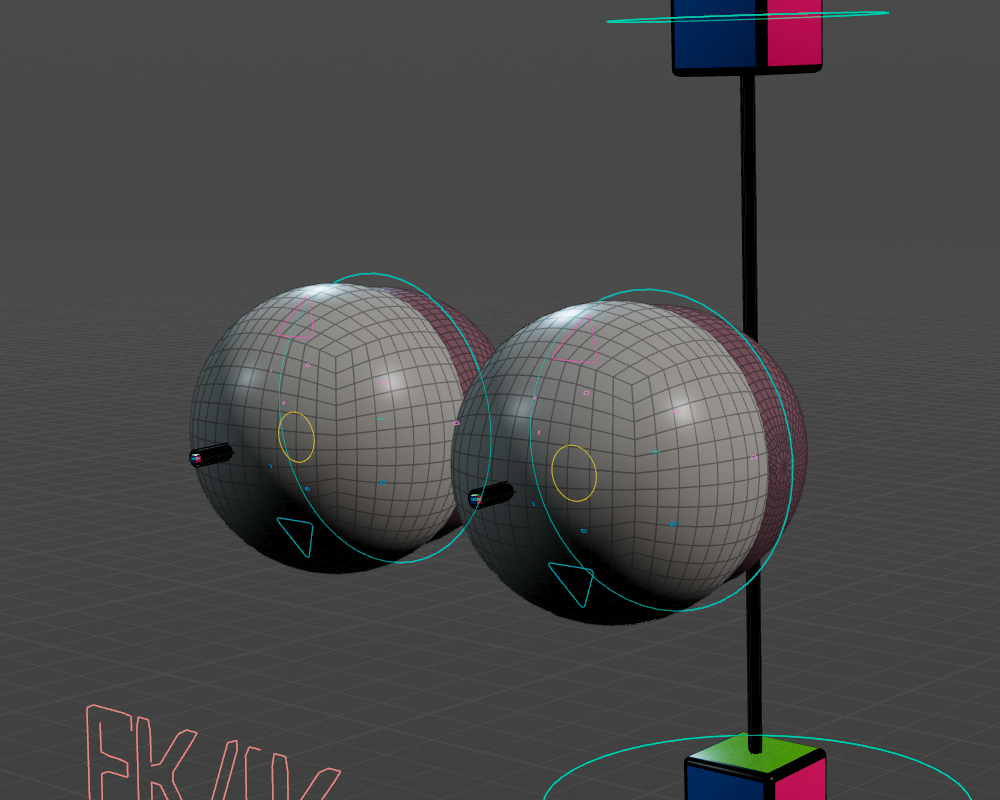
A cartoon eye with a closed lid is flat, but the eye is round underneath. Apex Push takes a sphere, capsule or box from Apex Primitives and pushes the skin straight out of it, softened by Spread, with Thickness keeping thin skin together and Amount as a channel you can key. Shapes can ride any joint, so the bulge follows the pupil.

Amount 1. Apex Push pushes the lid out over it in a soft bulge.Amount 0. The pupil sphere pokes through the closed lid.Amount 0Amount 1
Amount 0 Amount 0. The pupil sphere pokes through the closed lid.Amount 1 Amount 1. Apex Push pushes the lid out over it in a soft bulge.
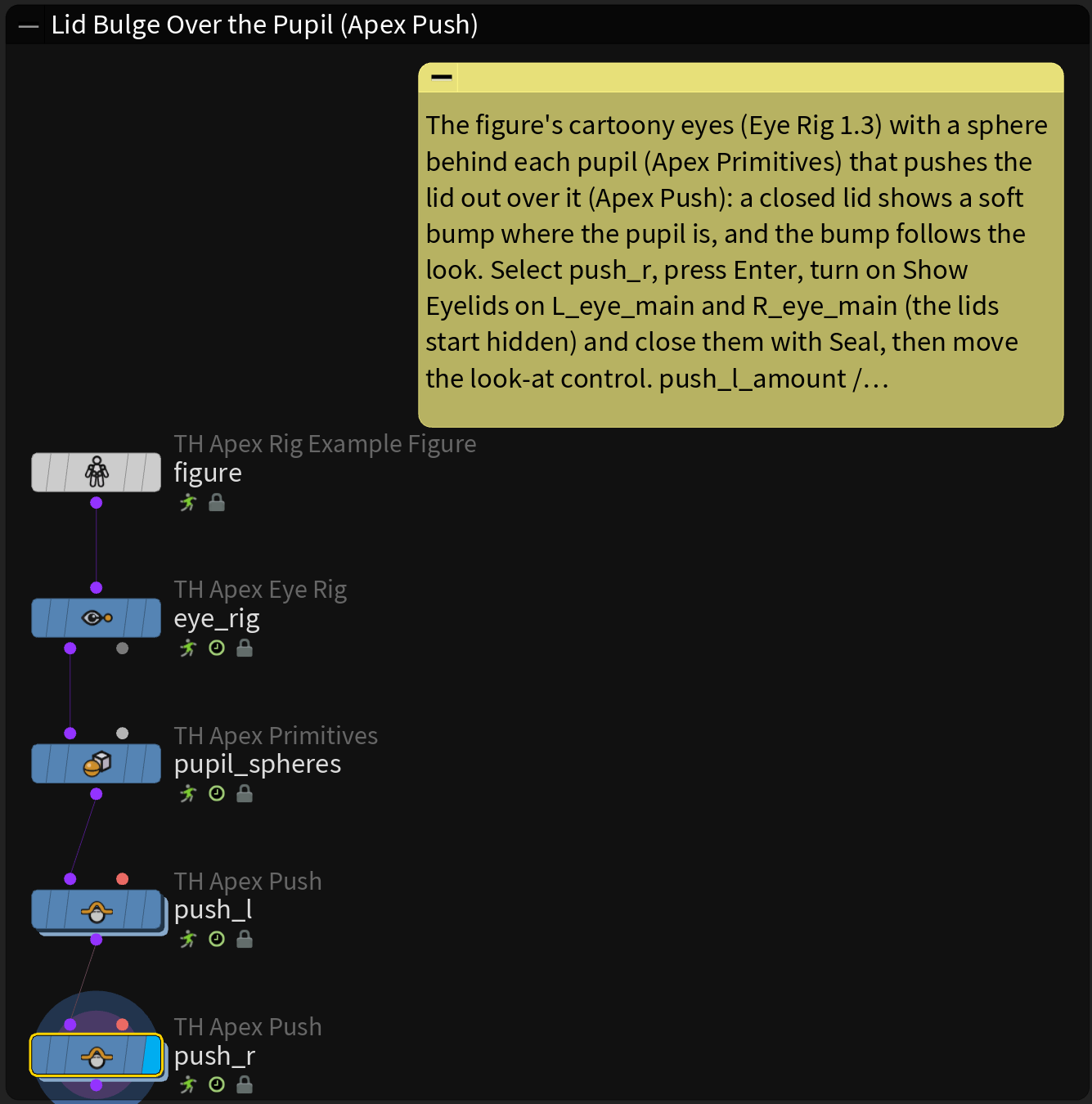
Node setup. Eye Rig 1.3, Apex Primitives spheres behind the pupils, Apex Push.
Node setup Node setup. Eye Rig 1.3, Apex Primitives spheres behind the pupils, Apex Push.
Tool

Peak-Eyed Head

An egg head whose eyes are the head itself: Peak puffs it, a masked Peak sinks the eyes back, a white layer shows through and ribbon scribbles are the pupils. The second recipe adds one Look control that slides both eyes over the head and swaps the mirrored pupil scribbles from its 2D panel.

Video Swap the pupils. Click the dot by the Look control and drag Pupil vis in its panel: both pupils change shape.
Tool

The Mask button on every node that uses a mask

The Mask button in Animate's footer tints the skin white to red so you can see a mask. It used to show only on deformers with a Mask folder; it now shows on every TumbleRig node that reads or writes a mask, and the tint follows the controls as you move them.

Video Mask on, mask off. The footer Mask button tints the skin where the mask reaches, here Apex Distance Mask on the Noodle.

Eyes, brows and sliding on surfaces

Lids on two splines, brows that slide on the forehead, and a Slide on Surface that is smooth.

Face
Updated

Slide on Surface 1.1: Smoothing

On a coarse mesh a control sliding over faces moves in steps. 1.1's Smoothing measures over a smoothed surface instead: Faces (the old way), Smooth (curved, the new default) or Subdivision. Relative To is set per row, and Show Surface draws the surface the node uses.

Video Faces against Smooth. Two low-poly heads, the same aim: on the left (Faces) the pin jumps from facet to facet, on the right (Smooth) it glides.
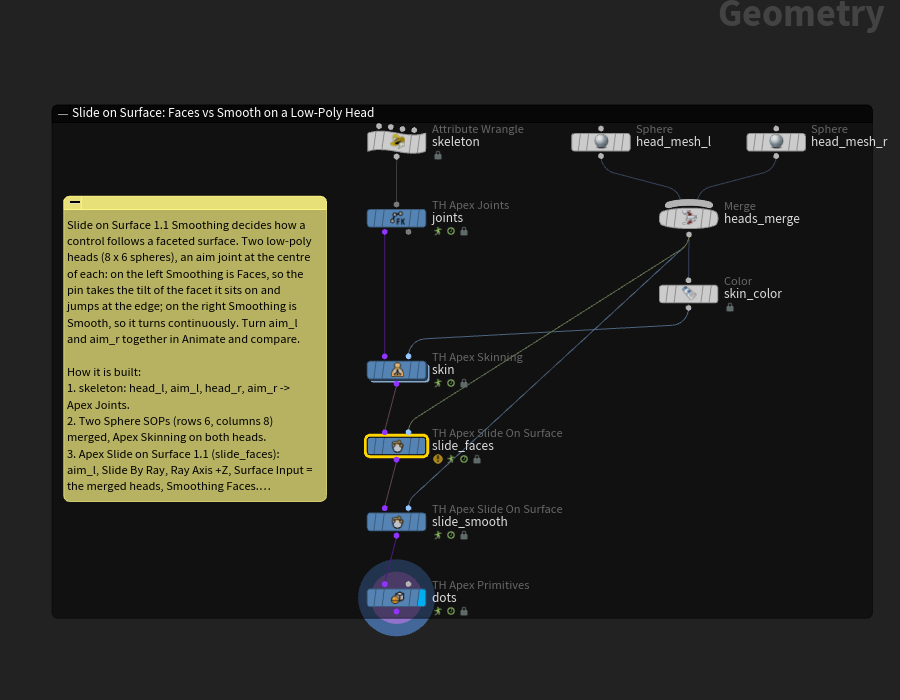
Node setup. Two Apex Slide on Surface nodes on the same rig, Smoothing Faces and Smooth.
Node setup Node setup. Two Apex Slide on Surface nodes on the same rig, Smoothing Faces and Smooth.
New

Slide By Ray: aim a control at the surface

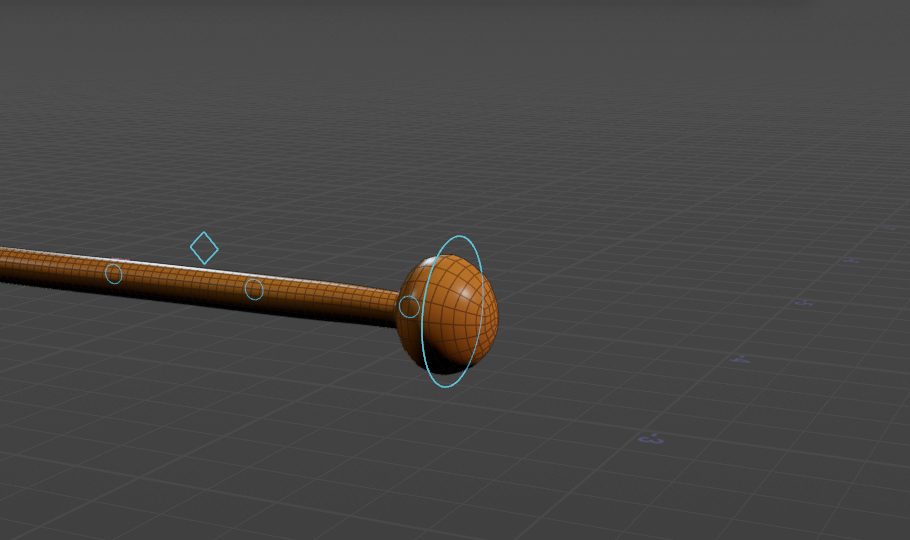
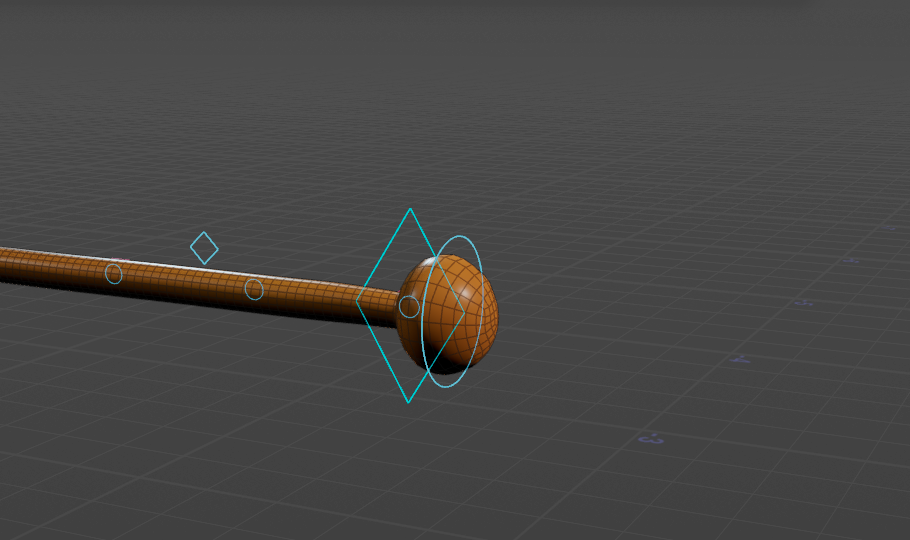
Some controls should land where something points, not where they sit. A row's Slide By Ray puts the control where a ray along one of its own axes meets the surface, so you aim it like a pointer or a projector. Keep Rest Gap keeps whatever sat on the surface at rest on it.

Video Aim, and land. The torch turns; its beam meets the egg, and the disc sits where it lands.
Updated

Brow Rig 1.1

Brows from the skin: three controls and two in-betweens per brow on the forehead, each moving on its own, with a Squeeze slider per brow. 1.1's brows slide over the forehead on Slide on Surface 1.1.

Video Squeeze. Drag Brow Squeeze: the inner brows draw together and down over the brow ridge, the skin between them smooth.
Updated

Eye Rig 1.3: lids on two splines

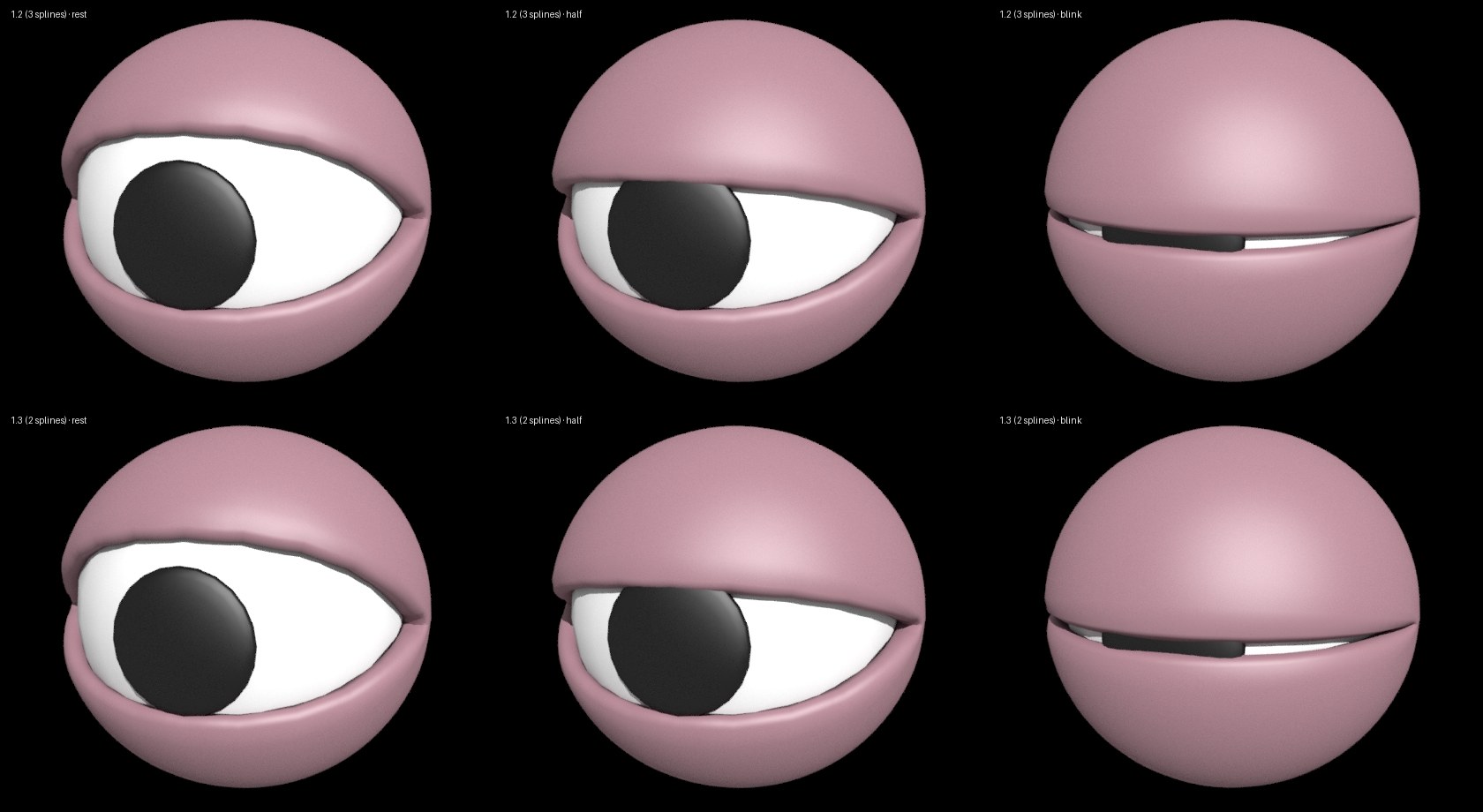
The cartoon eye's lids run on two splines and one zipper. The third spline on the back of the lid is gone, with its five controls per eye: the back of the lid follows the eye and stays put when the lids blink. The front looks the same as 1.2.

1.2 above, 1.3 below. Rest, half closed, closing.
Updated

Apex Spline 6.5 to 6.7

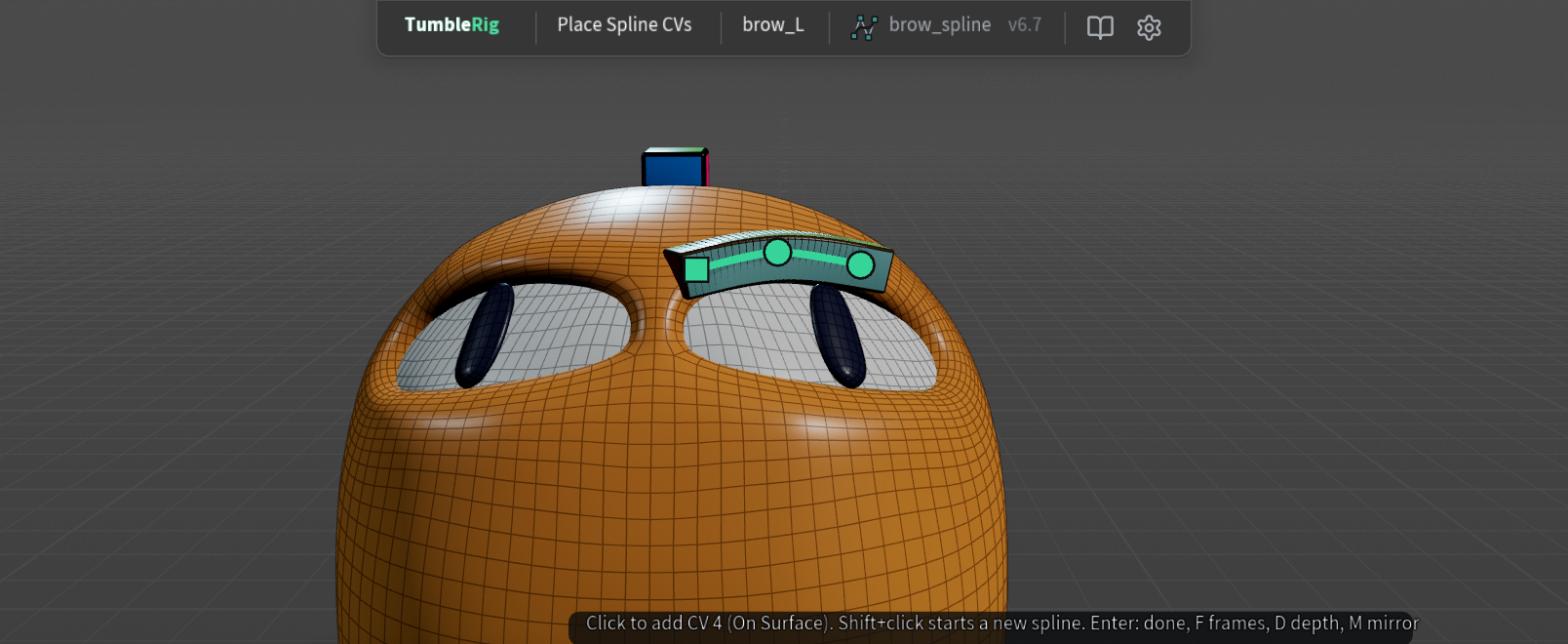
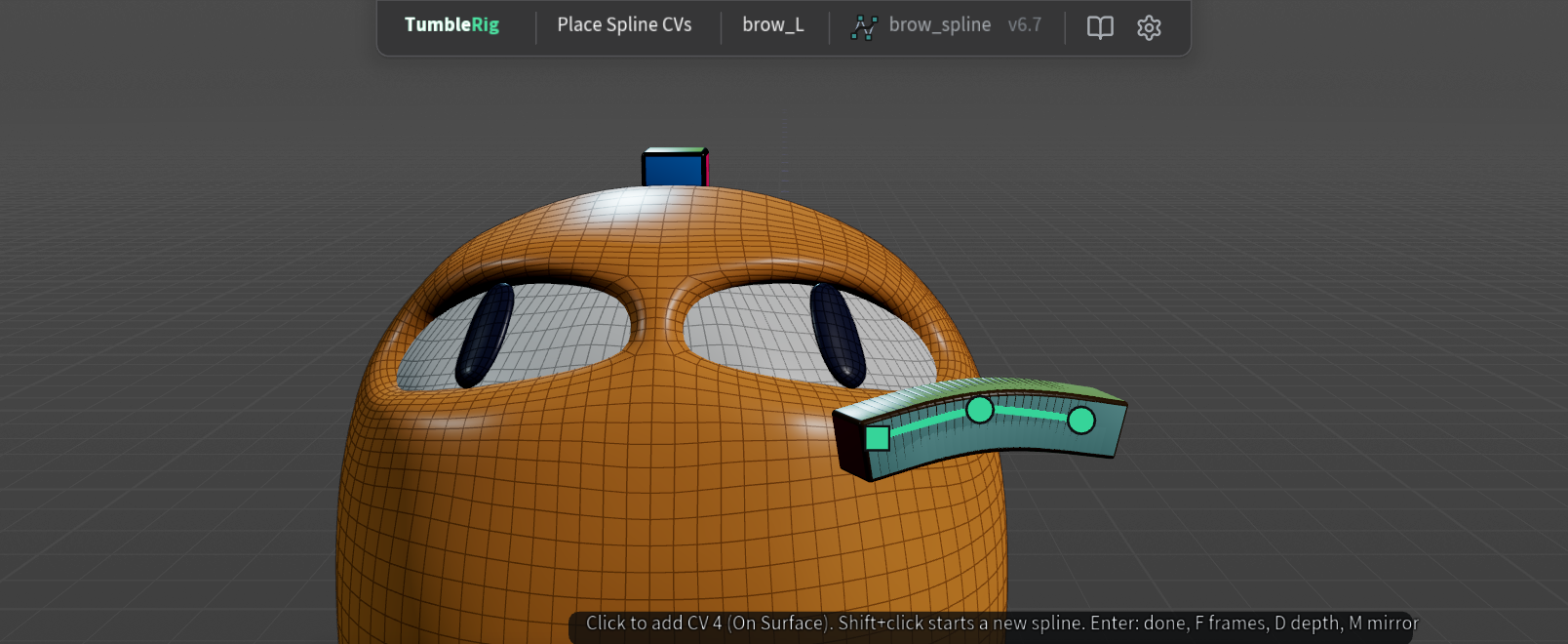
6.5 makes each spline's joints a joint chain of their own, so a picker can take a whole spline in one click. 6.6 builds splines from CVs you draw on the character: click on the mesh (Inside, or On Surface for brows and lids), mirror, drag, press Enter. 6.7 adds CV Index Order Selection Order: the joints you write in Group become one spline in the order you wrote them.

Placed. The same CVs landed On Surface above the eye.Before. Three CVs for the brow, still in the air.PlacedOn Surface
Placed Before. Three CVs for the brow, still in the air.On Surface Placed. The same CVs landed On Surface above the eye.

Recording, cameras and spaces

New ways to put motion into a control, and menus right where you are working.

Animate
Tool

Live Record

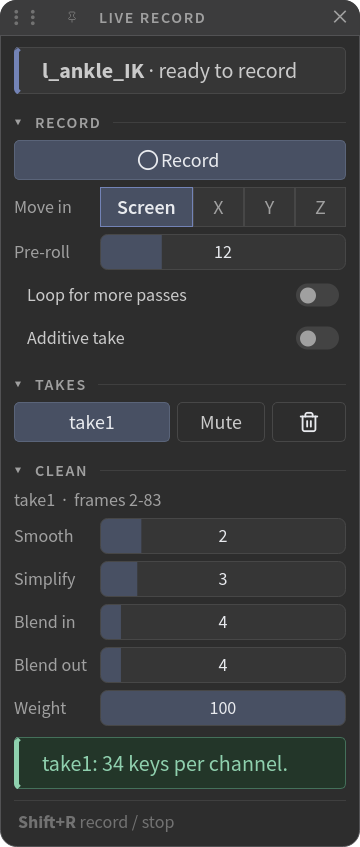
Keying a control frame by frame is slow when what you want is a gesture. Click the Record tile on the tab bar (or Shift + right click a control), press Shift+R and drag: the control follows and every frame is keyed on a new take layer. Takes defer to Animate's Animation Layers pane, where you can mute or delete them; Smooth, Simplify, Blend in and out and Weight clean up a take from the Live Record panel. It works in any Animate state, Scene Animate included.

Video Recording the wrist. The Live Record tool in Scene Animate.
The Live Record panel. Record, takes, clean sliders.
Updated

The camera in Scene Animate

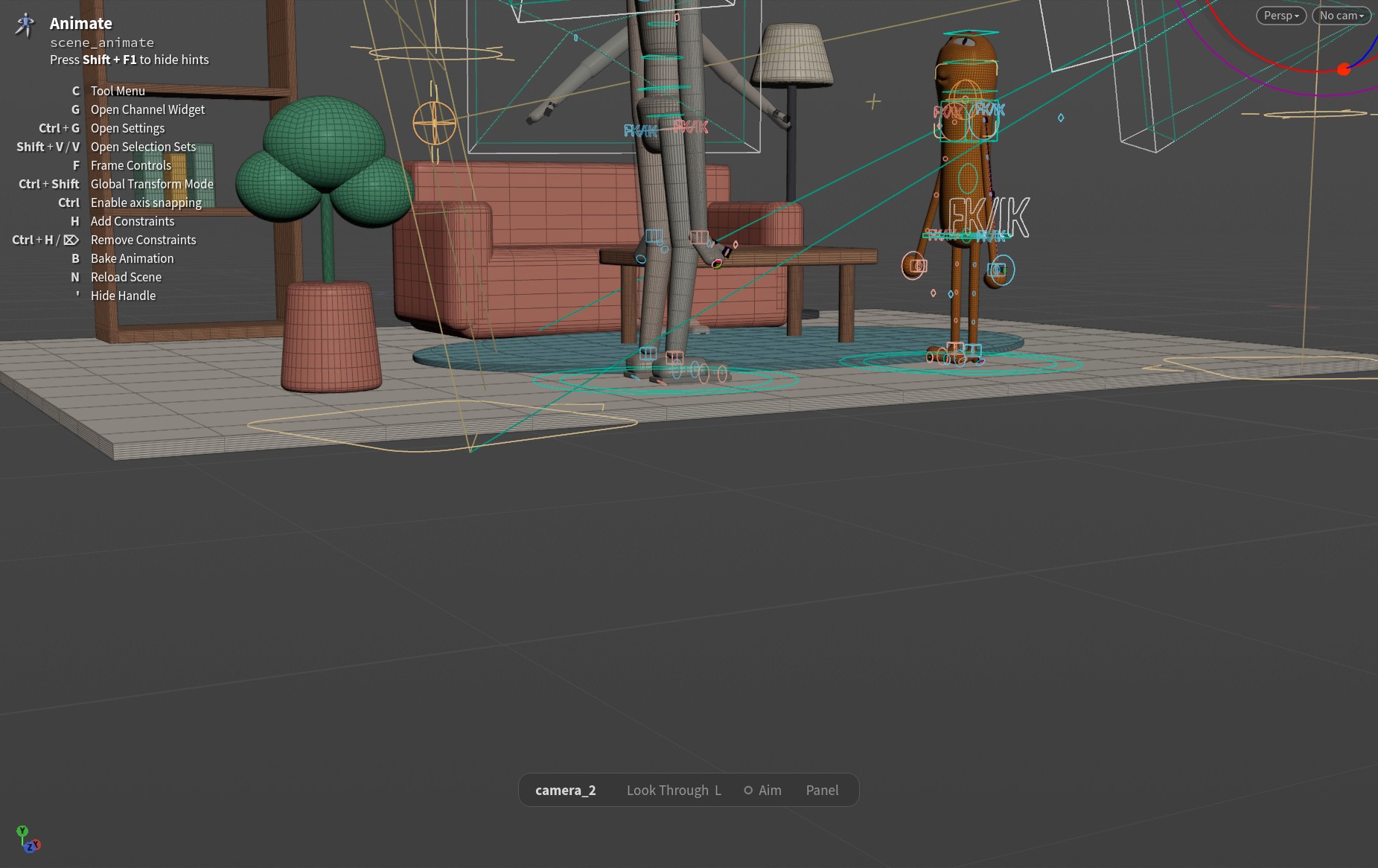
Frame the camera on its own node and that sets where it starts in the shot. In Scene Animate, select a camera and a row offers Look Through, Aim and Panel. L or Numpad 0 looks through with a clean view (no controls, no hotkey list), Blender's numpad view keys work, and through the lens the wheel and the middle mouse zoom and pan the picture without moving the camera. 1.2 also keeps the horizon level when the camera aims at its target, and a Bake for the Stage button makes a camera animated in an APEX Animate LOP follow its keys on the stage.

Video Look through it. Click the camera, press L to look through it, and zoom with the wheel, all inside Scene Animate.
The camera row. Look Through, Aim, Panel.
Updated

Space Switcher 1.2: a Space menu by the control

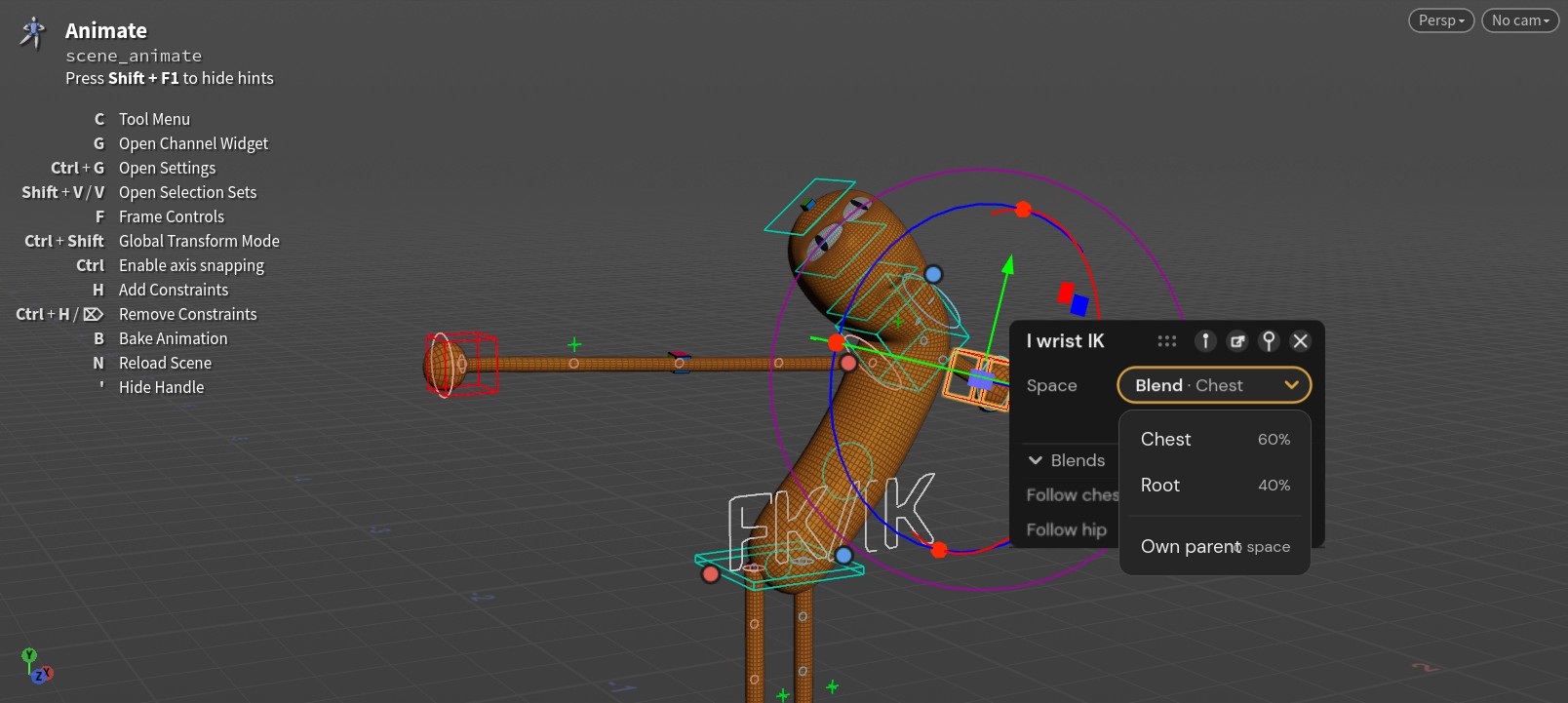
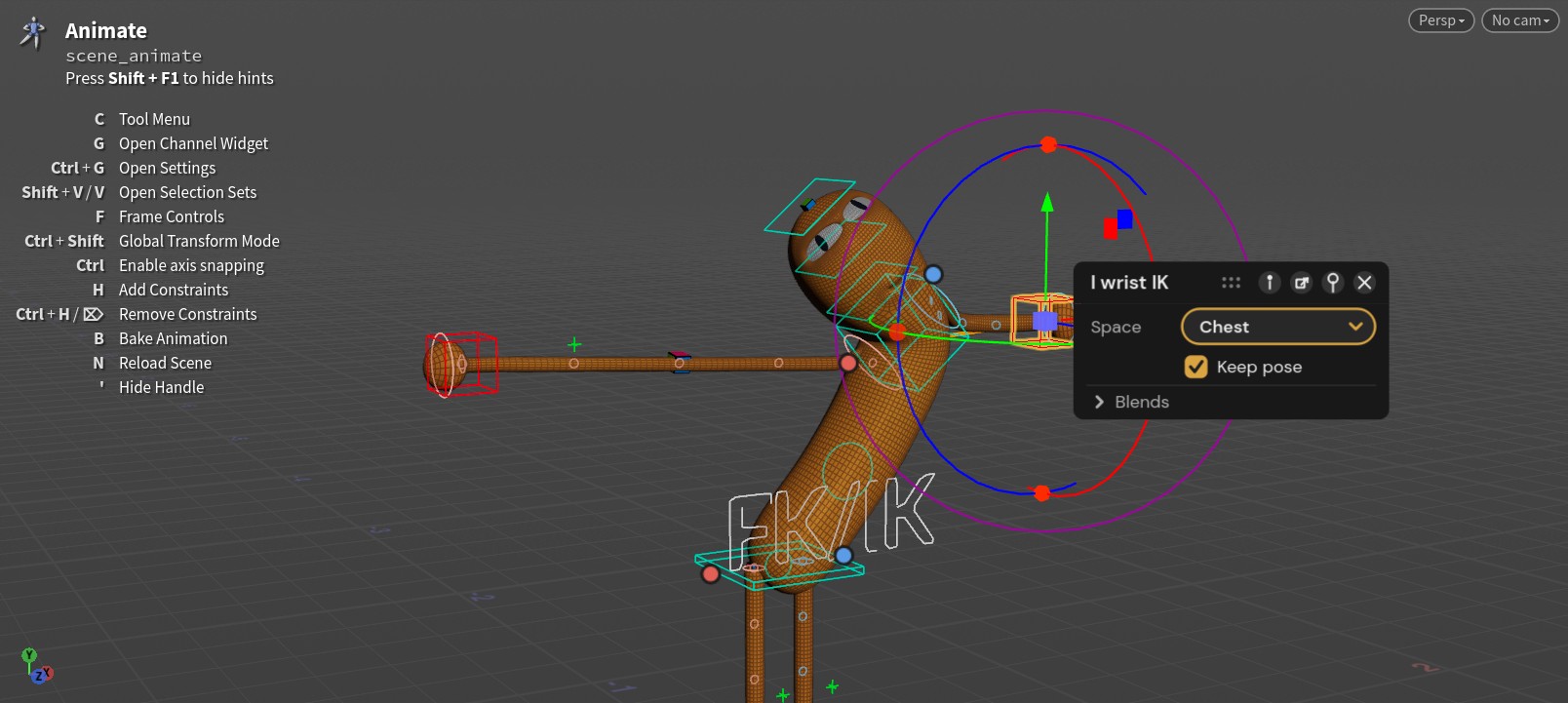
Select a switching control in Scene Animate and its Space menu opens beside it. Click the Space field, pick a space and the control switches and stays where it is (Keep pose). Follow sliders sit under Blends. Every space gets its own follow channel, and any switch mirrors to the other side in one click. The menu pins, floats and fades like every 2D menu.

Click the Space field. The list opens under it, each space's share shown while blended.
Chest picked. The chest bends, the hand stays put.
Updated

IK Chains 2.12 to 2.14: FK | IK from a control, sliders you pick, spaces

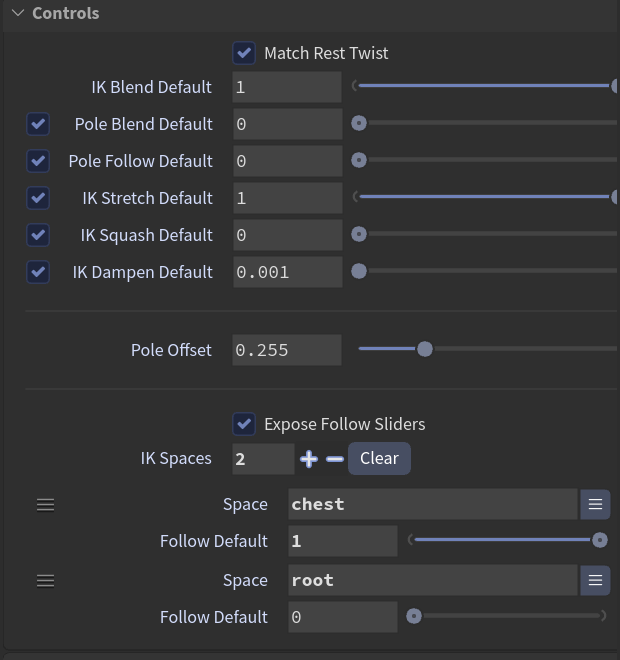
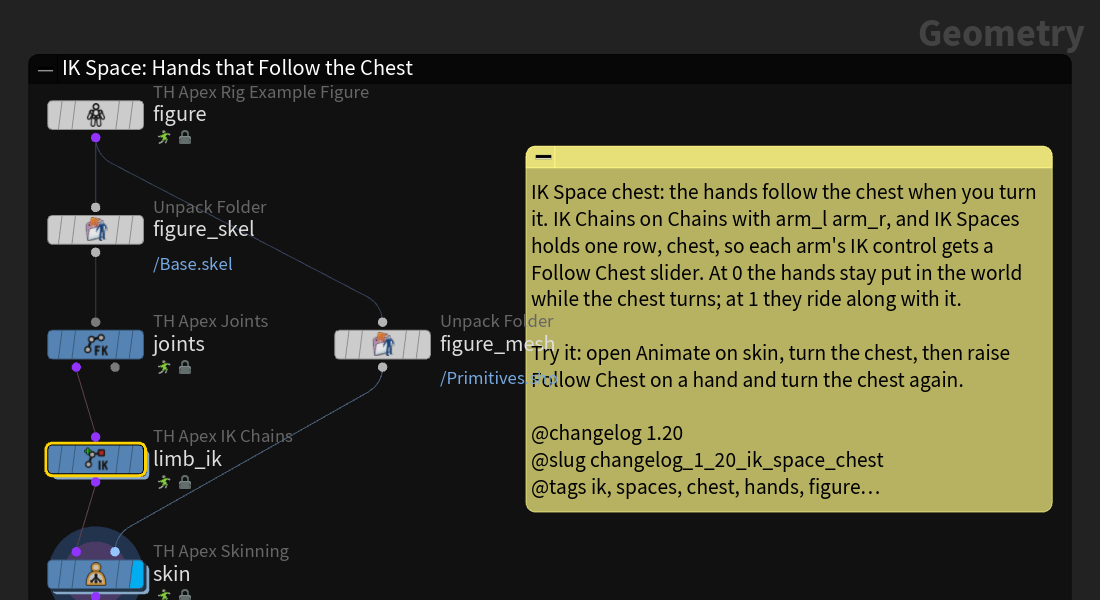
2.12 opens each limb menu from an FK | IK control in the scene instead of an always-on 2D dot, which also keeps scenes with many characters quick in Animate. 2.13 lets you tick which IK settings become sliders (unticked, the limb menu closes up). 2.14's IK Spaces is a list: add the chest, the hips or any control, and every IK control gets a follow slider per space to blend between them.

2.14. IK Spaces, one row per space (chest and root).
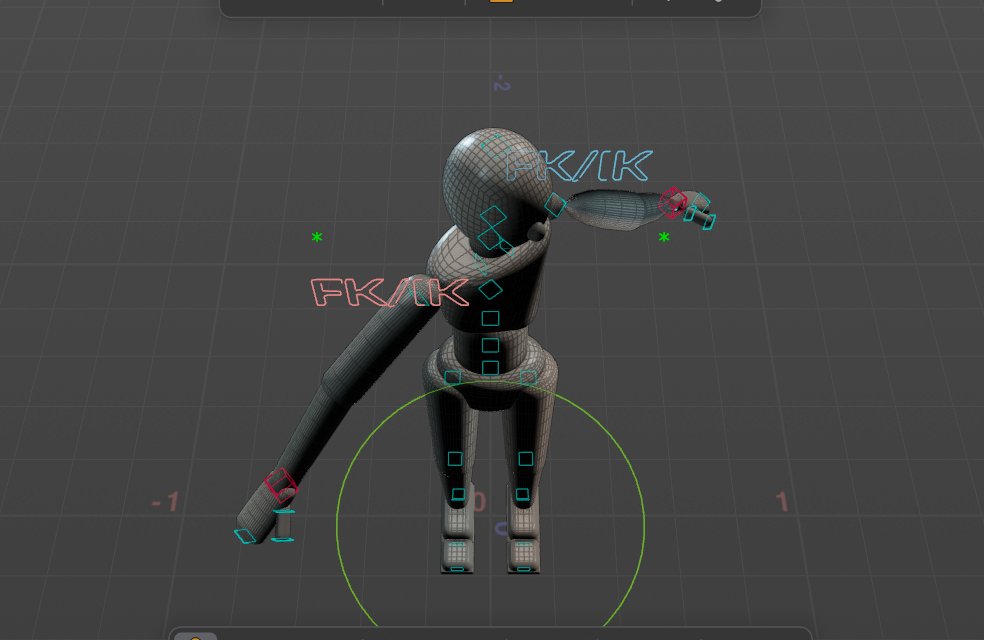
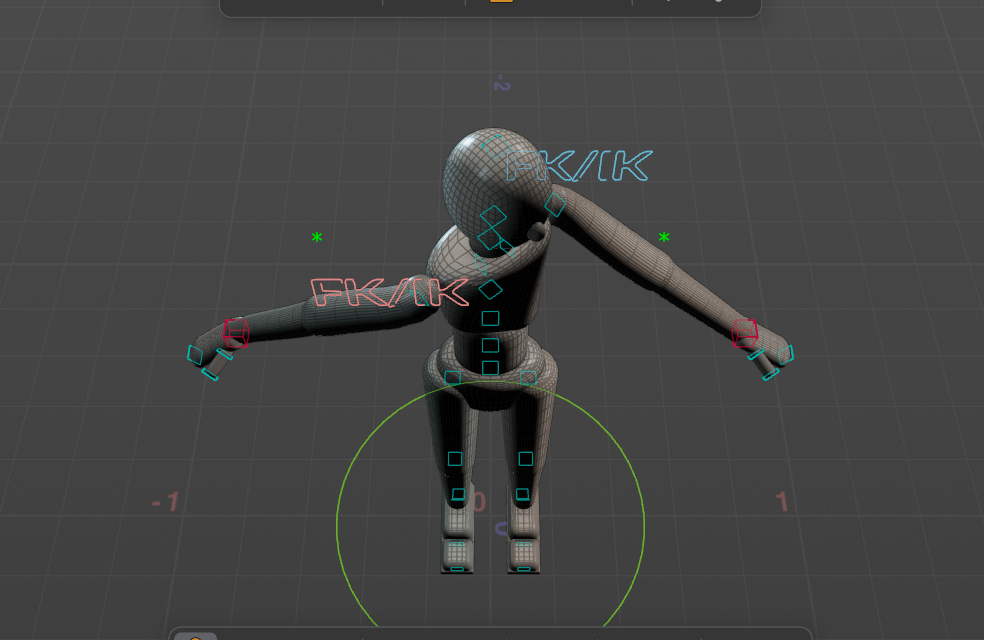
Follow Chest 1. The same turn; the hands go with the chest.Follow Chest 0. The chest turns 40 degrees; the hands stay where they are.Follow Chest 0Follow Chest 1
Follow Chest 0 Follow Chest 0. The chest turns 40 degrees; the hands stay where they are.Follow Chest 1 Follow Chest 1. The same turn; the hands go with the chest.
Node setup. IK Chains 2.14 on both arms, one IK Spaces row: chest.
Node setup Node setup. IK Chains 2.14 on both arms, one IK Spaces row: chest.
Tool

Hide, show and deactivate controls from Quick Actions

Quick Actions, the strip on the viewport, gets a Visibility section: Visible, Hidden and Deactivate. Show Hidden draws hidden controls greyed so you can pick them and bring them back. Each click is saved into Edits By Patterns like every other.

Hidden. Hide from Quick Actions: the control is gone until you Show Hidden.Shown. The wrist IK control, selected.ShownHidden
Shown Shown. The wrist IK control, selected.Hidden Hidden. Hide from Quick Actions: the control is gone until you Show Hidden.
Show Hidden. Hidden controls drawn greyed, ready to pick.
Tool

2D menus open from a dot on animated controls

Menus on controls you also animate (the Space menu, 2D sliders, IK pole menus) no longer pop up whenever you select the control. A small dot appears beside it, and a click on the dot opens the menu.

Video Click the dot. Select the Look control, click the dot beside it, and its 2D panel opens there.

Skeleton Builder, chains and shapes

Draw a skeleton that works with the IK nodes straight away, and pick joints by chain.

Skeleton and chains
Updated

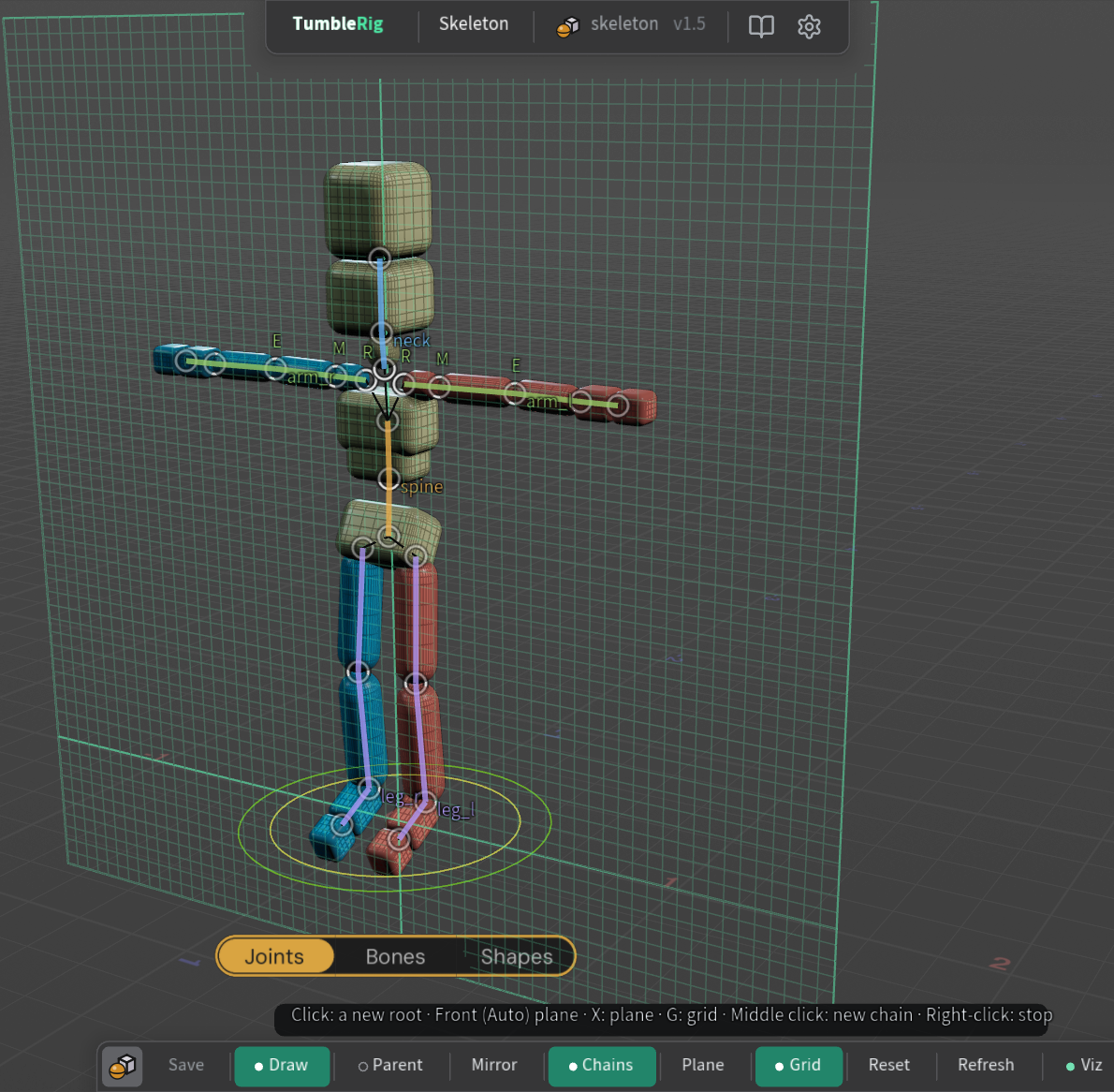
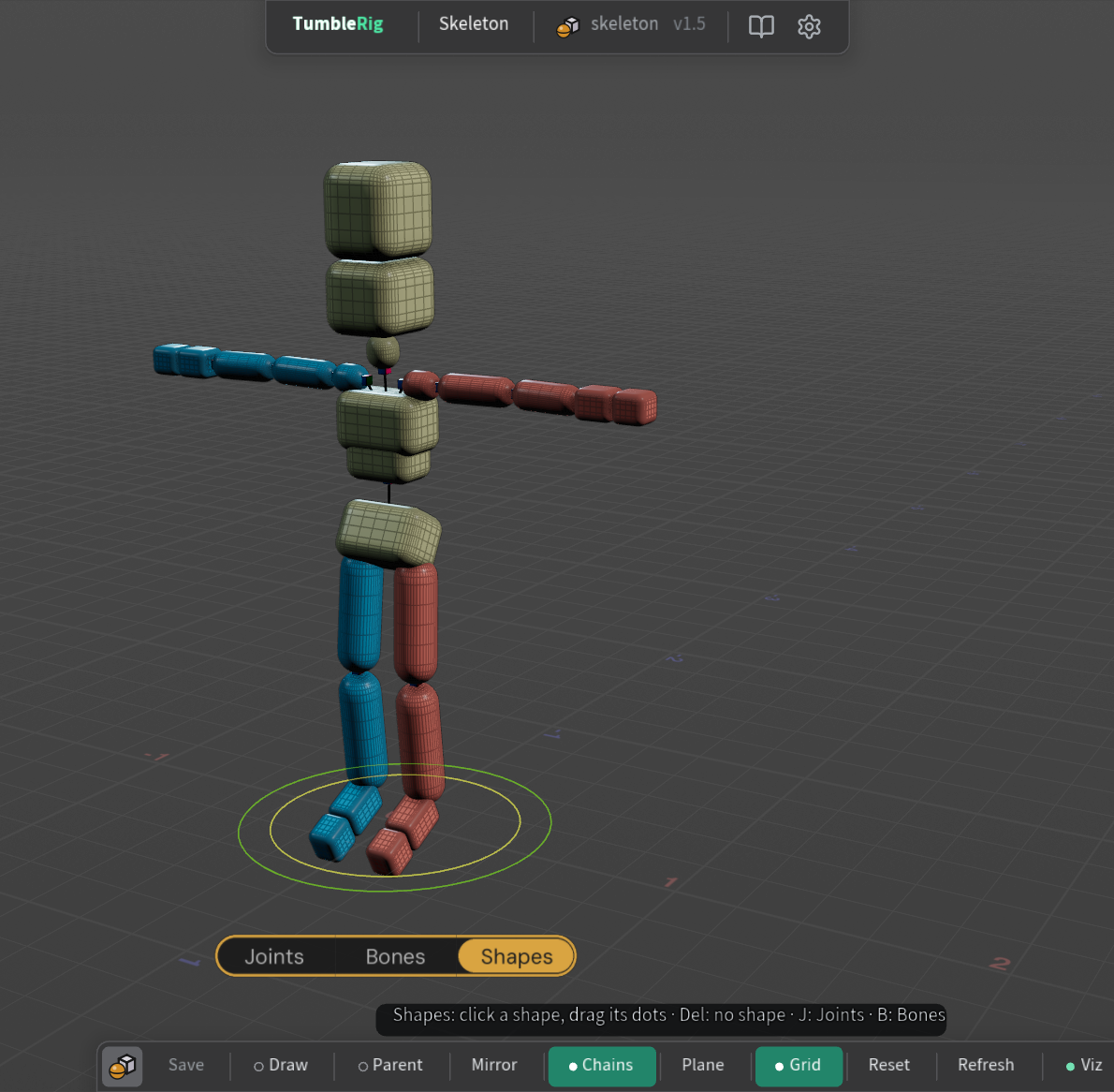
Skeleton Builder 1.2 to 1.5

Draw and Edit modes: in Edit a click selects a joint or a bone and a click on empty space deselects; in Draw clicks lay a chain with no handle in the way, Enter ends it and Esc goes back to Edit. Joints land on a drawing plane (Auto, Side, Front or Top, flipped with X) with a grid to snap to (G) and guide lines through the joint you draw from. 1.4 builds the joints first (ten clicks, one rebuild) and the Shapes step works per chain: an eye turns a chain's shapes off, and Type, Width and colour set a whole chain in one click. Chains show as coloured ribbons with their names and are cut like Fit Skeleton, so IK Chains and Inverse Foot work on a builder skeleton with no setup. 1.5 locks its shapes in Animate on other nodes. Each edit is one Ctrl+Z.

Draw. Joints land on a drawing plane with its grid.
Shapes. A shape per chain.
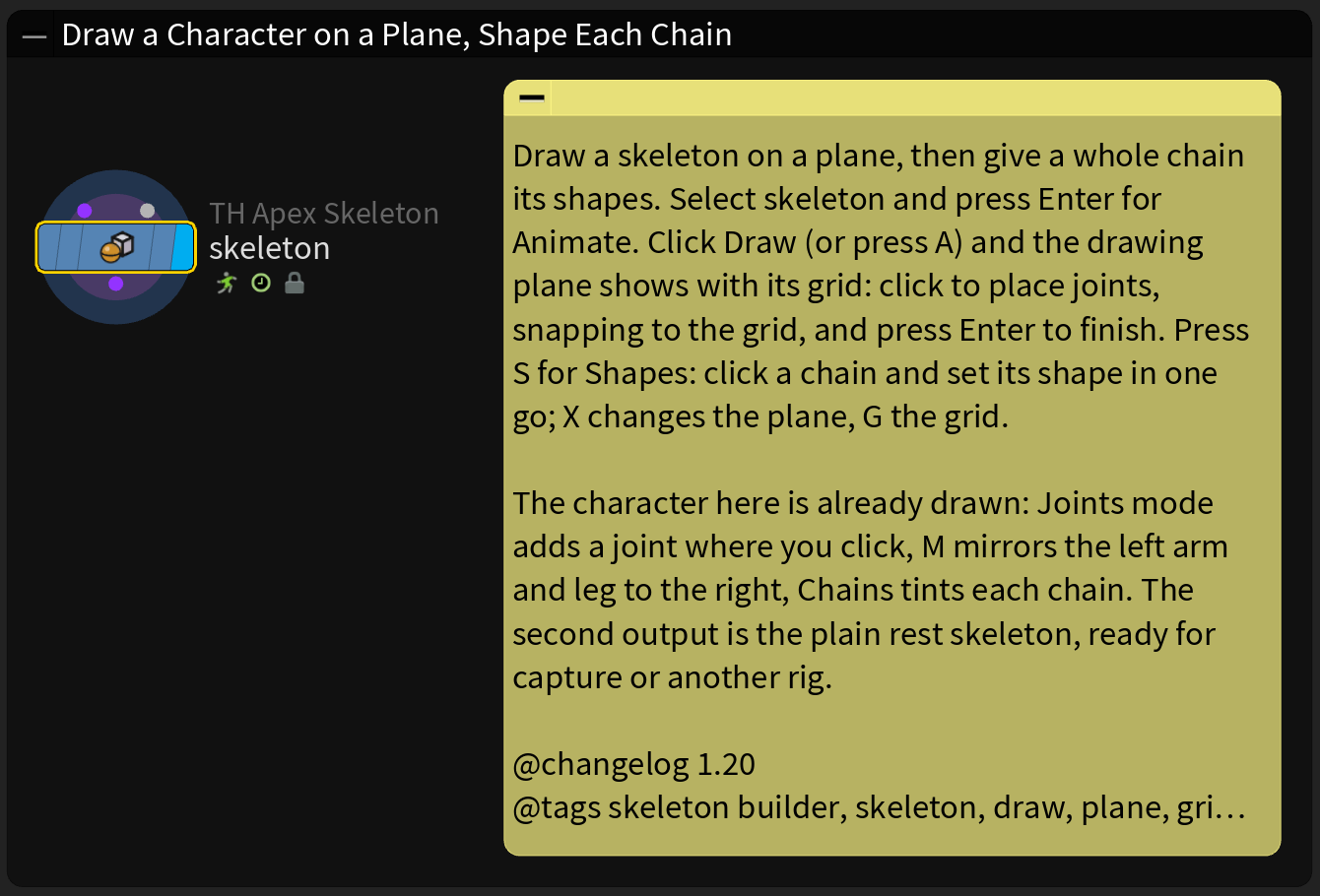
Node setup. One Apex Skeleton node.
Node setup Node setup. One Apex Skeleton node.
Updated

Pick joints by chain

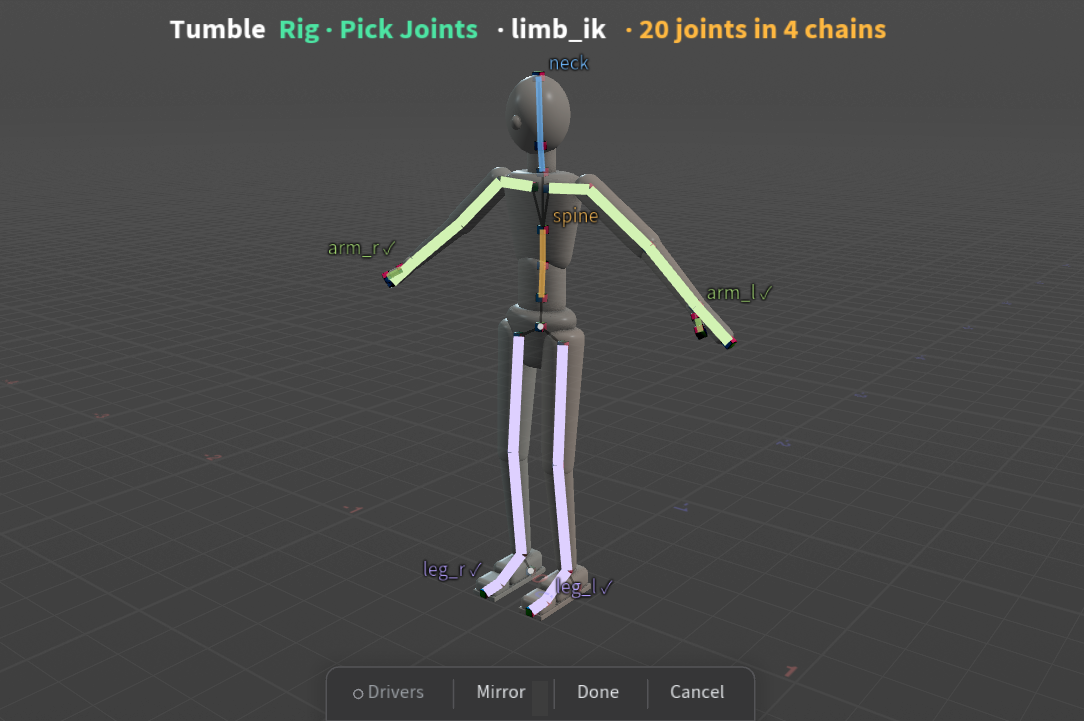
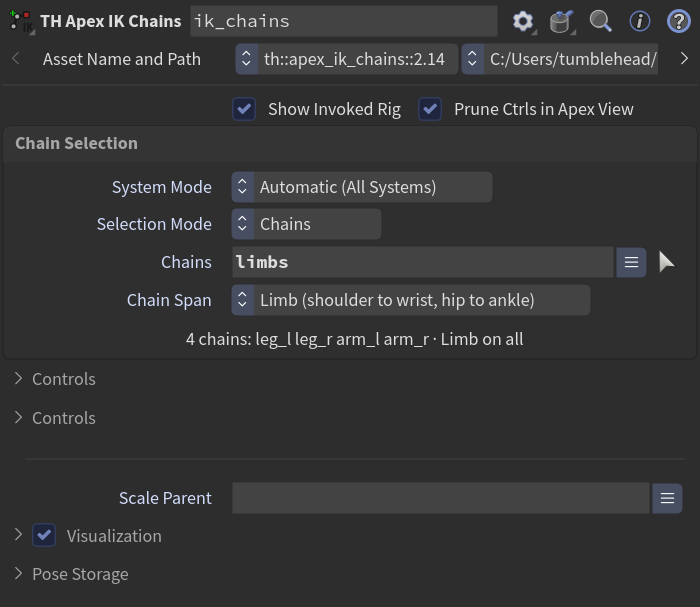
Naming a chain once (arm, leg, spine) only helps if the nodes can find it. Every chain field now shows what it found, has a Pick button that opens the chain picker with the names drawn, and takes a one-word preset (limbs, fingers, face). A skeleton without chains builds from the joint names with a warning instead of an error, and a mistyped chain now says so and names the chains that exist. Ragdoll regions take chains, and Joint Capture, Apex Skinning and Attach Joint Geo pick whole splines in one click.

Tick the chains. Pick Joints lists every chain by name; arm_l, arm_r, leg_l and leg_r ticked pick 20 joints in one go.
The limbs preset. 4 chains, Limb on all.
Updated

Primitives 1.2: shapes stay out of the way

Shaping a primitive is undoable step by step: each drag of a size, round or taper ball and each panel slider is one undo step, and Save is one step. In Animate on any other node, the shapes can no longer be clicked, highlighted or moved unless Edit in Other Tools is on. A click that wobbles a few pixels no longer moves a shape.

Video Click, and nothing happens. In Animate on the next node a click on a shape selects nothing; tick Edit in Other Tools and the same click picks it.
Updated

Inverse Foot 1.3: a Roll Pad that rolls

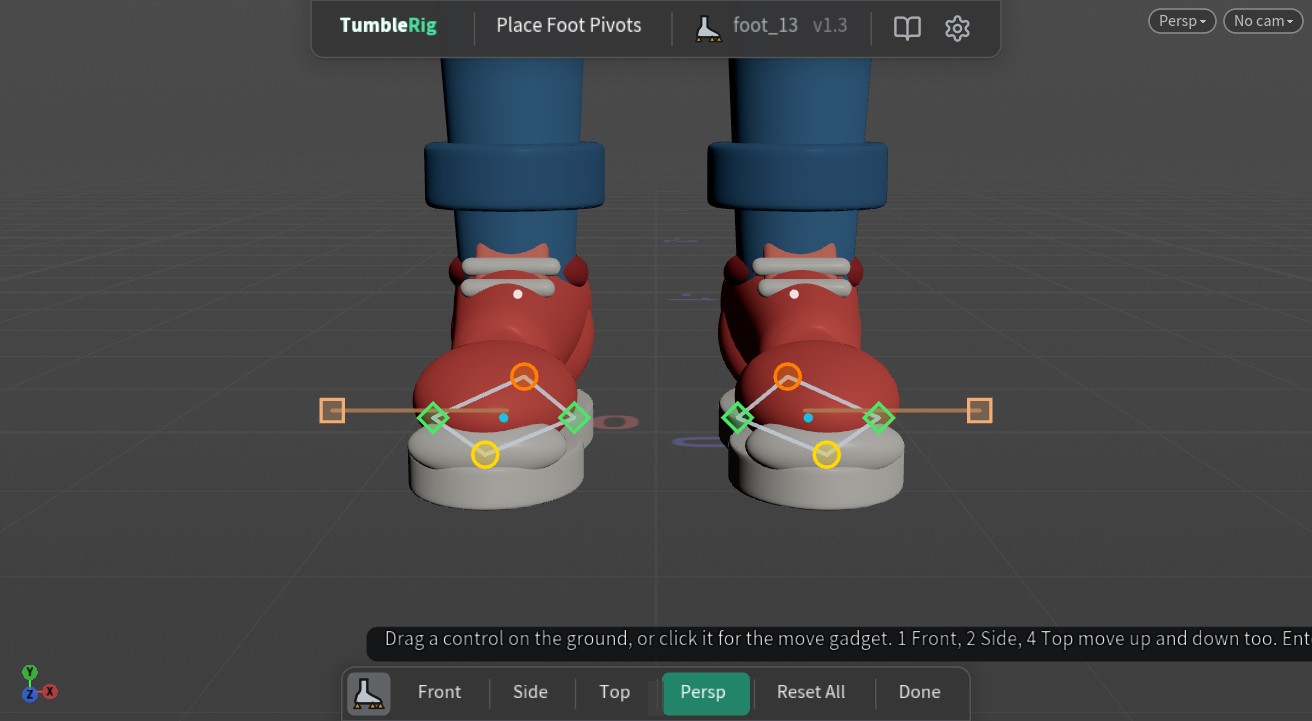
The Roll Pad now rolls the foot as soon as it is built: pull the handle back to roll onto the heel, push it forward to roll onto the ball and then the toe, push it out or in to bank. Press P in Animate for Place Foot Pivots and drag the heel, toe and bank pivots in Front, Side or Top view.

Video Roll the pad. Drag the Roll Pad back, forward and out: the foot rolls on its heel, its toe and its outer edge.
Place Foot Pivots. Every pivot and the pad as a control.
Updated

IK Spline 1.10: a chest control that follows the world

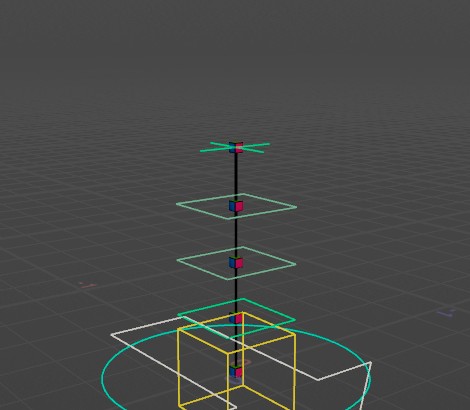
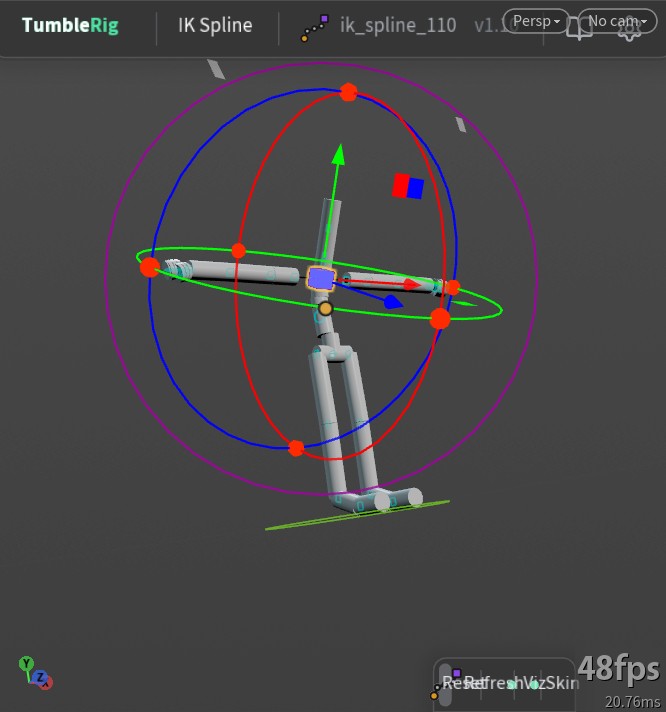
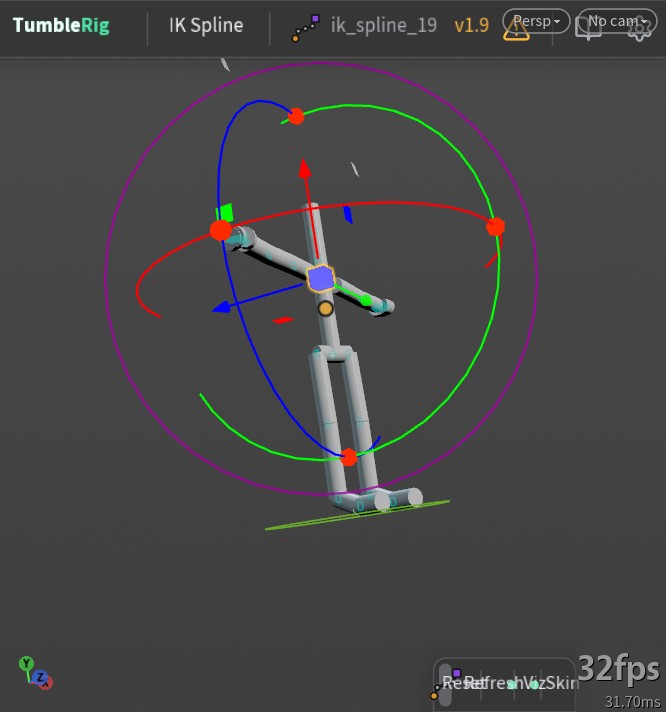
The chest IK control now rotates and moves along the world axes whatever way the chest joint points, and Bend Controls Middle sits halfway between root and chest. The rest pose is unchanged.

1.10. Rotate X tips the chest forward.1.9. Rotate X twists the chest.1.91.10
1.9 1.9. Rotate X twists the chest.1.10 1.10. Rotate X tips the chest forward.
Updated

Capture Blur 1.2: a tool and a mask input

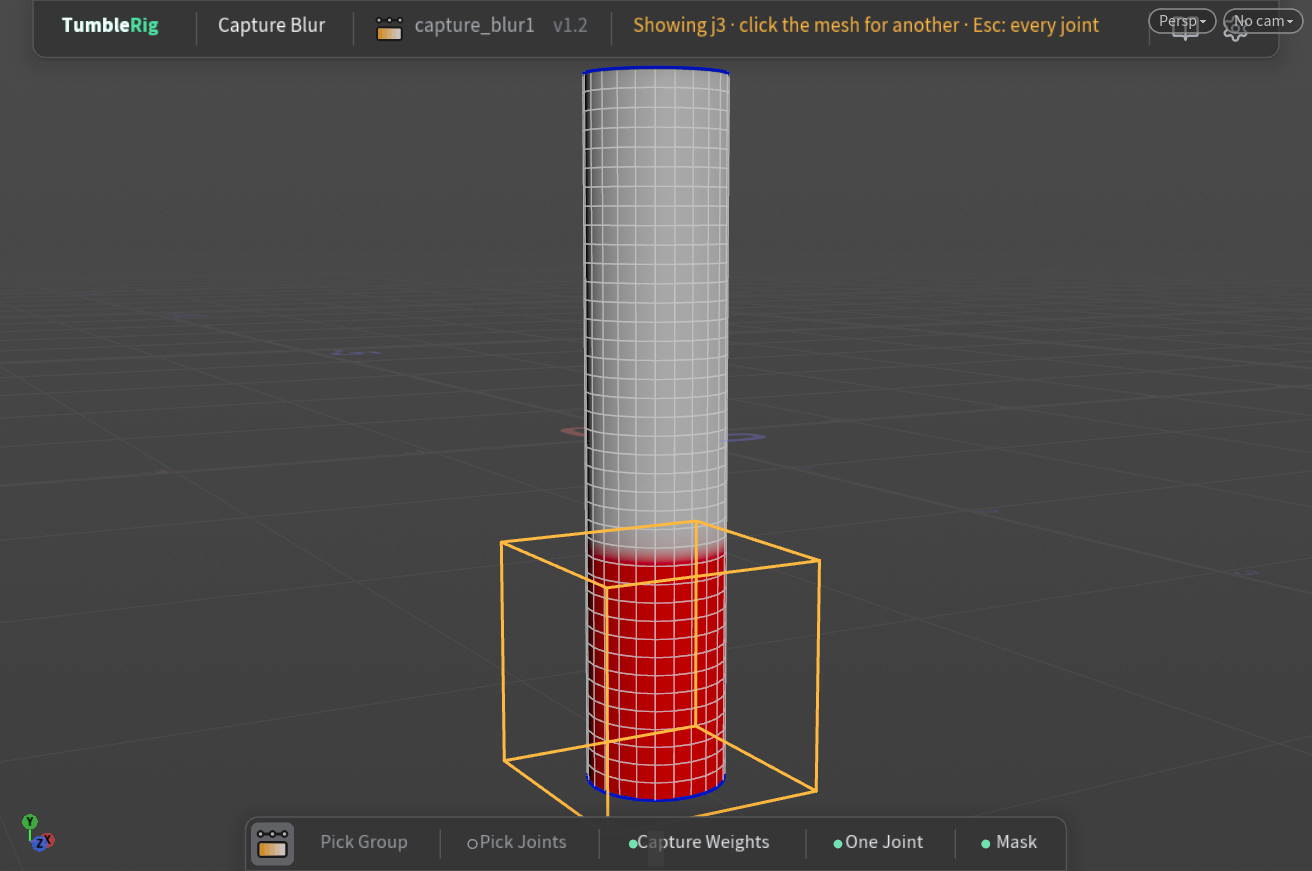
Pick the points to blur, or the joints whose weights to blur (by chain), click the mesh to see one joint's weights, and fade the blur in with a Mask Geometry input. Same weights as 1.1 for the same settings.

One joint's weights. With the mask tint from a wired box.

Temporal and Wrinkles

Less setup for the same motion.

Motion
Updated

Temporal 1.1: Mover rows

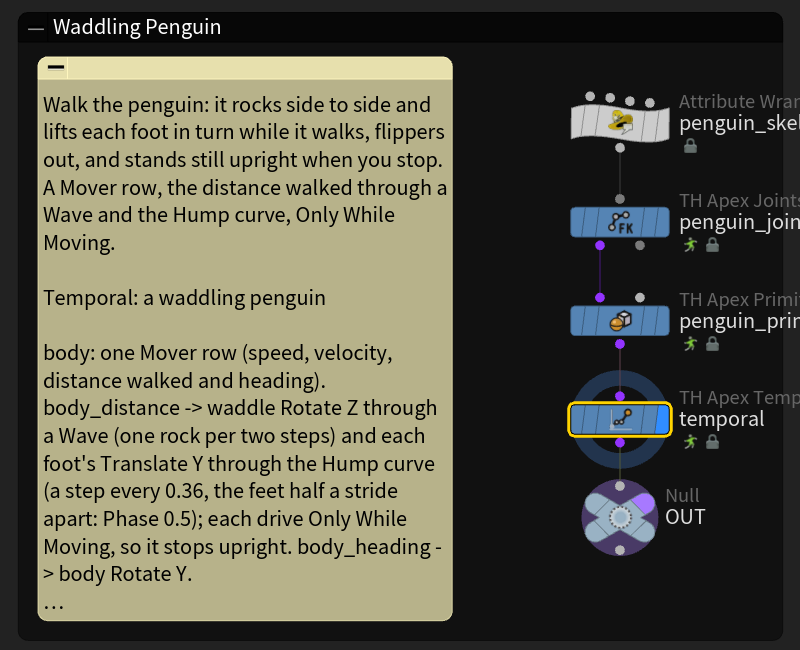
Making a penguin waddle in 1.0 took four rows to say the body moves. A Mover row gives a control's speed, velocity, distance travelled and heading in one row. Drives get a Hump curve and Only While Moving, so a waddle or a hop stops when the walker stops. The Temporal recipes use Mover rows and move exactly as before.

Video It waddles when it walks. One Mover row reads the distance walked: the body rocks, each foot lifts in turn, and it stands still upright when it stops.
Node setup. Apex Joints, Apex Primitives and one Temporal node with a Mover row.
Node setup Node setup. Apex Joints, Apex Primitives and one Temporal node with a Mover row.
Updated

Wrinkles 1.1

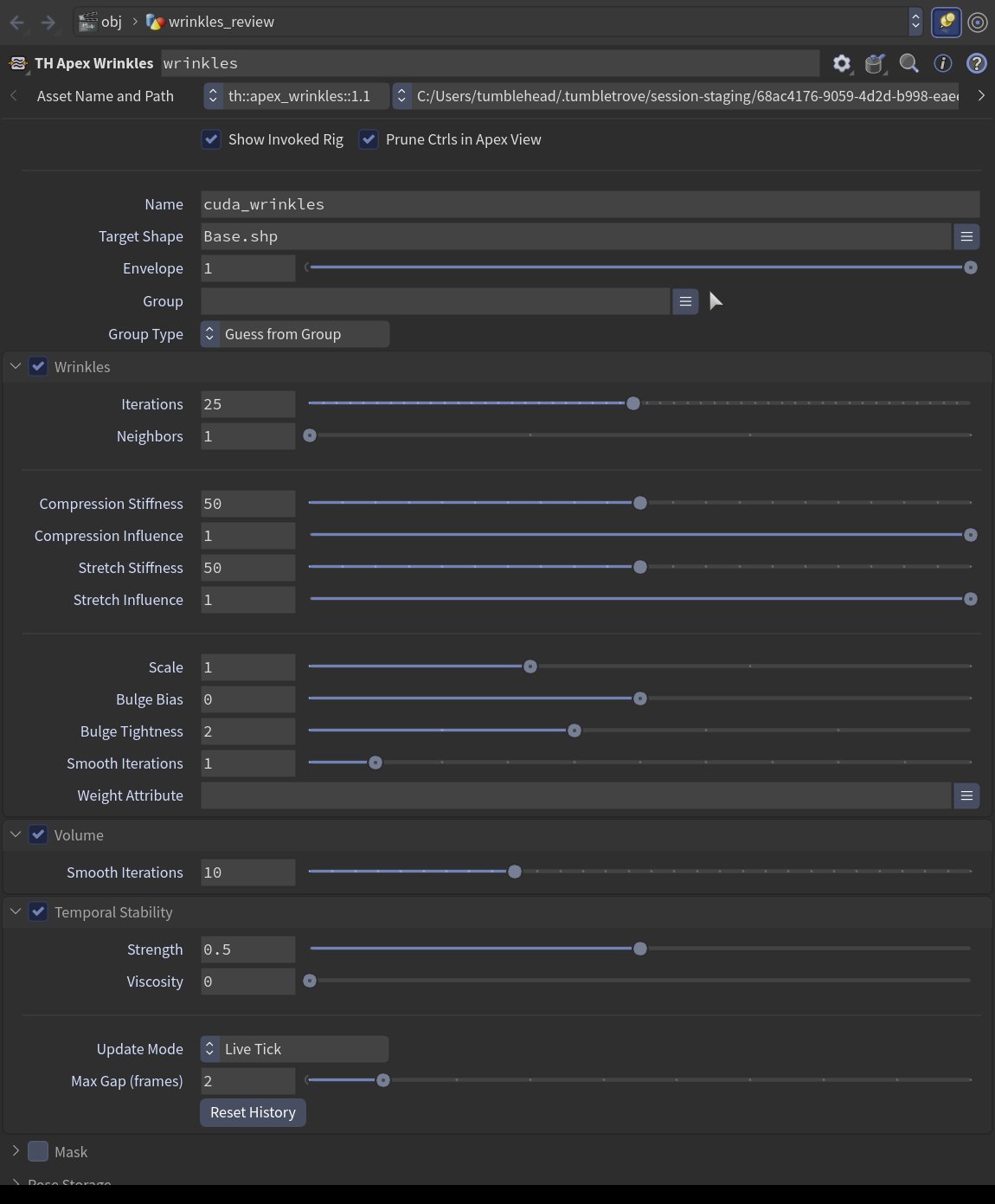
Temporal Stability is on by default, so folds settle and hold exactly when a frame is redrawn. Reset History clears them.

A fresh Wrinkles 1.1. Temporal Stability on, Reset History.

Fixed since 1.19

Out in the 1.19.x hotfixes and on main.

Fixes
Fixed

Fixed

Upgrading

New versions install next to the old ones; saved scenes keep theirs until you swap (Version Update does it in one step).

Every change: 147 commits since v1.19.0

Shipped in 1.20.0 (73)

  • Release page 1.20.0 (hosted on TumbleTrove) and What's New 1.20
  • Chains recipes: drop it and it works (IK on limbs, foot roll, IK Spline spine, neck lattice)
  • Node thumbnails for 1.20 (12 new versions; manifest)
  • Recipes on the newest versions for 1.20: Apex Primitives 1.2 locked downstream, Skeleton 1.5, Fit Skeleton Markers 1.4, Noodle 1.6 (example scenes republished)
  • Attach Joint Geo 1.1 on Apex Primitives 1.2, locked in Animate on other nodes (in place, same results); Version Update keeps a wire from a network dot
  • Subgraphs: thctrl2d recompiled (2D menus' open-from-a-dot change was committed without a compile)
  • Apex Skeleton 1.5: its shapes are locked in Animate on other nodes too (nests Primitives 1.2)
  • Live Record: takes defer to Animate's Animation Layers pane; fix the slider crash
  • feat(apex_camera): the camera in Scene Animate, and the node pose as start framing
  • Slide on Surface Ray mode: Tool Panel rows show Slide by / Ray axis / Keep rest gap / Ray offset, aim hint; recipe example_slide_on_surface_ray_aim (Aim on the Surface: Slide By Ray) + golden
  • Apex Primitives 1.2: not selectable or editable in Animate on other nodes (Edit in Other Tools)
  • Apex Slide on Surface 1.1: Slide By Ray per row (th::slideOnSurface::ray::1.0): a control lands where a ray along one of its axes meets the surface, Keep Rest Gap, Ray Offset
  • Primitives + Skeleton: undo after a shape drag, one-step Save, click slop, right-click deselect, save on leaving
  • Eye Rig 2.1 and Brow Rig 1.1: lids and brows slide on Slide on Surface 1.1 (Smooth); recipes on Slide on Surface 1.1
  • Chains Phase D: standard chain names and presets (limbs, fingers, face), one set of field and span words
  • Recipes on the newest shipped node versions: 63 recipes republished (Noodle 1.6, IK Chains 2.14, Apex Spline 6.7, Skeleton 1.4, Inverse Foot 1.3, Wrinkles 1.1, ...)
  • Chains Phase B + C: name fallback, Chains Found line, Pick Joints on every chain field
  • Examples: Peak-Eyed Head on Slide on Surface 1.1 (Smooth, no matching sphere) + Peak-Eyed Head: Look Control, Pupil Swaps and a 2D Panel
  • Apex Slide on Surface 1.1: Relative To per row, Show Surface recorded in the rig
  • Skeleton Builder: one Ctrl+Z per edit, no joint cubes popping in, split snaps to the middle, guide lines through the chain's joint, zero lines on the plane
  • Recipe example_push_lid_bulge (Lid Bulge Over the Pupil); Apex Push Rest Shape; publisher @major
  • Skeleton Builder: rig no longer vanishes after a camera move, one look while drawing, edits saved on leaving, grid on by default with a typed step, review fixes
  • Apex Slide on Surface 1.1: Smoothing (Faces / Smooth / Subdivision), curved PN measuring, coarse-surface hint, Show Surface
  • Skeleton Builder: bones stay over the drawing plane, middle click ends the chain, Esc leaves the tool, grid step turns the grid on, gold ring on the joint a click picks
  • Apex Push icon; Eye Rig 1.3 and Apex Push in [[operators]]
  • Chains Phase A: Chains mode stops failing silently
  • Peak-Eyed Head: eyes slide on a primitive sphere, no mask jitter
  • Skeleton Builder: a drawing plane every joint lands on, grid on it, every press in Draw is a click (box-select crash fixed)
  • Example: Peak-Eyed Head (eyes cut by Apex Peak and a live Apex Distance Mask, whites under the skin, ribbon pupils, Slide on Surface)
  • Apex Peak / Apex Smooth: Mask Invert and Blur work on a live mask
  • Skeleton Builder: right-click crash fixed, Draw stops on right/middle click, Start Over, Mid Plane snap shown, instant joints, no cursor text
  • Skeleton Builder 1.4: shapes per chain (UX Phase 3)
  • Examples: Apex Peak, Apex Smooth and Apex Distance Mask (8 recipes, goldens, feature map)
  • Temporal recipes on 1.1: Mover rows in six, the same motion in all 22; Version Update keeps label text
  • Skeleton Builder 1.4: joints first, one rebuild per chain (UX Phase 2)
  • Figure 1.1 nested nodes to the newest, in place (same results): Fit Skeleton Markers 1.3, IK Chains 2.14, Inverse Foot 1.3
  • Ragdoll Setup 1.1: collision shapes carry an identity 'transform' from any skeleton (in place)
  • Live Record: record a control by hand while the timeline plays
  • Tab bar: place Scene Animate's floating bar as a bar
  • pose_session: arm the exit pose clear only on TumbleRig's own nodes
  • Apex Peak 1.0, Apex Smooth 1.0, Apex Distance Mask 1.0: chain HDAs for the GPU Peak / Smooth / live mask verbs
  • Skeleton Builder: shorter Shapes hint (it ran off the viewport); says Del takes the shape off
  • Skeleton Builder: Draw / Edit modes, safe clicks, visible reparent (UX Phase 1)
  • Temporal 1.1 fixes from a break-it pass: Movers never overwrite or clash, renames follow
  • feat(apex_camera): Bake for the Stage button (1.2 Rig tab)
  • Space Switcher: IK Spline's chest IK control works as a space; Inverse Foot 1.3 keeps a 1.2 rig's own bank pivots
  • fix(apex_camera): Lock Camera to View moves the rig in Scene Animate
  • Noodle 1.6: every nested node on the newest version, captures re-picked for Fit Skeleton 3.2's chains; Spider 1.1 nested nodes in place (same results)
  • GPU deformers start every cook from the input, so attributes that change per frame pass through
  • th::apex_eye_rig::1.3: the lids on two splines and one zipper (no back spline); the back of the lid rides the eye joint
  • th::cuda_smooth::1.0: SideFX Attribute Blur on the GPU (CUDA + OpenCL), maskable, callable in APEX
  • Version Update finds nodes in editable networks (SOP Create LOP); Update all nodes... in the header's out-of-date window
  • 2D menus: a menu on an animated control opens from a dot (the open step), the default for every 2D menu
  • Nested nodes to the newest versions, in place (same results): IK Spline 1.10, Eye Rig 2.0, Brow Rig 1.0 on Apex Spline 6.7; IK Chains 2.14 on Space Switcher 1.1
  • Version Update: a wire into a network dot no longer stops the swap (outputItem, not outputNode; Brow Rig 1.0's brow_r feeds a dot) (test_version_update 62/62)
  • th::cuda_distance_from_geometry::1.0: SideFX Distance from Geometry on the GPU (CUDA + OpenCL), a live mask in APEX
  • cuda_peak: start every cook from the input, so attributes that change per frame pass through
  • cuda_peak: recompute N with Houdini's own normals on meshes the GPU face tables do not cover (left out of ed72ab12)
  • cuda_peak: polygon soups on the GPU; hulls, NURBS/Bezier surfaces and all-curve details take Houdini's own normals
  • th::cuda_peak::1.0: SideFX Peak on the GPU (CUDA + OpenCL), callable in APEX as sop::th::cuda_peak::1.0
  • Space Switcher 1.2: the Space menu, a 2D menu by each switching control (Space list, Keep pose, Blends folded), works in Scene Animate; Space Switch recipes on 1.2
  • IK Chains 2.14: IK Spaces multiparm - each IK control blends between any number of spaces (a follow_<space> slider each, weights normalized, the rest of 1 on Main); first row starts at 1; Version Update moves 2.13's IK Space into row 1 (new Migration.pre hook, renamed parms no longer flagged as lost) (test_ik_chains_214_spaces 26/26)
  • Inverse Foot 1.3: Place Foot Pivots, its own tool built like Fit Skeleton Markers
  • apex_spline 6.7: CV Index Order "Selection Order" - the joints written in Group are one spline in the written order (jaw_c jaw_a jaw_b runs c, a, b), whatever their point numbers, parents or connectivity; globs keep point order at their place, a bone name adds its joints parent first. Topological = 6.6 (test_apex_spline_67_selection_order 15/15)
  • Wrinkles 1.1: Temporal Stability on by default, Reset History
  • apex_collisions 1.2: no more cycles from rig loops (IK, constraints, chases)
  • Wrinkles 1.1: pose store frame 1001 (the guide-freeze sweep, re-applied after the review's def change)
  • Wrinkles 1.1 review: honest still flag, clean toggles, sims' Simulation parms
  • Temporal 1.1: Mover rows, Hump and Only While Moving drives, grouped Work Out menu
  • apex_ctrls 2.0 Quick Actions: Visibility section (Visible / Hidden / Deactivate, Show Hidden)
  • Joint Capture: When Group Matches Nothing (Warn and Skip / Error)
  • Pose store frame 1001: no more time-dependent Show Invoked branch
  • Crash trace for the 2D menus and the viewport pickers

Shipped in 1.19.5 (62)

  • Recipes: camera rig, Fit to Bone and Fit Skeleton republished from their latest scenes (1.19.5)
  • Recipes: IK Chains 2.13 and IK Spline 1.10 in nine example recipes
  • IK Spline 1.10: the chest IK control is world aligned, Middle sits halfway between root and chest
  • Examples: Space Switch recipes on Space Switcher 1.1 and Noodle 1.5
  • Rig viz: joint boxes keep a uniform scale, so stretched spline joints stop vanishing
  • Fit Skeleton Markers panel: View row full width, Focus chips in two rows (labels were clipped)
  • Inverse Foot 1.3: the Roll Pad rolls the foot, bank pivots, drag the pivots and the pad (Place pivots, P)
  • IK Chains 2.13: Expose checkboxes on the slider defaults, IK Space follow for the IK control
  • th::apex_camera is TumblePipe's shot camera rig (Layout in Animate)
  • Space Switcher 1.1: own channel per space, Mirror, range switch, active space in the panel
  • Capture Blur 1.2: its own tool, Joints picked by chain, one-joint weights, Mask Geometry input
  • Apex Spline 6.6: Placed CVs source and the spline placer viewer state
  • Camera examples on apex_camera 1.2: the 7 shot recipes republished from EX_camera v0013 (Over the Shoulder on Noodle 1.5)
  • Capture Blur 1.1: Group picker and menu work again (sel_srcgroup selector restored)
  • Skeleton Doctor instead of SideFX Rig Doctor: rigs no longer recook on every frame in the GUI
  • apex_camera 1.2: the horizon stays level when the camera aims, lens values clamped, a second camera gets its own name
  • Scene Animate HUD cleanup: note what Houdini 22.0.488 fixed and what still leaks
  • Scene Animate: free the channel panel's own window on exit (last per-entry leak)
  • Camera rig bug hunt: plates read sequences and Hold right, one reader per file, one undo step per drag, joysticks move along the lens
  • Scene Animate: also free the hotkey HUD windows and loose key widgets left on every exit
  • Camera plates filter: one dict lookup per event, DoF hover skips moves while a button is held (a control drag paid ~3.3 ms a move for it in a shot with no camera; now ~1.2 ms)
  • 2D menus: menus() checks the template's data ids before reading its strings (a control drag paid ~2.3 ms a move for it in a shot with no 2D menu)
  • Skeleton Builder 1.3: the 2D shape dots; Joint Cages switch keeps clear; Rows From Input shows its count
  • Thumbnails: Noodle 1.5 node picture
  • 2D menus: stress-test fixes (pins tile in free places, hidden grips, lost releases, quad views, field input, character bypass, leaks)
  • Shape Editor: list matches mock B (card, painted ↳ / ⊕ in the accent, dot after the combo name, 44 px value column)
  • Joint Capture: picks replace the default skel_bind (as Skinning and Attach Joint Geo)
  • Scene Animate: free the HUD panels Houdini leaves behind on every exit (stopgap for the SideFX re-entry leak)
  • Thumbnails: IK Chains 2.12 and a full manifest; thsliders recompiled from LF source (preflight green on main)
  • Ragdoll Setup 1.1: its own Animate tool (limit fans, a joint panel, Test Fall with Watch)
  • GPU nodes: no more illegal memory access from stale buffers, failed allocations or degenerate input (GPU review)
  • Ragdoll Setup 1.1: Test Fall, try the ragdoll inside the node
  • Orient Joints panel: buttons shrink to their text, so rows fit the strip at UI scale 1.5 (they ran past the right edge)
  • Ragdoll Setup 1.1: tension, resistance, soft limits and a keyable Relax reach the Animate Ragdoll tool
  • IK Chains 2.12: limb menus open from a 3D FK | IK control instead of a 2D dot
  • TumbleRig tools run in the APEX Animate LOP too: camera HUD on the stage
  • 2D menus: work out menus() once per event-loop turn
  • 2D dots measure the character by Base.skel: Apex Rivet hid every FK/IK dot
  • 2D menus: cache each rig's menus on the template's contents, not id() of a fresh wrapper
  • apex_camera 1.1: head / aim / track list their values in Animate's channel widget (control groups), quiet HUD strip without the spiral, keys on the camera Tool Panel, node panel and Blendshapes sliders
  • manifest.json: leave thsliders to the session editing it
  • Keys on the camera HUD values and panel sliders (dot, Alt / Ctrl / Shift+click); Ctrl+click removes vector keys
  • Joint capture: say when CUDA has stopped working instead of blaming VRAM
  • Zipper 3.3: find an Animator Sliders control that hosts channel sliders
  • Set Driven Keys: don't inherit an upstream slider builder's rows
  • Face recipes: the nose joints follow the mesh (placed live by a wrangle)
  • Recipes: Jaw, Ears and Nose on a human head (face recipes, free)
  • Face recipes: the jaw skins inside its own jaw_mask
  • Bind Spline Only: a spline after an earlier spline keeps that spline's skel_bind strip
  • Noodle 1.5: spline joints are joint chains, captured by @chain= patterns
  • Brow Rig 1.0: the brow Delta Mush at 4 iterations (20 folded the skin under a big raise)
  • Chain picker on Apex Skinning and Attach Joint Geo: Pick Joints tool, @chain= in Attach's Joints
  • Shot slate moves to TumblePipe; the camera rig plugs into it
  • Capture picker after the live check: names for splines and picks only, a pair's names on their outer sides, Others switch in the panel, the match count refreshes
  • Shot slate: the TumblePipe shot you are on, in any look-through camera
  • Joint Capture picks joints by chain: whole splines in one click, drivers greyed out
  • Spline joints are a joint chain: th::spline stamps @attr tokens; Apex Spline 6.5, IK Spline 1.9
  • Import LOP Camera: Transfer Keys ignores the Camera LOP's expression parms
  • Import LOP Camera: Transfer Keys moves the LOP camera's own keys onto the rig
  • Skeleton Builder panel: the Chains list starts folded
  • Skeleton Builder 1.2 chains UX: see and name the joint chains
  • Eye Rig 2.0: each lid skinned in its own pass; Blink 1 closes the lid skin (19.5 -> 1.25 mm)

Shipped in 1.19.4 (6)

  • Zipper 3.3: precompiled program rebuilt from this branch's sources
  • Set Driven Keys: don't inherit an upstream slider builder's rows
  • GPU nodes: no more illegal memory access from stale buffers, failed allocations or degenerate input (GPU review)
  • Joint capture: say when CUDA has stopped working instead of blaming VRAM
  • Zipper 3.3: find an Animator Sliders control that hosts channel sliders
  • Orient Joints panel: buttons shrink to their text, so rows fit the strip at UI scale 1.5 (they ran past the right edge)

Shipped in 1.19.3 (2)

  • 2D menus: work out menus() once per event-loop turn
  • 2D menus: cache each rig's menus on the template's contents, not id() of a fresh wrapper

Shipped in 1.19.2 (1)

  • 2D dots measure the character by Base.skel: Apex Rivet hid every FK/IK dot

Shipped in 1.19.1 (3)

  • Recipes: 1.19 example boxes on this release's node versions, Changelog 1.19 demos, Jaw/Ears/Nose face recipes
  • Eye Rig 2.0: each lid skinned in its own pass; Blink 1 closes the lid skin (19.5 -> 1.25 mm)
  • Brow Rig 1.0: the brow Delta Mush at 4 iterations (20 folded the skin under a big raise)