NodePilot
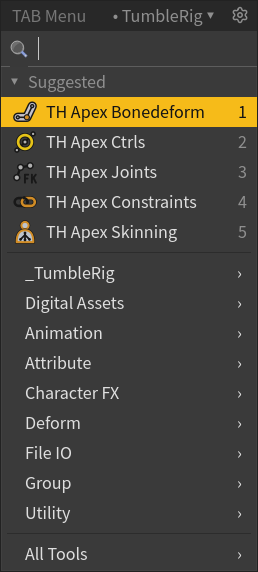
Houdini's TAB menu, with the nodes you place next at the top and your studio's nodes first.
What it does
Houdini's TAB menu, kept
Press Tab in a network editor and the finder opens where Houdini's menu would. It is the same size, the same rows and the same submenus, and typing searches every node as before. Ctrl+Tab still opens Houdini's own menu, and one setting gives Tab back to Houdini.
Suggested
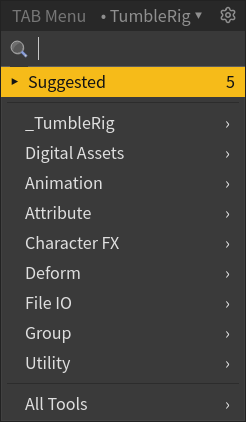
The top of the menu lists the five nodes you most often place after the selected node, numbered: press a number to place that node. NodePilot counts what you place as you work, so the list becomes yours. Until it has enough to go on, your suggestion profile fills it. Click the Suggested header to fold it away; it stays folded.
Templates
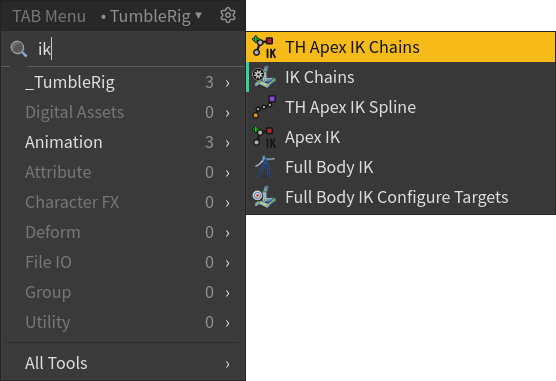
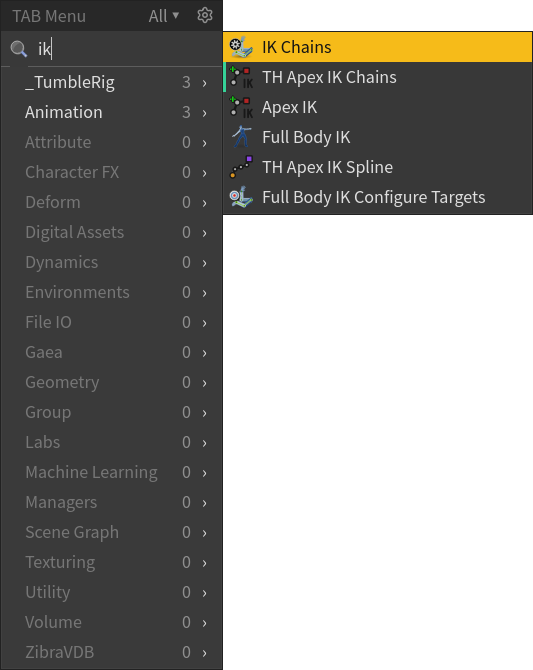
A template decides which nodes come first. Its name sits in the title strip: click it, or press Tab and Shift+Tab inside the finder, to switch. A Rig workfile opens on the TumbleRig template, which puts TumbleRig nodes first and suggests only TumbleRig nodes. Search still finds every node; the template only changes the order.
Templates for your studio
Templates are small files you can write yourself or share. NodePilot reads yours, your project's, your organisation's and those that packages ship, so a studio can put its own nodes first for everyone working in a department. The developer pages in NodePilot's documentation show the format.
Settings in one click
The gear in the title strip opens NodePilot's settings: whether Tab opens the finder, whether Suggested starts folded, and the suggestion profiles that fill Suggested.
Wire-drag suggestions and the ghost preview
For now NodePilot is the TAB finder alone. Suggestions on a dropped wire, the ghost preview, starters and the Suggestions Editor are switched off. Your profiles and settings are kept for when they come back.
Requirements
- Houdini 21 or later.
- Pure Python: one build for every platform Houdini runs on.
- With TumbleTrove, templates also come from your project, your organisation and your packages, and the settings open from the gear. Without it, NodePilot reads your own templates and the ones it ships.
- The TumbleRig template comes with TumbleRig 1.24.1 or later.
Getting started
- Install NodePilot and start Houdini.
- Press Tab in a network editor and pick a node as you would in Houdini's menu.
- Keep working. After a few nodes, Suggested starts showing what you usually place next.
- For Houdini's own menu, press Ctrl+Tab.