Bridge, step by step Alpha
Send a model from Houdini to ZBrush, work on it there, and get it back into the same node. This page goes through one round trip with real screenshots.
Windows, Houdini 22.0 or newer, ZBrush 2022 or newer.
Once
Put a Bridge node after your model
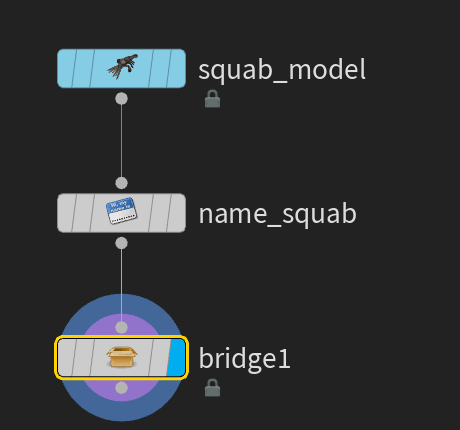
- Each piece of the model becomes one subtool in ZBrush. A piece is a value of the
nameprimitive attribute; the subtool gets that name. Here a Name node calls the whole model "squab". - ZBrush takes triangles and quads only. Divide larger polygons first (PolyDivide or Divide).
Check the ZBrush line at the top of the node
It says whether ZBrush was found and has its Houdini Bridge menu. The first time, it looks like this:
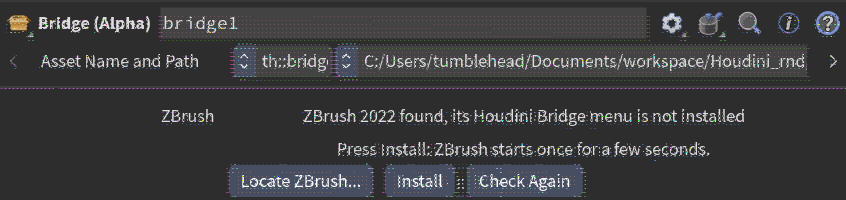
Press Install. ZBrush opens for a few seconds and the line changes to ZBrush 2022 is open and ready. You only do this once per computer, and again after a Bridge update (the button then says Update).
Any other message: see If something is wrong.
Every round trip
Press Send to ZBrush
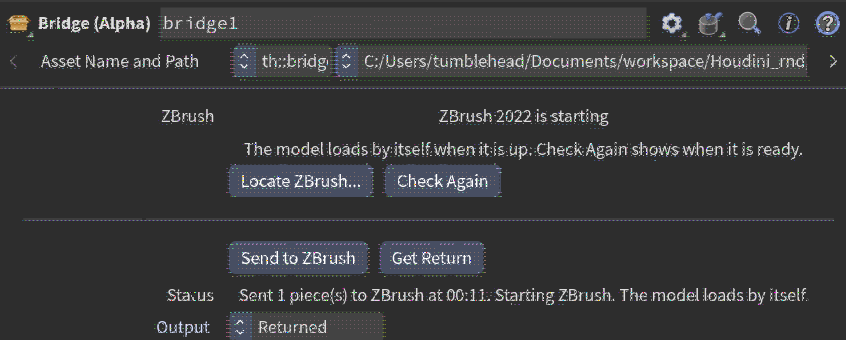
If ZBrush is closed, the node starts it and the model loads by itself.
Work in ZBrush
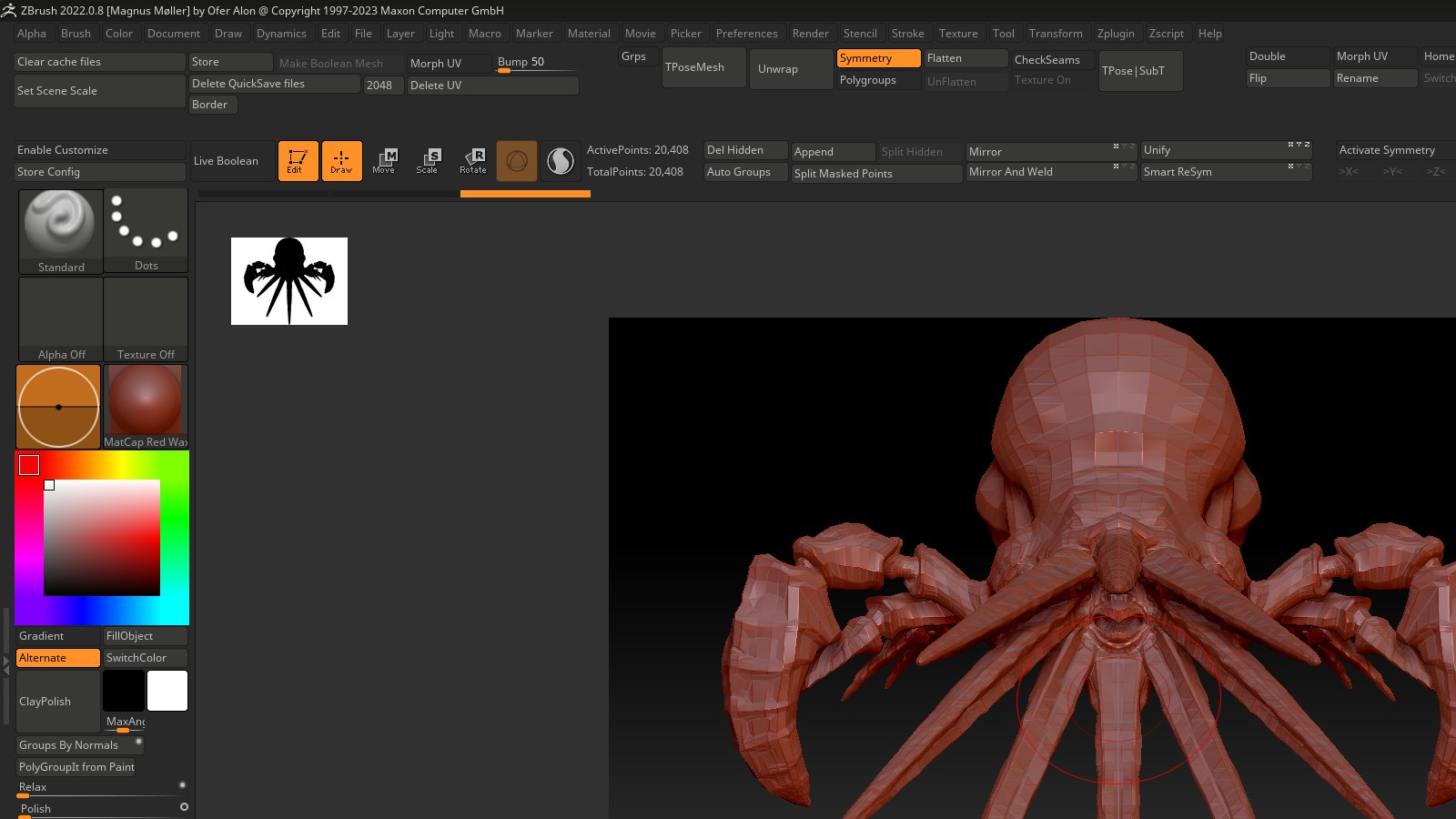
The squab in ZBrush, right after Send: in Edit mode, framed, one subtool named squab.
Sculpt, run ZRemesher, add polygroups, polypaint or UVs, divide. Keep the subtool's name: that is how Houdini knows which piece came back.
Press Send to Houdini, in ZBrush
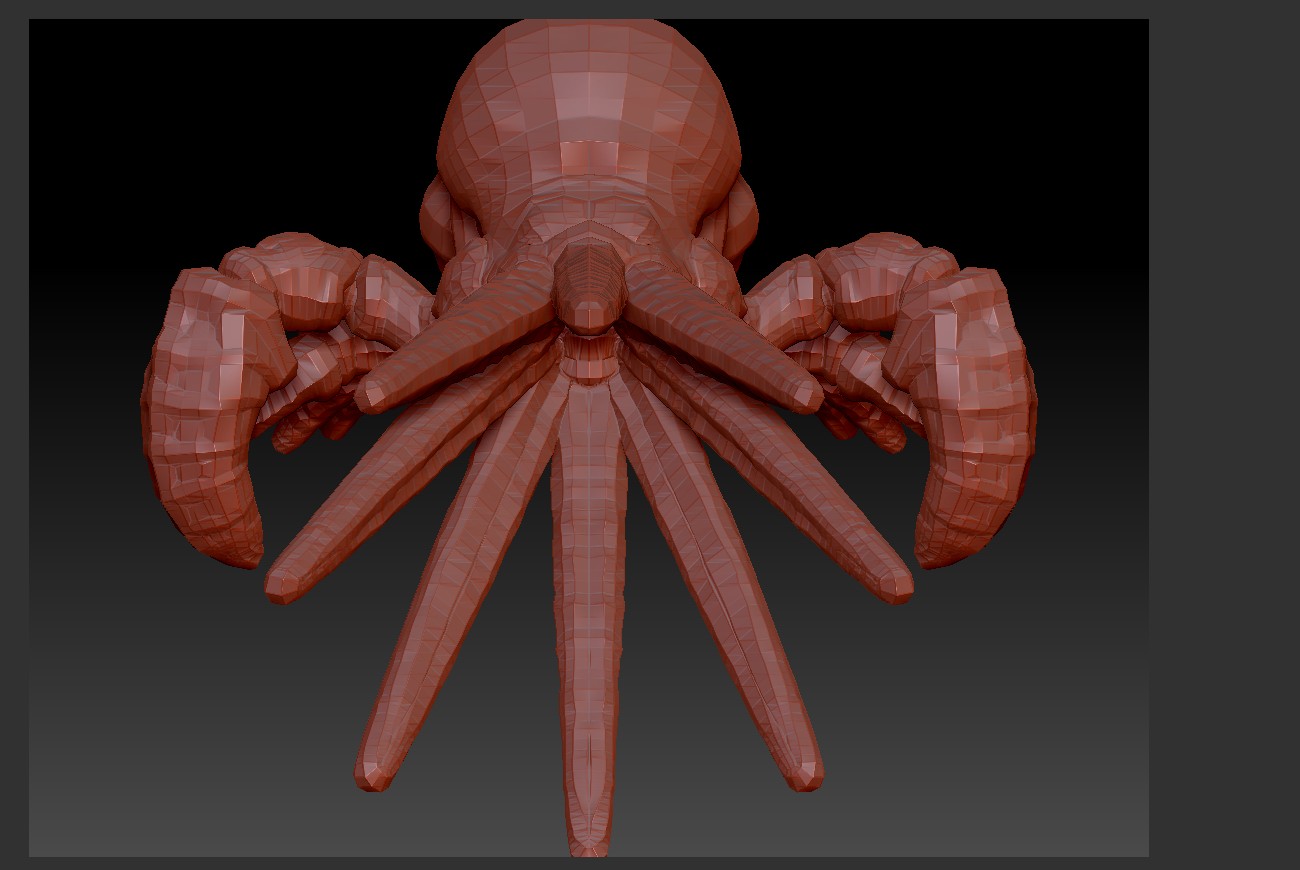
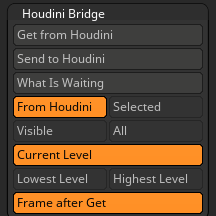
Left: the squab made fuller in ZBrush. Right: the Houdini Bridge menu (open it from the ZPlugin palette).
By default it sends the pieces that came from Houdini plus the subtool you have selected, each at the subdivision level it is on. The switches under the buttons change that:
- From Houdini / Selected / Visible / All: which subtools go back.
- Current / Lowest / Highest Level: which subdivision level goes back. Divided the model to sculpt detail? Lowest Level keeps the same topology in Houdini, so all your attributes stay. Highest Level sends the dense mesh.
Back in Houdini, the node updates by itself
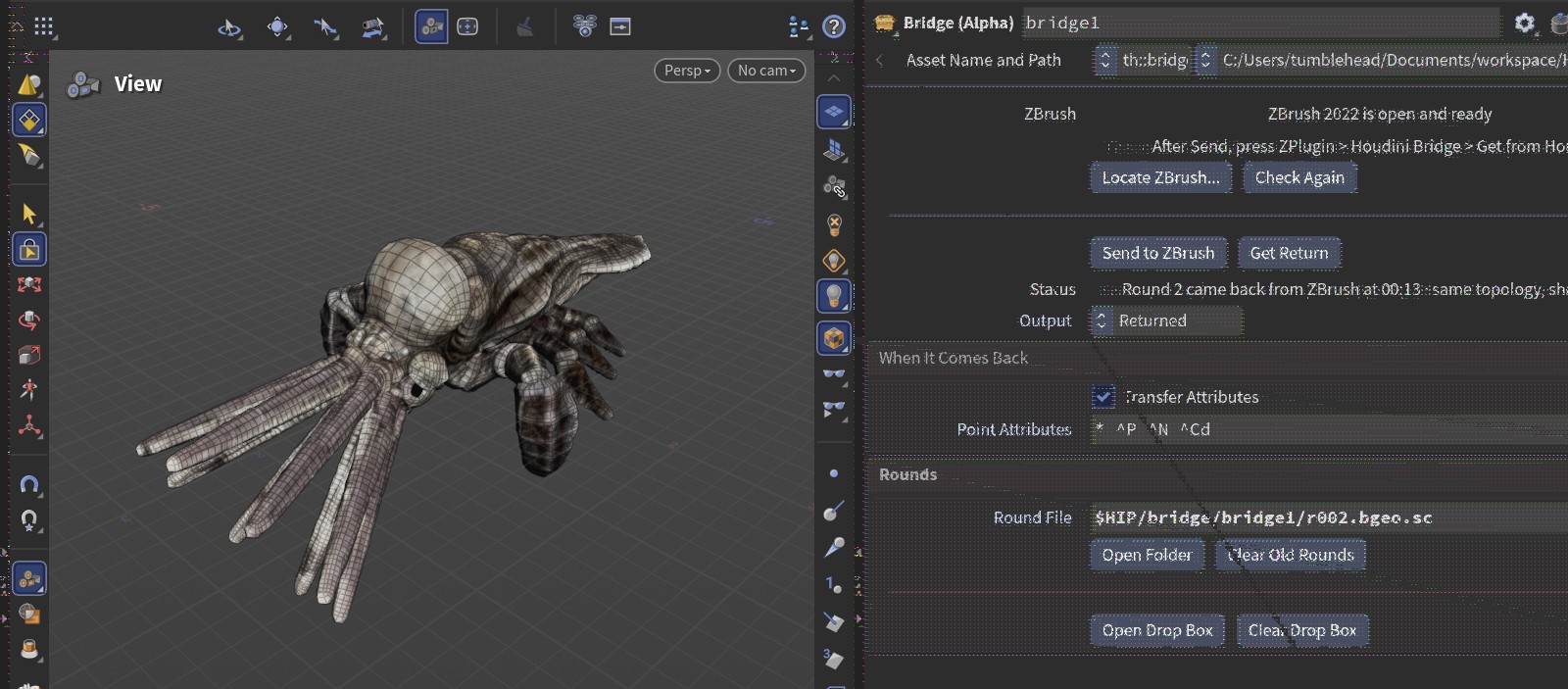
A second or two after Send to Houdini. The status line says what came back. If nothing happens, press Get Return on the node.
Same topology (a sculpt tweak, as here): only the shape and what you changed in ZBrush (UVs, creases, polygroups, polypaint) are taken. Everything else on your model stays: the texture in this picture, attributes, groups, capture weights. Changes upstream of the node keep flowing through.
New topology works too
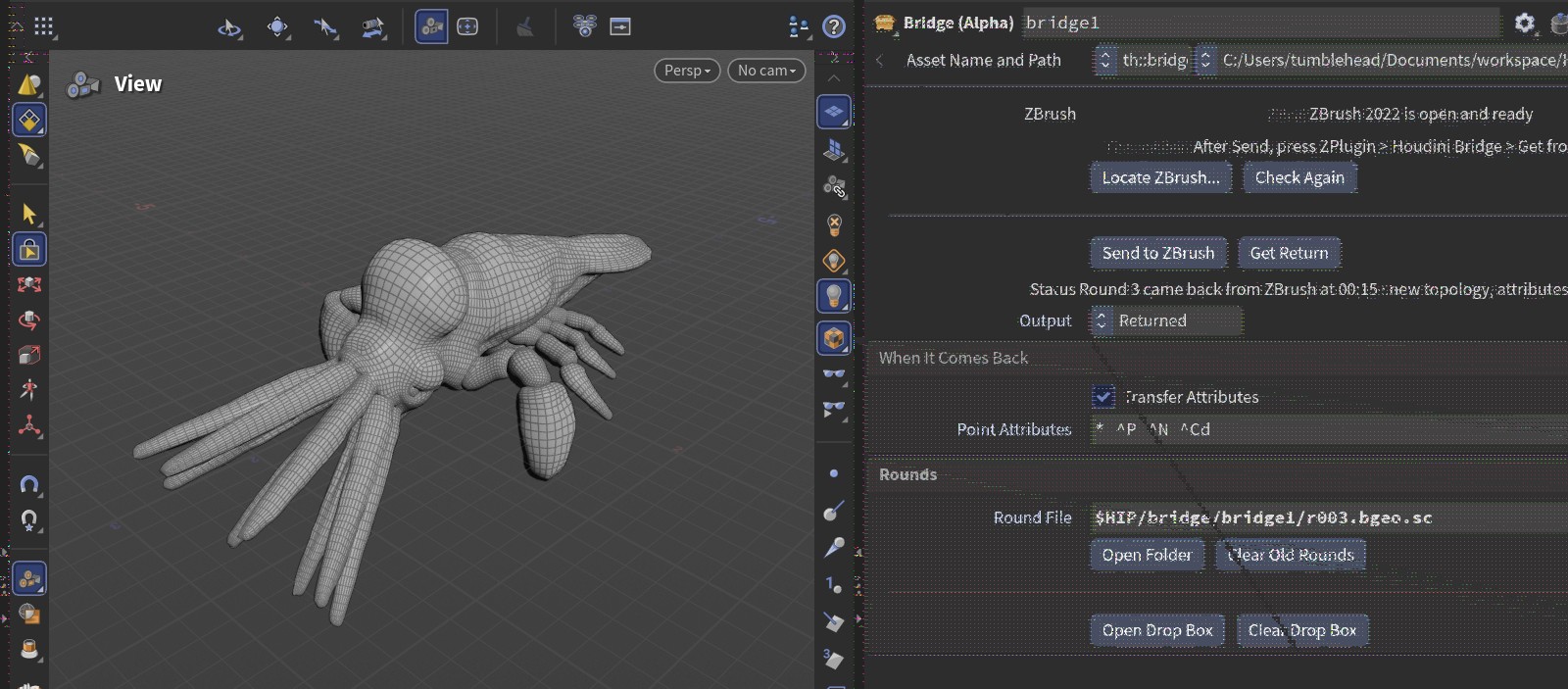
After ZRemesher in ZBrush: a new quad mesh, 23,052 polygons instead of 20,408.
After ZRemesher or Divide, the node uses the mesh that came back and copies your model's point attributes onto it (Transfer Attributes, on by default). ZRemesher does not keep UVs: lay them out again in ZBrush (UV Master) or in Houdini.
Go again
Press Send to ZBrush again whenever you like, also another day. ZBrush gets the model as the node shows it now, with your earlier changes in it. If ZBrush is still open, press Get from Houdini there: subtools with the same name are updated in place.
Good to know
- Output: Input on the node shows the model as it was before Bridge, to compare.
- Rounds: every return is saved as a file beside the scene, in
$HIP/bridge/<node>/(r001, r002, ...). The scene opens and renders without ZBrush. To step back, point Round File at an older round. Clear Old Rounds deletes all but the one in use. - Drop box: files on their way between the programs go through
hModel/bridgein your home folder. Clear Drop Box can empty it at any time; a cleared file only means pressing Send again. - TumblePipe: in a TumblePipe workfile the rounds are kept with the asset or shot, in its department folder, instead of beside the scene.
If something is wrong
| You see | Do this |
|---|---|
| ZBrush was not found on this computer | Press Locate ZBrush... and pick ZBrush.exe. Also use it to switch to another ZBrush version. |
| its Houdini Bridge menu is not installed | Press Install. ZBrush opens for a few seconds. |
| its Houdini Bridge menu is out of date | Close ZBrush, then press Update. |
| its plugin folder is read-only | Open Folder shows the folder. Ask for write access to it, or start Houdini as administrator once and press Install. Then Check Again. |
| ZBrush is starting | Wait. The model loads by itself when ZBrush is up. |
| ZBrush is open without its Houdini Bridge menu | ZBrush was started before the menu was installed. Restart ZBrush once. |
| ... primitive(s) are not triangles or quads | Divide the larger polygons (PolyDivide or Divide) before the Bridge node, then Send again. |
| Nothing has come back yet | In ZBrush press Send to Houdini first, then Get Return on the node. |
| Nothing has been sent from Houdini yet (in ZBrush) | Press Send to ZBrush on the node first. |
| The most recent ZBrush session was abnormally terminated (in ZBrush) | Press OK. ZBrush was closed by force last time; nothing is wrong with your model. |