hModel
Modelling tools for Houdini. Beta.
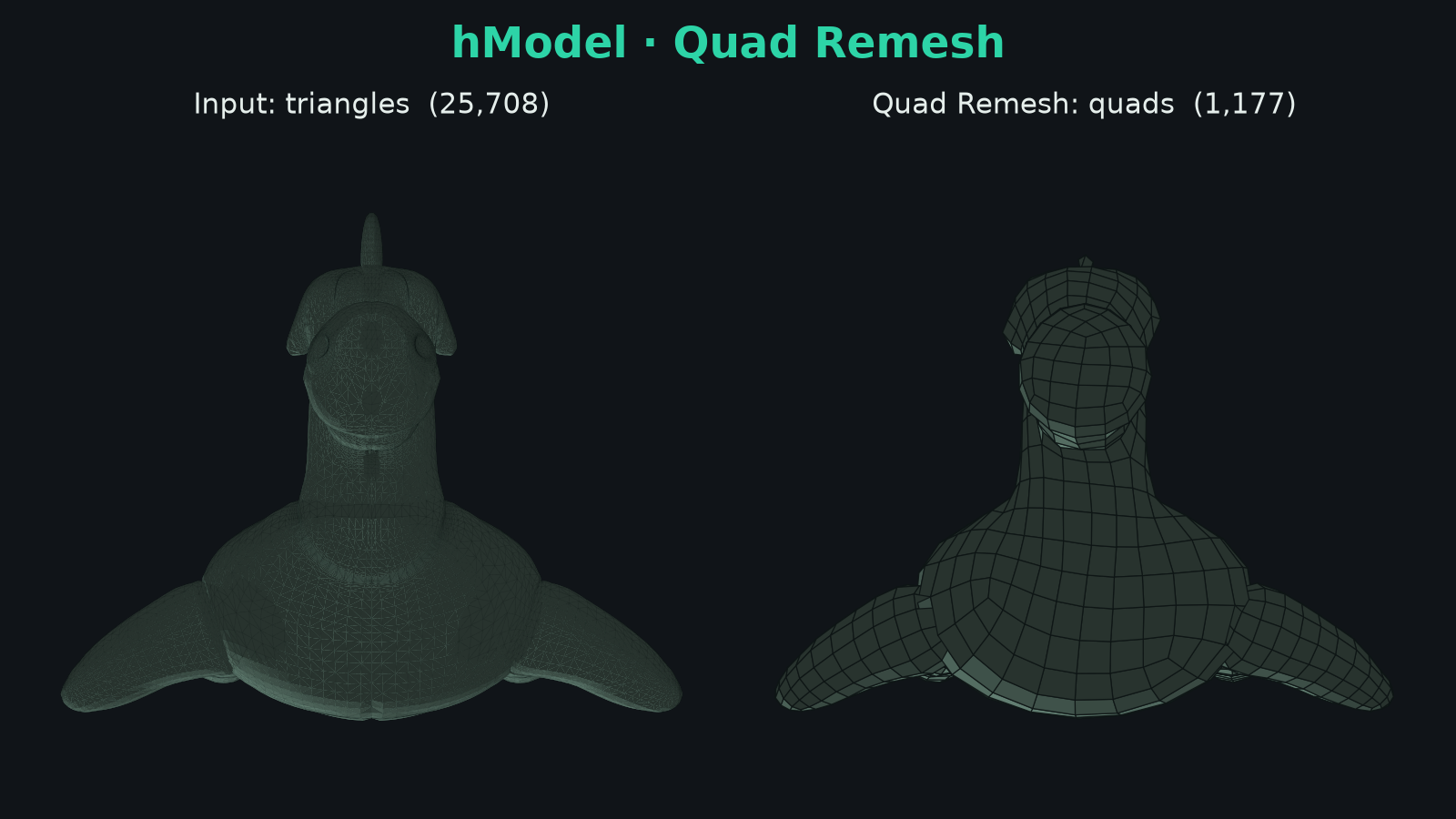
Quad Remesh
Turns a triangle mesh into a clean quad mesh, built into the package so nothing else needs installing.
The remeshing algorithm is AutoRemesher by Jeremy Hu (huxingyi), used under the MIT licence. hModel brings it into Houdini and adds guide curves, feature edges, density and symmetry. Thank you, Jeremy.
- Target quads: set the count, or let it match a target.
- Guide curves: steer the edge flow with curves on the second input.
- Feature edges: lock hard edges with an edge group.
- Density: a point attribute makes quads smaller where you paint more.
- Symmetry: remesh one half and mirror it.
- Press Esc to cancel a long remesh.
Bridge Alpha
Sends a model from Houdini to ZBrush and takes it back, for a quick sculpt tweak, a ZRemesher pass or new polygroups. No file dialogs, nothing to name, nothing to publish in ZBrush.
Step by step: how to use Bridge →Eight steps with screenshots, from putting down the node to getting the model back, plus what to do when something is wrong.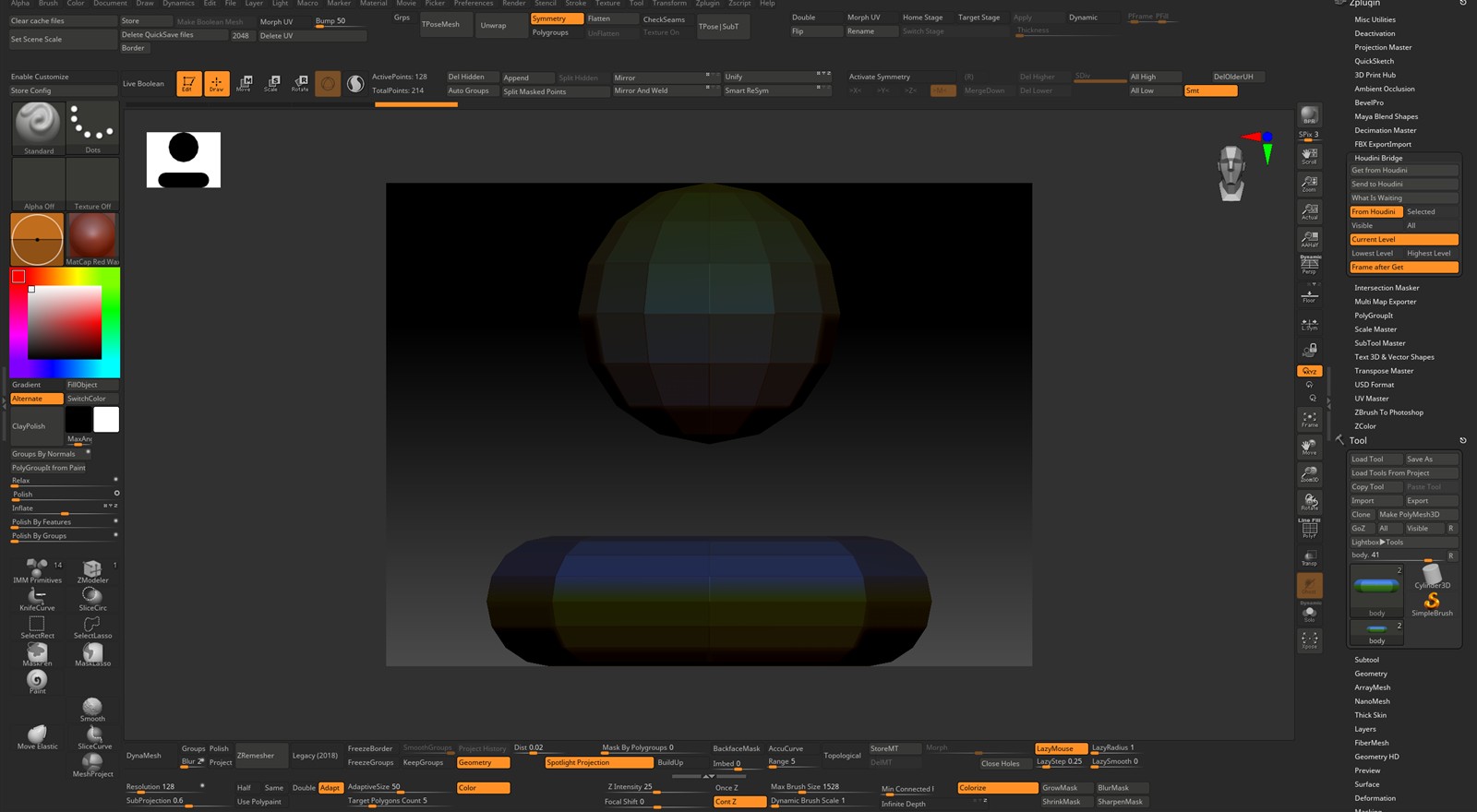
ZBrush after Send to ZBrush: the model loaded by itself, one subtool per piece. The Houdini Bridge menu is top right.
- Send to ZBrush: one button on the node. ZBrush starts and the model loads by itself.
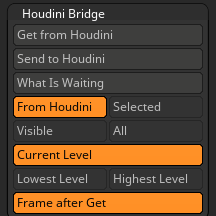
- A menu in ZBrush: ZPlugin > Houdini Bridge, with Get from Houdini and Send to Houdini. Pick which subtools go back and at which subdivision level.
- A tweak keeps everything: when the topology is the same, only what changed is taken (shape, UVs, creases, polygroups, colour). Attributes, groups and weights on the input stay.
- New topology works too: after ZRemesher or Divide the returned mesh is used and the input's attributes are transferred onto it.
- Nothing depends on ZBrush afterwards: every return is a file beside the scene, so the scene opens and renders without it.
- Set-up is on the node: it says whether ZBrush was found and has its menu, with a button for the next step.
Alpha: Windows, tested with ZBrush 2022. Triangles and quads only. Coming later: Maya and Blender.
PolyDex Alpha TumbleTrove+
Draw a clean quad mesh on top of a scan or sculpt, point by point, right on its surface. Work on one half with symmetry, then add Mirror and Subdivide layers in a stack you reorder by dragging. Every edit is kept, so the result rebuilds when the model under it changes.
GPU Sculpt Alpha TumbleTrove+
Sculpt in the Houdini viewport, on the GPU. Brushes, masking (hold Ctrl from any brush), polygroups, Slice to cut a mesh along a line, and SubTools picked by name. The result is a SOP like any other.
Alpha: Windows and Linux with an NVIDIA card. Not available on macOS.
Install
Add hModel to your TumbleTrove project (Houdini 22.0 or newer). Quad Remesh, Mesh Lasso, Mesh Carver, Mesh Blender, Bridge (Alpha), PolyDex (Alpha) and GPU Sculpt (Alpha) are in the Tab menu under hModel. PolyDex and GPU Sculpt need TumbleTrove+. For Bridge, follow the step-by-step guide.
Credits
Quad Remesh is built on AutoRemesher by Jeremy Hu (huxingyi), MIT licence. hModel ships a modified copy: console output silenced and a guidance hook added for guide curves, feature edges and density.
It also contains isotropicremesher by Jeremy Hu (MIT), meshoptimizer by Arseny Kapoulkine (MIT) and Eigen (MPL 2.0). The licence texts ship in the package's licenses folder.
hModel is a work in progress: more modelling nodes will follow.